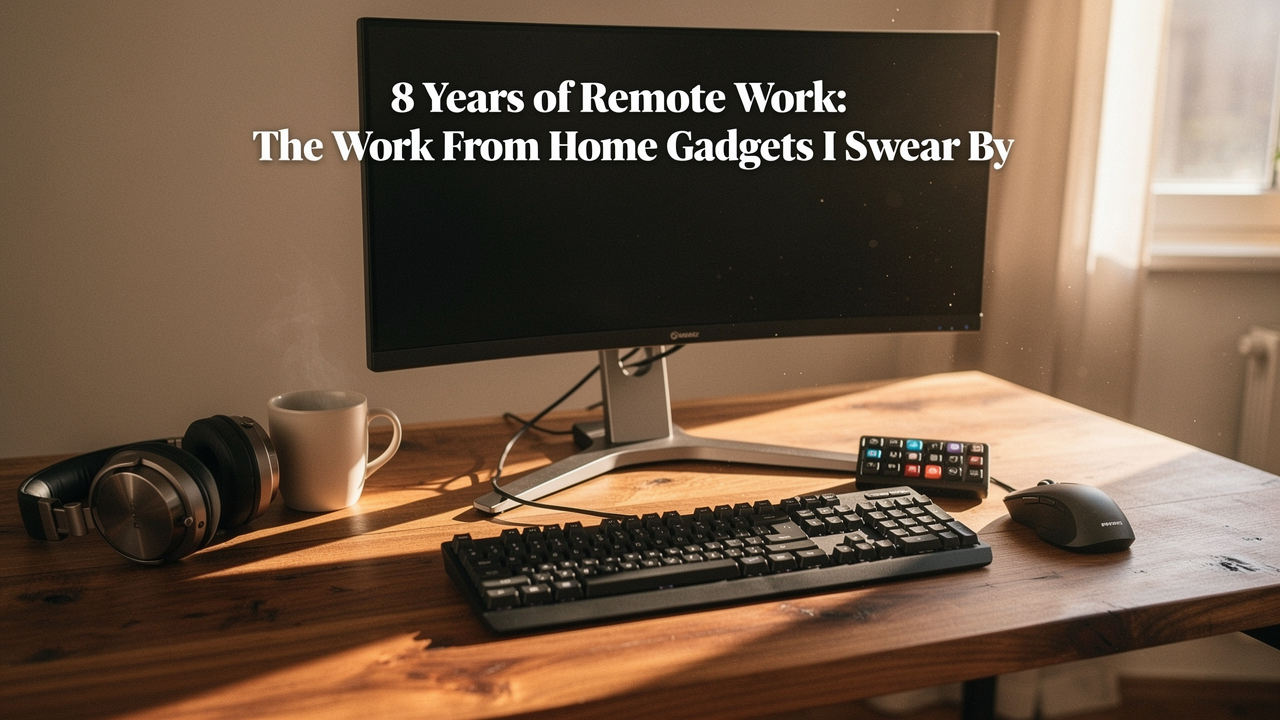
Eight years later, my setup looks a lot different. I’ve traded the cookbooks for high-performance gear and the kitchen chair for a space that actually supports my body and my focus. If there’s one thing I’ve learned from nearly a decade of remote work, it’s that “making do” is the most expensive mistake you can make. When your environment is friction-heavy, you pay for it with your health and your time.
According to a study published by the NIH, a staggering 61.2% of remote workers report musculoskeletal discomfort [1]. We aren’t just imagining that nagging lower back pain or the “tech neck” that hits at 3:00 PM. But here’s the good news: building a high-performance home office doesn’t require a Silicon Valley budget. It requires choosing products with what I call “High Lifestyle ROI”—items that solve real problems, are built to last, and actually spark a little joy in your daily routine.
Quick Answer: The Essential WFH Gadget Checklist
If you’re looking for the “Best Goods” without the deep dive, here are my top non-negotiables for a long-term setup:
- The Ergonomic Anchor: A high-quality monitor arm to save your neck.
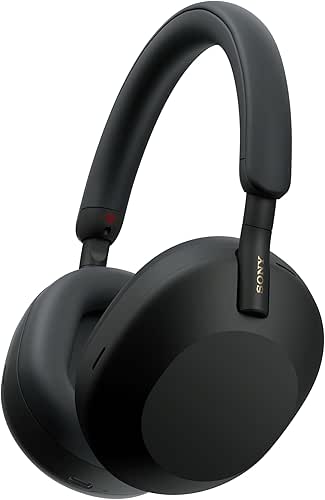
- The Focus Tool: Active Noise Canceling (ANC) headphones to block out domestic chaos.
- The Friction Reducer: A Thunderbolt dock to eliminate cable clutter.
- The Wellness Buy: A physical Pomodoro timer to manage digital fatigue.
The Ergonomic Foundation: Solving the Discomfort Crisis
We need to talk about the “laptop trap.” Laptops are designed for portability, not for eight hours of continuous use. When you work directly on a laptop, you’re forced to choose between straining your eyes or straining your neck. The NIH research is pretty clear on the consequences: over 50% of homeworkers report neck discomfort, and nearly 45% struggle with upper back pain [1].
The goal of an ergonomic home office setup is to achieve a “neutral” posture. This means your feet are flat, your elbows are at a 90-degree angle, and the top of your screen is at or slightly below eye level, as recommended by the Mayo Clinic [3].
The Monitor Arm: Your Neck’s Best Friend
Here’s the thing about those cute wooden monitor stands you see on Instagram: they aren’t adjustable. I spent years trying to find the “perfect” height with stacks of books and fixed risers, but my posture would still slump by lunch. I finally realized that my body’s needs change throughout the day—sometimes I’m sitting tall, sometimes I’m leaning back during a long brainstorm. I needed something that moved with me.
I’ll admit, I was skeptical about spending significant money on a piece of metal just to hold my screen. But after installing a professional-grade arm, the “tech neck” I’d dealt with for three years vanished within a week. It allows me to pull the monitor exactly 20 to 40 inches from my eyes, which is the sweet spot for reducing eye strain [3].
Micro-Verdict: The single best investment for immediate neck pain relief.
Split Mechanical Keyboards: Why I’ll Never Go Back
Let me be honest: I ignored my wrist health for far too long. I thought the slight tingling in my hands was just part of “getting older” or “working hard.” It wasn’t until I researched neutral wrist positioning that I realized standard keyboards force your arms into an unnatural “V” shape, causing tension that radiates all the way up to your shoulders.
Transitioning to a split keyboard felt like a massive hurdle—I was worried about the learning curve and, frankly, how it looked on my desk. But once I found a model that allowed my hands to sit shoulder-width apart, the tension in my upper back (which the NIH found affects 45.7% of us [1]) simply melted away. It’s not just a gadget; it’s a corrective tool for your posture.
Micro-Verdict: The ultimate win for shoulder health and typing longevity.
Productivity Engines: Gadgets that Block Distractions
Remote work is a double-edged sword. You get the freedom of being home, but you also get the “remote work distractions” that come with it. Whether it’s the neighbor’s leaf blower in Austin’s windy season or the siren call of a half-empty dishwasher, staying focused is the #1 hurdle for 92% of employers [2].
Active Noise Canceling (ANC) Headphones: The ‘Do Not Disturb’ Sign
You know that feeling when you’re finally in a “flow state,” and then a delivery driver rings the bell or your partner starts a blender? It takes an average of 23 minutes to get back on track after a distraction. I used to try and “power through” with coffee and willpower, but I was ending my days feeling mentally exhausted from the constant environmental noise.
I started looking for a solution that wasn’t just about music, but about creating a “focus sanctuary.” I found that a pair of high-end ANC headphones acts as a psychological boundary. When I put them on, my brain knows it’s time to work. They don’t just muff noise; they silence the domestic “static” that leads to 80% of employees being distracted every hour [2].
Micro-Verdict: Essential gear for reclaiming your focus in a shared household.

The Analog Pomodoro Timer
I’ll be the first to admit that my phone is my biggest distraction. I’d try to use a timer app to stay productive, but the moment I picked up my phone to start the clock, I’d see a notification and lose 15 minutes to a social media rabbit hole.
What finally clicked for me was moving my time management away from my screen. I found a simple, physical “gravity” timer that sits on my desk. There are no notifications, no apps, and no blue light. Just a ticking commitment to 25 minutes of deep work. It’s a low-tech solution to a high-tech problem, and it’s one of the few work from home gadgets I use every single day without fail.
Micro-Verdict: A tiny tool that yields a massive increase in daily output.
The Connectivity Hub: Reducing Tech Friction
There is a specific kind of exhaustion that comes from “micro-frictions”—the five minutes spent untangling cables, the flickering webcam, or the “can you hear me now?” dance on every Zoom call. These tiny delays lead to WFH burnout.
Thunderbolt 4 Docks: One Cable to Rule Them All
I used to have a “cable octopus” on my desk. Every time I wanted to take my laptop to a coffee shop or move to the porch for some Austin sun, I had to unplug six different things. It was so annoying that I’d often just stay glued to my desk even when I needed a change of scenery.
I started researching how to simplify my “setup fatigue” and discovered the world of Thunderbolt docks. Now, everything—my monitor, my mic, my lighting, and my charger—plugs into one box. I connect exactly one cable to my laptop, and my entire office springs to life. It’s the definition of “High Lifestyle ROI” because it removes the barrier between “home mode” and “work mode.”
Micro-Verdict: The foundation of a clean, friction-free professional workspace.

External Webcams and Lighting: Professionalism by Default
We’ve all been there: sitting in a meeting looking like a grainy silhouette because the sun shifted and the laptop camera can’t keep up. Beyond just looking unprofessional, poor video quality causes “audio-visual fatigue.” When your colleagues have to strain to see your expressions, the meeting becomes more draining for everyone.
I found that adding a dedicated webcam and a small, diffused LED light didn’t just make me look better; it reduced the eye discomfort that 42.7% of WFH workers experience [1]. Good lighting reduces the contrast glare from your monitor, making those back-to-back calls much easier on your vision.
Micro-Verdict: A small upgrade that makes a huge difference in how you’re perceived.
The Persona Loadouts: Tailor Your Setup
Every remote worker is different. Here is how I would prioritize your home office equipment based on your specific work style:
The Minimalist Remote Worker (Small Spaces)
You work from a corner of your living room or a shared dining table and need gear that disappears at the end of the day.
- Essential: A high-quality tech pouch for your dongles and cables
- Essential: A foldable laptop stand to ensure ergonomics on any table
- Essential: A single, compact USB-C hub to expand your laptop’s ports
- Pro Upgrade: A compact desktop shelf to create vertical space
The Power User (Creative or Technical)
You spend 10+ hours a day at your desk and need maximum screen real estate and performance.
- Essential: Dual-arm monitor mount for multi-screen workflows
- Essential: A Thunderbolt 4 dock for high-speed data transfer
- Essential: An ergonomic vertical mouse to prevent carpal tunnel
- Pro Upgrade: A mechanical “macro pad” for custom shortcuts
Long-Term Reliability: Gadgets that Last 8+ Years
When you’re buying essential tech for remote workers, it’s easy to get lured in by the cheapest option on Amazon. But after eight years, I can tell you: cheap gear is a revolving door. I’ve gone through three $40 “ergonomic” chairs, but the one professional-grade chair I finally invested in has lasted five years and still feels brand new.
Look for equipment that meets BIFMA (Business and Institutional Furniture Manufacturers Association) standards. This ensures the gear is actually rated for 8+ hours of daily use, not just occasional home use. Check the warranties—brands like Ergotron or CalDigit often offer 3–10 year warranties, which is a signal that they expect their products to survive the long haul.
Living the Good Life, One Gadget at a Time
At the end of the day, the “best” gadgets aren’t the ones with the most features or the flashiest RGB lights. They are the ones that quietly remove the hurdles between you and your best work.
Investing in a high-performance office isn’t about being a “tech person”—it’s about being a “well-being person.” When I finish my workday now, I don’t feel broken. I have the energy to head out for a trail run or work on a sourdough batch because my office supported me instead of draining me.
Self-care starts with your space. When your environment is intentional, everything else flows better.
This post contains affiliate links. Recommendations are based on 8 years of hands-on testing and ergonomic research.
References & Authoritative Sources
- NIH / National Library of Medicine (2023). Work-from-home and musculoskeletal discomfort: A cross-sectional study. https://pmc.ncbi.nlm.nih.gov/articles/PMC9967171/
- Insightful (2024). Focus at Work Report: The Distraction Crisis. https://www.insightful.io/blog/remote-work-hidden-benefit
- Mayo Clinic (2024). Office ergonomics: Your how-to guide. https://www.mayoclinic.org/healthy-lifestyle/adult-health/in-depth/office-ergonomics/art-20046169
- PCWorld (2024). The Best Thunderbolt Docks for Power Users. https://www.pcworld.com/article/1443810/work-from-home-tech-gear-better-home-office.html