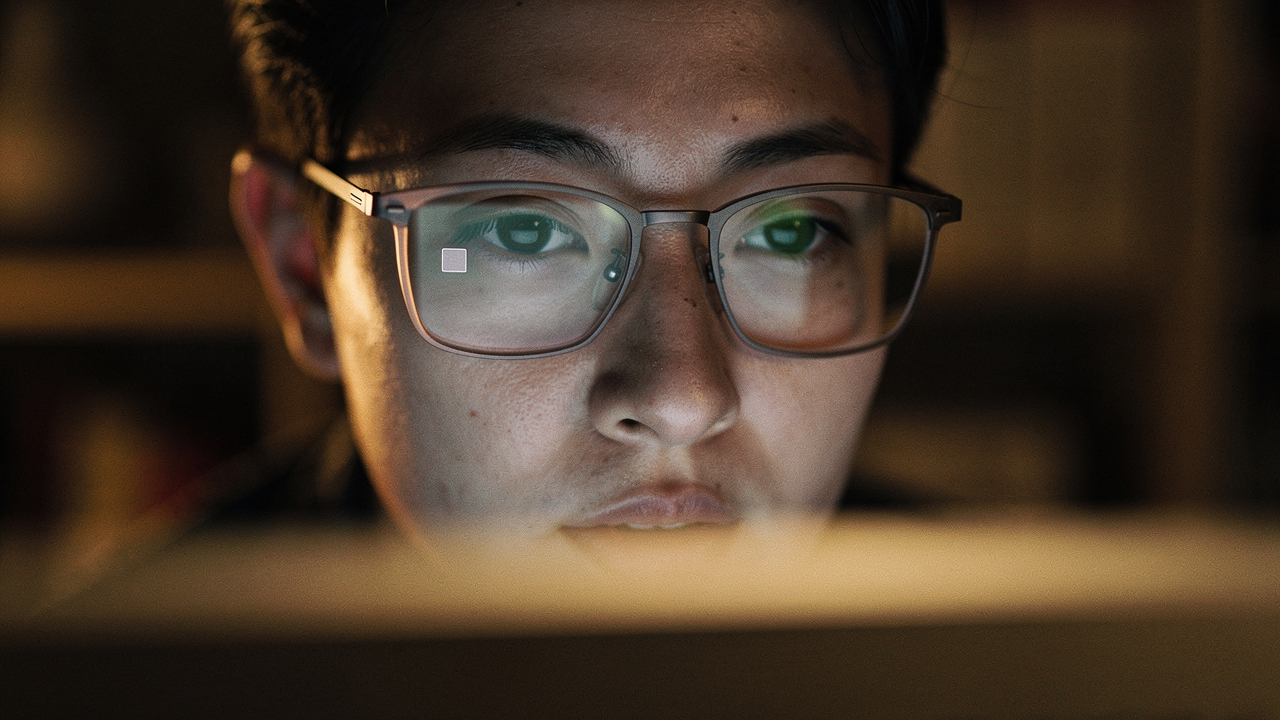
We’ve all been there: You’ve finally dialed in your morning routine, your Austin-roasted coffee is at the perfect temperature, and you’re feeling confident for that big 10:00 AM presentation. Then, you catch a glimpse of yourself in the Zoom preview. Instead of seeing your eyes—the very things people use to build trust and connection—you’re staring back at two glowing blue rectangles of pure screen glare.
It’s what I call the “Blue Mirror” effect, and for years, it was the bane of my digital existence. I’ve had moments where I was trying to explain a complex sourdough hydration chart to a friend, only to realize they couldn’t see my face because my glasses were busy reflecting my entire 27-inch monitor. It feels impersonal, and let’s be honest, a little bit like you’re wearing a sci-fi mask.
I spent months moving lamps around my home office, looking like I was conducting a poorly lit seance, before I found a “High Lifestyle ROI” solution that costs less than a latte. Today, I’m sharing the $6 gadget that changed the game, along with the diagnostic “recipes” I’ve learned to keep your eyes visible and your professional presence sharp.
The Diagnosis: Why Your Glasses Turn Into Mirrors on Zoom
Before we can fix the glare, we have to understand why it’s happening. It essentially comes down to a physics principle called the Angle of Incidence. In the simplest terms: the angle at which light hits your glasses is the same angle at which it will bounce off into your webcam [1].
If your light source—whether it’s a bright window, a ring light, or your own monitor—is sitting directly in front of you at the same level as your camera, those photons have nowhere to go but right back into the lens. Here is how to tell what kind of glare you’re dealing with:
- The White Rectangle: This is “Screenflection.” Your monitor is too bright and acts as a giant light source reflecting off your lenses.
- The Glowing Halo: This usually comes from a ring light placed directly behind or around your webcam.
- The Side Wash: This often happens from an uncovered window or a desk lamp positioned too low and too close to your face.
As the experts at Warby Parker point out, standard lenses without specific treatments are essentially mirrors for any light source they face [2]. Once you identify which “shape” of glare you have, you can target the fix.
The $6 Hero: Linear Polarizing Film
Let’s talk about the gadget that felt like a magic trick when I first tried it. I’d seen photographers use polarizing filters for years to cut reflections on water or glass, but I never thought to apply it to my humble $40 webcam.
I’ll admit it—I was skeptical at first. I didn’t think a tiny piece of plastic could solve a problem that hundreds of dollars in “special” lighting couldn’t touch. I had tried dimming my screen until I could barely read my notes, which just left me squinting and frustrated. Then, I found a deep-dive on using linear polarizing film to neutralize monitor reflections [2]. I ordered a small sheet, followed a few DIY steps, and the difference was night and day.
The setup is simple: you cut a small square of this film and tape it over your webcam lens. The trick is that you have to rotate the film while looking at your preview until the glare on your glasses suddenly “vanishes.” Because monitors emit polarized light, the film can effectively “cancel out” those specific reflections without making the rest of your video look dark.
The real win here: It eliminates the screen reflection while keeping your face perfectly illuminated.

How it Works (and What to Buy)
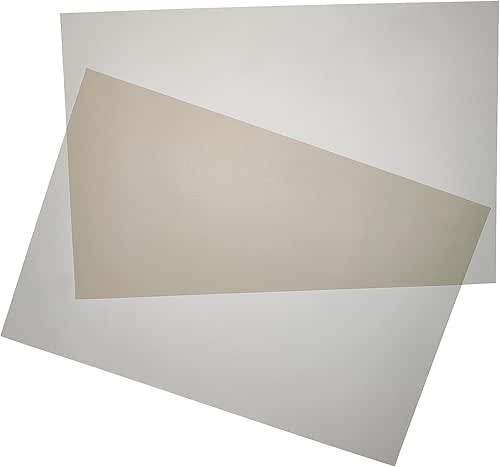
When you’re shopping for this, you’re looking for “Linear Polarizing Sheets.” You don’t need a professional photography brand; a basic pack intended for educational science experiments works perfectly.
Here is the thing to remember: while this fix is incredible for cutting screen glare, it can slightly dim your overall image quality [5].
- Pros: Virtually eliminates the “White Rectangle” screen reflection; extremely affordable; non-permanent.
- Cons: Requires a bit of DIY “fiddling” to get the angle right; can reduce overall brightness by about half a stop.
- Best For: Professionals with large, bright monitors who can’t move their desk setup.
The Zero-Dollar Fix: The 45-Degree Lighting Recipe
If you aren’t in the mood for a DIY project, the most effective free fix is changing your “lighting recipe.” Most of us naturally put our lights directly in front of us because we want to be well-lit. But for glasses wearers, front-on lighting is the enemy.
I learned this the hard way after investing in a high-end ring light, only to realize I looked like I had glowing donuts in my eyes. What finally clicked was the “45-5-45” rule used by professional videographers.
You want your primary light source to be:
- 45 Degrees Out: Move the light to the side so it isn’t directly behind the camera.
- 45 Degrees Up: Raise the light so it’s hitting you from slightly above eye level.
By moving the light “off-axis,” the reflection bounces off your glasses toward the floor or the wall instead of back into the webcam [3]. As the team at Lume Cube suggests, using two smaller lights on either side of your face is significantly more effective than one giant light in the center [9].
If you’re using a desk lamp, try the “Strobist” trick: Point the lamp at the wall behind your monitor rather than at your face. This creates a soft, diffused “wash” of light that illuminates you without the harsh hotspots that cause glare [4].
Software Tweaks: Hacking Zoom’s Video Settings
Sometimes the glare isn’t just about physics; it’s about how your software is interpreting the light. Zoom, in particular, tries to be helpful by over-brightening your image in low light, which can inadvertently turn a small reflection into a blinding white patch.
Here’s what I found after digging into the manual exposure settings [5]:
- Disable “Adjust for Low Light”: In Zoom settings, go to Video > Advanced. If this is on “Auto,” Zoom will often crank up the exposure, making reflections much more visible. Switch it to “Manual” and slide the bar down slightly.
- Manage Monitor Brightness: It sounds simple, but we often forget our monitor is a light source. During calls, I drop my brightness to 40-50%. It’s enough for me to see my notes but not enough to turn my glasses into mirrors.
- Use “Touch Up My Appearance” Sparingly: While it’s great for a “Sunday Reset” look on a Monday morning, overusing the smoothing filter can sometimes make the edges of your glasses look blurry or “digital” when reflections hit them.
Long-Term Investments: AR Coatings and Frame Choice
If you’re due for a new pair of frames soon, there are a few choices that will make your digital life significantly easier. I used to think all glasses were created equal until I tried a pair with a high-quality Anti-Reflective (AR) coating.
Unlike the cheap “blue light” filters you see advertised on social media—which often add a distracting purple or blue tint to the lens—professional AR coatings are designed to let light pass through the lens rather than bouncing off it. Modern coatings like Shamir’s Glacier Expression™ can reduce surface reflections by up to 70% [6].
For those who only need glasses for screen work, I found a specific lifestyle upgrade that has a high ROI for comfort.
I ignored specialized “computer readers” for years, thinking my standard prescription was fine. But after realizing how much I was leaning forward into the glare to see small spreadsheets, I tried a pair of dedicated screen readers. They are lighter, have a wider field of view for monitors, and come with the highest-grade anti-glare coatings pre-applied.
The game-changer: Total visual clarity without the “heavy frame” fatigue during back-to-back calls.
Choosing the Right Frames for Camera
If you’re a minimalist who wants one pair to do it all, keep these tips from the American Optometric Association (AOA) in mind [7]:
- Matte over Shiny: Choose matte-finished frames. Glossy plastic or polished metal frames can create “micro-glare” hotspots on your face.
- Thinner Temples: If you wear over-ear headphones, look for frames with thin temples to prevent that “pinched ear” headache after an hour-long meeting.
- Lens Shape: Slightly flatter lenses (less “wrap-around”) tend to be easier to manage with lighting than highly curved, athletic-style frames.
Final Thoughts: Let Your Message Shine
At the end of the day, looking good on a Zoom call isn’t about vanity—it’s about removing the distractions that stand between you and your message. When your colleagues can see your eyes, they see your intent, your empathy, and your focus.
You don’t need a $500 studio setup to fix this. Start with the free lighting adjustments, try the $6 polarizing film trick if you have a large monitor, and keep AR coatings in mind for your next vision appointment.
Living well is about these small, intentional optimizations. See you on the screen (without the glare)!
Which fix worked for you? Drop a comment or tag me in your non-glare workspace selfie—I’d love to see your setup!
Affiliate disclosure: Some links above help support the site. This guide provides cosmetic and ergonomic advice; consult an optometrist for vision concerns.
Sources & Expert References
- Rosemary Ravinal (2021). “How to reduce eyeglass glare on Zoom.” RosemaryRavinal.com. https://rosemaryravinal.com/reduce-glare-on-glasses-zoom/
- MakeUseOf (2022). “How to Use Polarizing Film to Stop Glasses Glare on Webcams.” https://www.makeuseof.com/polarizing-film-on-webcam-for-glasses-glare/
- Lume Cube (2023). “Light Tip: How To Avoid Glasses Glare.” https://lumecube.com/blogs/news/how-to-avoid-glasses-glare
- Strobist (2007). “How to Improve Your Cheapo Webcams.” https://strobist.blogspot.com/2007/05/how-to-improve-your-cheapo-webcams.html
- Nexttools (2024). “How do I reduce the glare on my glasses on Zoom?” https://nexttools.net/how-do-i-reduce-the-glare-on-my-glasses-on-zoom/
- Shamir Insight (2023). “See and Be Seen: Glacier Expression Lens Coating.” https://shamir.com/us/for-professionals/blog/see-and-be-seen-on-video-calls-with-glacier-expression-lens-coating/
- American Optometric Association. “Computer Vision Syndrome and AR Coatings.” https://www.aoa.org
- Warby Parker. “Anti-Reflective Coating Explainer.” https://www.warbyparker.com/learn/anti-reflective-coating
- GlassesUSA (2021). “9 Best Tips to Stop Screen Light from Reflecting Off Your Eyeglasses.” https://www.glassesusa.com/blog/2021/glasses-and-zoom-9-best-tips-to-stop-screen-light-from-reflecting-off-your-eyeglasses