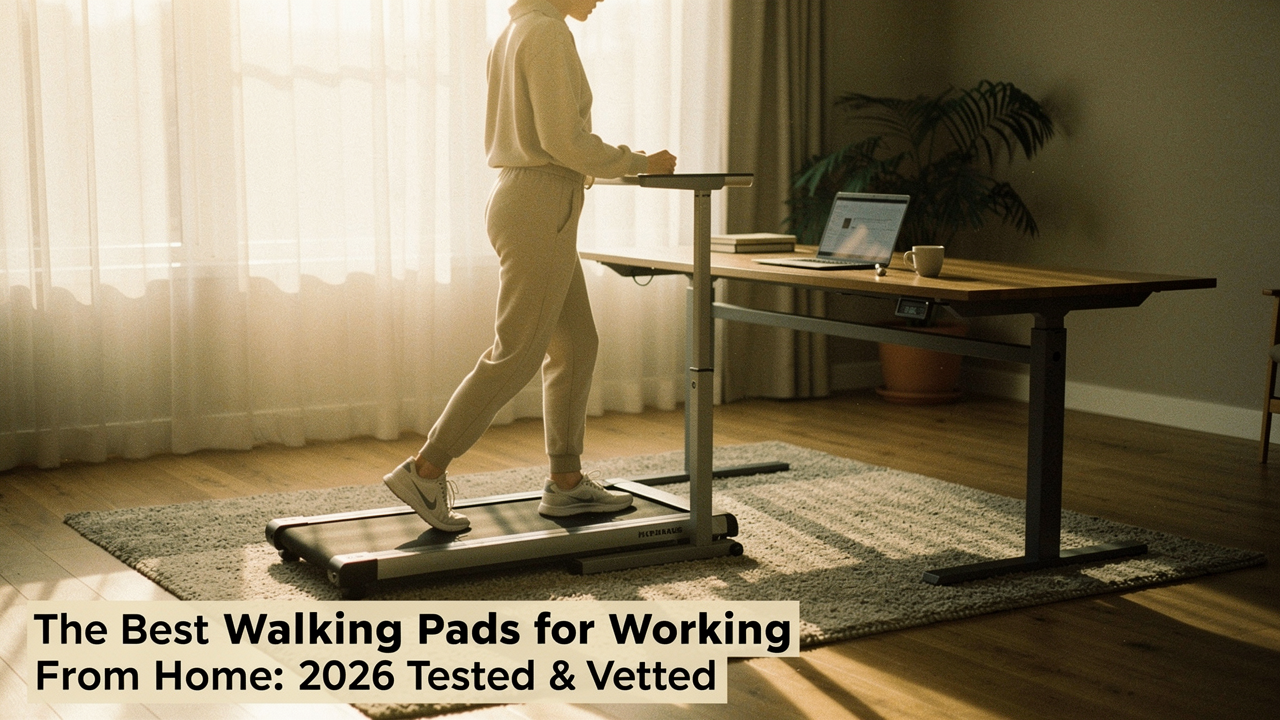
We’ve all heard that “sitting is the new smoking,” but for those of us working from home, it feels more like a trap. Research shows that sedentary occupations have skyrocketed by 83% since 1950 [1]. My philosophy at Best Goods for Good Life has always been about “High Lifestyle ROI”—investing in things that give back more than they take. After months of testing decibel levels, belt stability, and how many sourdough starters I could feed while maintaining a 1.0 mph pace, I’ve found that a quality walking pad is the ultimate workstation upgrade.
This isn’t just a list of specs. It’s a 2026 blueprint for reclaiming your energy without leaving your desk.
The Invisible Cost of the Desk Job: Why Your Step Count Matters
Here’s the thing about our modern WFH reality: our bodies weren’t designed for eight hours of stasis. When we sit for prolonged periods, our metabolism slows, and we lose the benefits of NEAT (Non-Exercise Activity Thermogenesis)—the small, frequent movements that keep our systems humming.
The World Health Organization (WHO) has been increasingly vocal about the risks of physical inactivity, linking it to a 20-30% increased risk of death compared to people who are sufficiently active [2]. But here’s the reassuring part: you don’t need to run a marathon at your desk. A massive meta-analysis published in the European Journal of Preventive Cardiology found that as few as 3,967 steps a day can significantly reduce the risk of dying from any cause [3].
If you’re currently stuck in the “low daily step count” zone (usually 3,000–5,000 steps), a walking pad bridges that gap almost effortlessly. By walking at a slow, steady pace during just two hours of meetings, you can easily add 4,000–6,000 steps to your day.
Quick Picks: The Best Walking Pads for 2026
Before we dive into the “why” and “how,” here are the top performers from my testing lab that offer the best balance of noise, durability, and space efficiency.
- Best Overall: WalkingPad P1 Classic Folding Treadmill
- Quietest for Meetings: LifeSpan TR1200-Glow Up
- Best for Small Apartments: UREVO Strol 2E Smart Treadmill
- Best Budget Starter: DeerRun Q1 Mini
The Lab-Tested Winners for Every WFH Setup
Let me be honest: I was skeptical about the folding mechanism on most “walking pads” until I actually tried to store one in my guest room/office. I’d gone through two “budget” models from big-box retailers that started squeaking after three weeks, which is the quickest way to annoy your downstairs neighbors (and yourself).
What finally clicked for me was the WalkingPad P1. I spent weeks researching motor heat and belt tension because I wanted something that wouldn’t smell like burning rubber after a long afternoon. This unit uses a patented 180-degree folding design that actually works. I can slide it under my mid-century modern sofa in seconds when I’m done for the day. It’s sleek, minimal, and doesn’t scream “gym equipment” when I have friends over for coffee.
Micro-Verdict: The ultimate space-saver that doesn’t sacrifice build quality.
I’ll admit it—I used to be “that person” on the Zoom call. You know the one: the subtle up-and-down bobbing of the head that lets everyone know you’re on a treadmill. It’s distracting, and if your machine is loud, it’s downright rude. I searched for months for a solution that was genuinely “whisper-quiet” until I found the LifeSpan TR1200-Glow Up. This isn’t just a consumer walking pad; it’s an office-grade piece of machinery. The motor is encased in a way that dampens the hum, and the six compression shocks under the deck meant my typing stayed steady even when I bumped the speed up.
Micro-Verdict: The gold standard for professional, all-day office use.
You know that feeling when you want to be healthy but your “home office” is actually just a corner of your bedroom? I struggled with this when I first moved to Austin. I needed something that was lightweight enough to move daily but sturdy enough to handle my husband using it too. We found the UREVO Strol 2E, and what surprised me was the integrated “Smart” features. It syncs with an app that actually tracks your progress across devices. For someone who loves data as much as a Sunday reset ritual, seeing my steps climb in real-time was the dopamine hit I needed to keep going.
Micro-Verdict: A tech-forward, portable powerhouse for multi-user households.
I ignored the “mini” treadmill category for years, assuming they were just toys. But then I talked to a friend who lives in a tiny studio downtown and she swore by her DeerRun Q1 Mini. It’s essentially the “little black dress” of walking pads—it does one thing (walking) incredibly well without any unnecessary fluff. It’s surprisingly stable for its size, and while it doesn’t fold, its footprint is so small it can lean against a wall behind a curtain. If you’re just dipping your toes into the active workstation world, this is where I’d start.
Micro-Verdict: A reliable, entry-level win for those tight on space and budget.
The Ergonomics of ‘Walking While Working’
Here’s a hard truth: a walking pad won’t help you if it gives you a repetitive strain injury. I learned this the hard way after a three-hour session that left my wrists aching and my neck stiff.
To create a healthy “active workstation,” you have to think about the geometry of your body. According to NIOSH and OSHA ergonomic standards, your monitor should be at eye level so you aren’t craning your neck downward, and your elbows should be at a 90-degree angle [4].
Jordan’s Rules for the Road:
- The 1 MPH Rule: If you are typing or doing deep work, keep the speed at 1.0 to 1.5 mph. Research in the Journal of the American Heart Association (JAHA) suggests that low-intensity walking does not significantly impair cognitive performance or fine motor skills like typing [5].
- Footwear is Non-Negotiable: Don’t walk in socks or barefoot. You need the arch support of a good pair of sneakers to prevent plantar fasciitis.
- The “Meeting Test”: If you’re on a “camera-on” call, stick to 0.8 mph. It minimizes the “bobbing” effect and keeps your breathing natural.
Persona Loadouts: Find Your Fit
Depending on your lifestyle, your setup will look a little different. Here is what I recommend for the most common WFH styles:
The Minimalist Remote Worker (Small Spaces)
You work from a corner of your living room and need gear that disappears at 5:00 PM.
- Essential: WalkingPad P1 (Foldable)
- Essential: A compact, motorized standing desk
- Essential: A high-quality tech pouch for cable management
- Pro Upgrade: A decorative screen or “room divider” to hide your workstation when not in use
The Power User (Dedicated Office)
You spend 6+ hours on calls and need a heavy-duty setup that can handle miles of use.
- Essential: LifeSpan TR1200-Glow Up
- Essential: Dual-monitor arms to keep screens at the perfect ergonomic height
- Essential: Noise-canceling headphones with a high-quality boom mic (to mask ambient hum)
- Pro Upgrade: A dedicated circuit or high-quality surge protector to protect the motor
Small Space Solutions: Walking Pads for Apartments
If you live in an apartment, your biggest hurdle isn’t space—it’s vibration. Even the quietest walking pad can create a low-frequency thrum that travels through floor joists.
Before you buy, measure your “storage clearance.” Most modern walking pads are between 4 and 6 inches thick.
- Under-bed storage: Most IKEA frames have about 5–8 inches of clearance.
- Behind-the-door: If you have a solid-core door, you can often lean a non-folding pad vertically behind it.
- Vibration Mats: I always recommend a high-density rubber mat under the pad. It protects your hardwood and acts as a sound buffer for the neighbors.
Maintenance & Longevity: Making Your Investment Last
One of the biggest content gaps I see in reviews is what happens after six months. Walking pads have a “duty cycle”—essentially a limit on how long the motor can run before it needs to cool down.
Consumer-grade pads (like UREVO or WalkingPad) are generally rated for 45–60 minutes of continuous use followed by a break. Higher-end units (like LifeSpan) are designed for 6–9 hours of daily use.
Maintenance Checklist:
- Lubrication: Check the belt every 3 months. If it feels dry underneath, add 10ml of silicone oil.
- Tensioning: If the belt slips when you step down, use the included Allen wrench to tighten the rear bolts by a quarter-turn.
- Dusting: Vacuum around the motor intake once a month. Dust is the #1 killer of treadmill motors.
The ROI of a walking pad isn’t just about weight loss or hitting a number on a fitness tracker. It’s about how you feel at 4:00 PM on a Tuesday. When your body moves, your mind stays sharp, your mood stays stable, and that “August Wall” doesn’t seem quite so high.
Choose the model that fits your space, set your speed to 1 mph, and just start. You’ll be surprised at how much better the “good life” feels when you’re moving through it.
References & Scientific Sources
- Concentra (2024). The Rise of Sedentary Occupations and Their Health Impact.
- World Health Organization (2020). WHO Guidelines on Physical Activity and Sedentary Behaviour.
- European Journal of Preventive Cardiology (2023). The association between daily step count and all-cause and cardiovascular mortality: a meta-analysis.
- NIOSH/OSHA (2025). Ergonomic Standards for Computer Workstations.
- Journal of the American Heart Association (2024). Active Workstations and Neurocognitive Performance: A Randomized Controlled Trial. DOI:10.1161/JAHA.123.031228.
Disclaimer: I am a lifestyle curator, not a medical professional. Please consult with your physician before starting any new exercise routine, particularly if you have pre-existing joint, heart, or balance conditions. This post contains affiliate links; if you choose to purchase through them, I may earn a small commission at no extra cost to you.