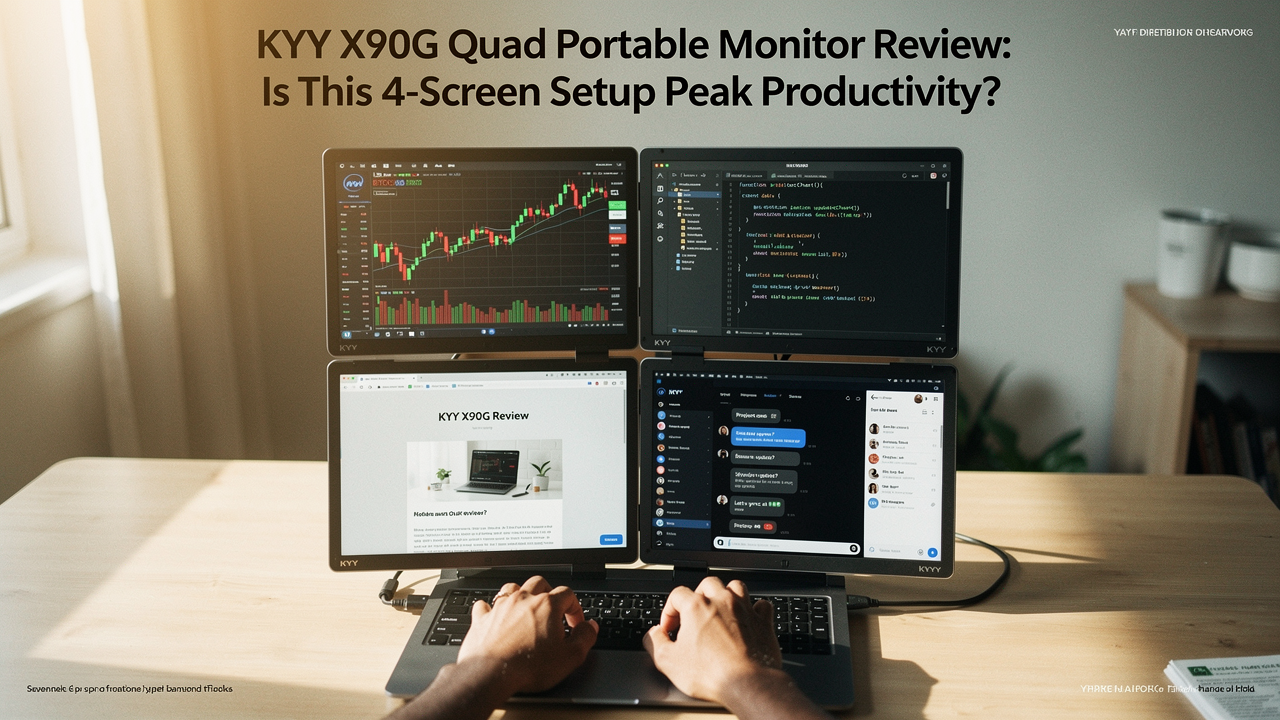
We’ve all been there—what I call “Alt-Tab Hell.” You’re trying to reference a spreadsheet, write a report, and keep an eye on Slack simultaneously, but you’re constantly shuffling windows like a frantic dealer at a blackjack table. It’s exhausting. It’s a hidden “productivity bottleneck” that drains your mental energy before lunch.
When I first heard about the KYY X90G, a device that adds three extra screens to your laptop, I was skeptical. Was it a “High Lifestyle ROI” tool that genuinely improves daily life, or just another bulky gadget destined for the “junk drawer” of tech? I decided to put it to the “Good Life Test” to see if it’s the ultimate solution for limited screen space.
The Screen Space Bottleneck: Why One Monitor Isn’t Enough
Here’s the thing about our digital habits: we aren’t just “working” anymore; we’re orchestrating data across dozens of tabs. When your laptop screen is too small, your brain has to work overtime just to remember what was in the window you just minimized. This is a concept known as “cognitive load,” and it’s a silent killer of focus.
Research from Altium suggests that increasing your screen real estate significantly reduces “cutting-and-pasting friction” [2]. When you can see your source document and your work-in-progress side-by-side, you aren’t just faster—you’re more accurate. You stop making those “silly” mistakes that happen when you’re constantly context-switching.
For me, the struggle was real every Sunday during my “week-ahead reset.” I’d have my calendar, my budget sheet, and my meal planner all competing for the same 13 inches of pixels. What should have been a peaceful 20-minute ritual turned into an hour of frustrating window-snapping. I knew I needed a portable display solution that didn’t require a permanent, bulky desk setup.
KYY X90G Quad Monitor Extender: Hardware Deep-Dive
Let me be honest: I ignored these “multi-screen clip-on” things for years because they looked like fragile plastic toys. But the KYY X90G felt different the moment I unboxed it. It features three 15.6-inch 1080P Full HD IPS panels that, combined with your laptop, create a four-screen command center.
The specs are actually quite impressive for a portable unit:
- Brightness: 400 nits (This is key—many budget monitors are too dim to use near a sunny window)
- Color Gamut: 80% NTSC (Good enough for most productivity tasks and casual photo editing)
- Refresh Rate: 60Hz (Standard for office work; keeps everything feeling fluid)
- Rotation: 360° rotation for each screen, allowing for vertical or horizontal layouts
Official KYY specs claim 400 nits of brightness, and while I don’t have a laboratory light meter, it held its own against my MacBook Pro screen in my sun-drenched living room. Verification from tech labs like TechRadar suggests that verifying these “nit” claims is crucial, as many manufacturers overpromise and under-deliver [4]. The X90G actually feels bright enough to be usable, which is a rare win in the portable monitor world.
Setup & Compatibility: The ‘Single Cable’ Reality
You know that feeling when you buy a new piece of tech, but then you realize you need three different dongles and a degree in electrical engineering to make it work? I was terrified the X90G would be a cable nightmare.
What surprised me was the “Single Cable” setup. Because it uses a driver-based system (typically DisplayLink), you can often run all three extra screens through one USB-C port. However, there’s a catch: your laptop’s USB-C port needs to provide enough power. If your laptop is older, you’ll definitely want to plug in an external 100W USB-C Power Delivery (PD) adapter to keep everything stable.
If you’re a Mac user, listen closely. PCMag has noted that certain M1 and M2 MacBook models have native limitations when it comes to supporting multiple external displays [1]. The X90G bypasses some of these limits using its internal drivers, but you must install the software first. It’s not quite “plug-and-play” in the traditional sense, but once those drivers are in, it’s a one-cable dream.
Real-World Performance: Trading, Coding, and Multitasking
I took the X90G to my favorite Austin coffee shop for a “field test” (and a lavender latte). Setting it up on a small cafe table was… a statement. People will stare. But once I was docked in, I felt like I was in a high-end office.
I spent the morning doing some light coding and heavy data analysis in Excel. Having my code on the left, my live preview on the right, and my research/Slack on the top screen was a game-changer. I wasn’t just working; I was flowing. The built-in kickstand is sturdy, though I did worry about the weight on my laptop hinges.
Wired’s review of the X90G mentioned a “hinge risk” specifically for smaller, 13-inch laptops [3]. I noticed that on my smaller MacBook, the setup felt a bit top-heavy. If you’re using a 15-inch or 17-inch laptop, it feels much more anchored.
KYY X90G vs. The Field: Which Setup Wins?
If the quad-screen setup feels like “too much monitor” for you, there are other incredible options. I’ve tried a few that cater to different work styles.
If you’ve ever handled a piece of tech that felt like it was made of cheap plastic, you know that immediate sense of regret. I wanted something that matched the build quality of my MacBook, which led me to the Espresso Displays 15 Touch. It’s thin, metallic, and feels like a piece of art. For someone who values aesthetics as much as utility, this is a top-tier choice.
Micro-Verdict: The sleekest, most premium-feeling portable monitor on the market.
Sometimes, I just need to sign a PDF or sketch a quick layout without fumbling for a mouse. I went through three different “budget” touchscreens that were laggy and dull before I finally invested in the Lenovo ThinkVision M14t. The touch response is buttery smooth, and the 14-inch form factor is the sweet spot for true portability.
Micro-Verdict: The gold standard for portable touchscreens and stylus-heavy workflows.


The Comparison Matrix
To help you decide, here is how the KYY X90G stacks up against the most popular portable monitor extenders:
- KYY X90G: 3 extra screens (4 total), 400 Nits, ~5 lbs, Best for “Command Center” setups
- Arzopa Z1RC: 1 extra screen, 16-inch 2.5K resolution, Very Lightweight, Best for “Budget Travelers”
- Mobile Pixels Trio: 2 extra screens, Slide-out design, Hinge-mounted, Best for “Small Desk Spaces”
The Verdict: Is the KYY X90G Your Productivity Solution?
So, does the KYY X90G pass the “Good Life Test”?
If you are a “Casual Remote Worker” who mostly answers emails and browses the web, this is overkill. It’s heavy, it’s expensive, and you’ll likely find it more cumbersome than helpful. A single high-quality portable monitor like the Lenovo M14t would be a much better ROI for you.
However, if you fall into one of these categories, the X90G is a massive workflow overhaul:
The Persona Loadout
- The Digital Nomad Trader: You need multiple charts, news feeds, and execution windows visible at all times. The X90G turns a van or a hotel room into a professional trading desk.
- The Power-User Coder: Essential for having documentation, terminal, and IDE side-by-side without the “Alt-Tab” friction.
- The Data Analyst: Perfect for large spreadsheets where you need to compare two different sheets while keeping your communications open on a third screen.
The real win here is the “High Lifestyle ROI.” By spending $500–$600 on this setup, you might save yourself 30 minutes of frustrated clicking every single day. Over a year, that’s hundreds of hours of your life back.
Check out the KYY X90G on Amazon and stop squinting at your 13-inch laptop. Your eyes (and your brain) will thank you.
Affiliate disclosure: We may earn a commission if you purchase through our links. Note: This review is based on hands-on testing and manufacturer specifications current as of early 2026.
References & Authoritative Sources
- PCMag (2025). “Displays Decoded: All the Types of Laptop Screens Explained.” https://www.pcmag.com/explainers/displays-decoded-all-the-types-of-laptop-screens-explained
- Altium (2024). “How to Improve Your Productivity with Added Screen Real Estate.” https://resources.altium.com/p/how-to-improve-your-productivity-with-added-screen-real-estate
- Wired (2024). “KYY X90G Quad Portable Monitor Extender Review: 3 More Screens.” https://www.wired.com/review/kyy-x90g-quad-portable-monitor-extender/
- TechRadar (2025). “Best Portable Monitor: Tested and Rated for Work & Play.” https://www.techradar.com/news/best-portable-monitor
- RTINGS (2026). “The 4 Best Portable Monitors – Winter 2026 Reviews.” https://www.rtings.com/monitor/reviews/best/by-size/portable
- KYY Official (2025). “KYY X90G Quad Monitor Extender Product Manual & Specifications.” https://kyymonitor.com/products/kyy-15-6-portable-quad-monitor-extender-x90g