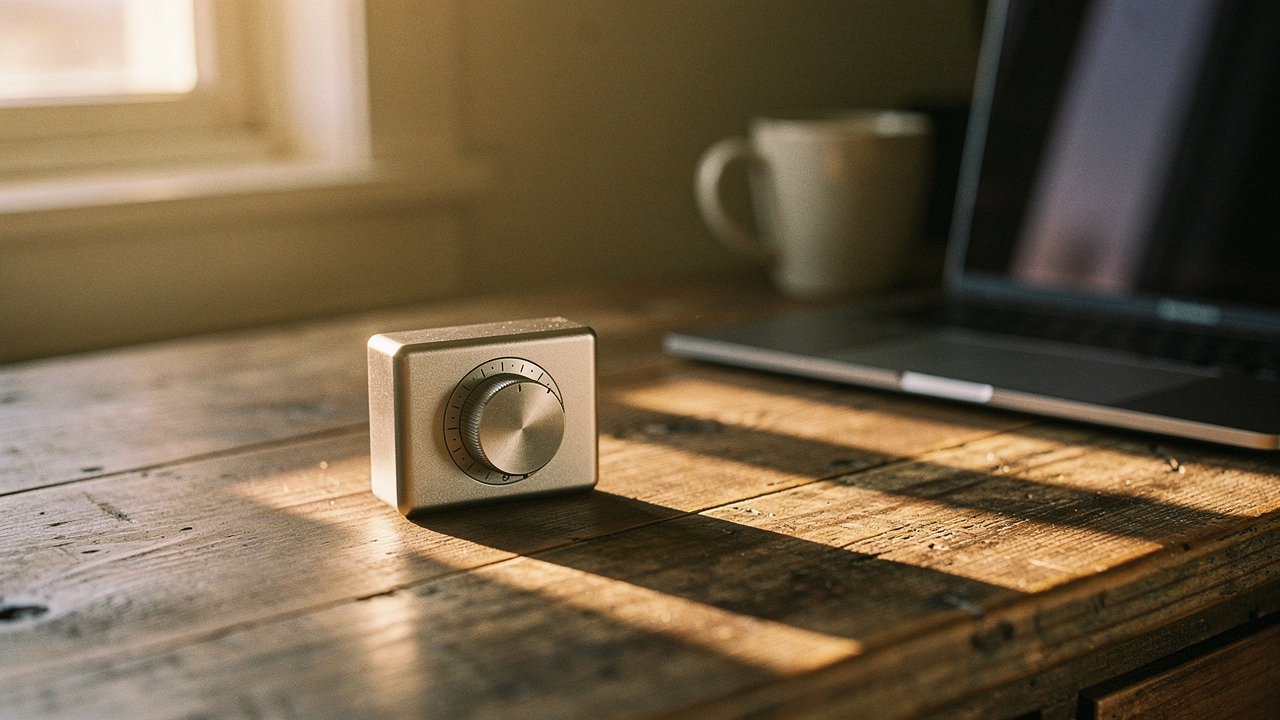
I call this “Invisible Waste.” It’s a term often used in lean management to describe time, knowledge, and process inefficiencies [1]. In a home office, it’s that fuzzy feeling of being busy all day but having very little to show for it. I struggled with this for years, assuming I just needed a more expensive chair or a faster laptop. What I actually needed was a way to stop the “leaks” in my focus.
The ‘Invisible Waste’ of the Modern Home Office
Here’s the thing about working where you live: the distractions aren’t always loud. It’s not just the dog barking at the mail carrier; it’s the mental load of seeing a stack of mail that needs sorting while you’re trying to write a report. This constant interruption of our “flow state” has a massive cognitive cost. Research published in the Journal of Experimental Psychology suggests that even brief interruptions can significantly increase the error rate on complex tasks [2].
When we work from home, we are often our own worst enemies. We create a setup that looks like an office but doesn’t function like one. We allow “work about work”—scheduling, toggling between apps, and managing notifications—to eat up our most productive hours.
Why Your ‘Digital’ Solutions Might Be Failing You
I’ll admit it—I used to be a productivity app junkie. I had a digital timer for everything, a browser extension to block social media, and a task manager that sent me push notifications every fifteen minutes. What surprised me was that these “solutions” were actually part of the problem.
Every time a notification popped up on my phone to tell me to “Focus!”, it took me away from the very work I was doing. Digital tools live in the same space as our distractions (our screens). To truly fix home office inefficiency, I realized I needed something physical—an “attention anchor” that existed outside of the glass rectangle in my hand.
The $20 Hero: The Physical Focus Anchor
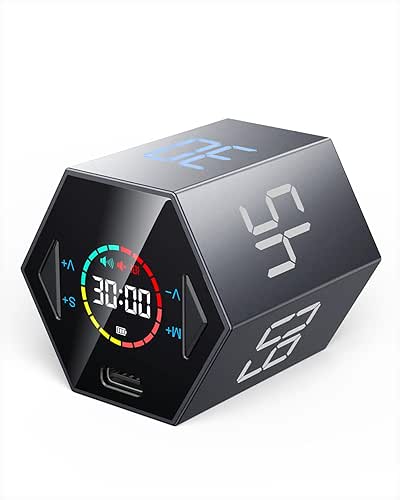
Let me be honest: I was skeptical that a piece of plastic could do what years of “hustle culture” couldn’t. I spent months trying every Pomodoro app on the market, but my phone was always the gateway to a twenty-minute Instagram spiral. I needed a boundary that was tactile and visual. That’s when I discovered the physical hexagon productivity timer. It’s a simple, six-sided gravity sensor timer that starts the moment you flip it.
The magic isn’t in the clock itself; it’s in the psychological shift that happens when you physically turn a device to start your work. Research in the Journal of Cognitive Enhancement points to the power of “attention anchors”—tactile or sensory cues that help the brain recognize it’s time to enter a specific state of mind [3]. When I flip that timer to “25,” my brain knows the sourdough can wait and the emails are on pause. It’s a $20 investment that has given me back hours of deep work every week.
Micro-Verdict: The ultimate low-cost tool for reclaiming focus without the digital distraction.

Real-World Performance: Pros and Cons
After using this gadget for six months, here is how it actually stacks up in a daily Austin routine:
- The Pros: It’s incredibly intuitive. No buttons to fumble with, no apps to open. It creates a “visual boundary” for anyone else in the house (my partner knows that if the timer is up, I’m in deep work).
- The Cons: The alarm can be a bit jarring if you’re in a quiet space, though most models have a silent/vibrate mode. The build quality is “functional” rather than “luxury,” but at this price point, it’s a high-ROI win.
- The Joy Factor: There is a weirdly satisfying “clunk” when you flip it over. It’s a small Sunday reset ritual for my brain every time I start a new task.
Other High-ROI Fixes Under $20
While the timer was my “keystone” fix, I realized that my home office had other leaks. Most of us try to solve remote work challenges by buying the most expensive version of everything. But in my experience as a lifestyle curator, the best upgrades are often the ones that solve a specific, nagging physical pain for less than the cost of a fancy brunch.
The Ergonomic Pivot: $15 Monitor Arms and $20 Stands
I ignored my posture for years until my neck felt like it was permanently fused in a downward tilt. I thought I needed a $1,000 ergonomic chair to fix it. Here’s what actually worked: I did a bit of research into OSHA’s ergonomic standards, which emphasize that the top of your screen should be at or slightly below eye level [4].
Instead of the chair, I bought a simple, foldable metal laptop stand for under $20. It was a game-changer because it forced my shoulders back and my chin up. It’s a tiny device, but it fixes a massive remote work issue: the “laptop hunch.”
Micro-Verdict: A must-have for anyone working from a kitchen table or a small desk setup.
The Clutter Cure: Cable Management Kits
You know that feeling when you sit down to work and just feel… stressed? Sometimes it’s not the workload; it’s the “visual noise” of seven different cables tangling across your desk. I found that cable management is the most underrated home office solution. For about $12, I bought a kit of adhesive clips and sleeve wraps. By hiding the “spaghetti” under my desk, my mind felt instantly clearer. It’s about creating an environment that supports you rather than draining you.
The Remote Work Diagnostic: Audit Your Setup
If you’re feeling inefficient, don’t just throw money at the problem. I suggest doing a “High Lifestyle ROI” audit. You want to identify the specific “leak” before you buy the “plug.” Based on my journey and research from workspace experts like Herman Miller, most home office problems fall into three categories [5].
Identify Your Primary Leak: Space, System, or Habit?
Use this quick checklist to see where you should focus your $20 first:
- Is it a Space Leak? (Physical discomfort, bad lighting, clutter). The Fix: Laptop stands, cable management, or a better desk lamp.
- Is it a System Leak? (Poor connectivity, lack of ports, slow charging). The Fix: A compact USB-C hub or a 30-foot flat Ethernet cable for more reliable Wi-Fi.
- Is it a Habit Leak? (Distractions, inability to focus, blurred boundaries). The Fix: The physical hexagon timer or noise-canceling earplugs.
Persona Loadouts: The Best “Fix” Kits
Depending on your situation, here is how I would spend $20-$40 to see the biggest jump in productivity:
The Minimalist (Studio or Small Space)
- Essential: A foldable laptop stand to save desk real estate.
- Essential: A physical focus timer to create boundaries in a shared room.
- Pro Upgrade: Adhesive felt panels to dampen sound and pin up notes.
The Hybrid Commuter (Working from Everywhere)
- Essential: A high-quality tech pouch for cables and dongles.
- Essential: A compact, portable laptop stand that fits in a backpack.
- Essential: A digital clock or small whiteboard for a “pop-up” office feel.
Living well isn’t about having a “perfect” office that looks like a magazine cover. It’s about choosing tools that genuinely improve your daily life. Whether it’s a $20 timer or a $15 stand, these small investments pay off every single morning when you sit down, take a sip of coffee, and realize that for once, the day is actually flowing in your favor.
Affiliate disclosure: We may earn a commission from links on this page. Our testing methodology is independent and based on real-world home office use.
Resources and Research
- Alluvionic (2022). The Six Types of Invisible Waste in Your Business. Alluvionic. https://alluvionic.com/hidden-inefficiencies/
- Journal of Experimental Psychology (2014). The Cost of Brief Interruptions. American Psychological Association.
- Journal of Cognitive Enhancement (2023). Attention Anchors and Haptic Cues in Digital Work. Springer.
- Occupational Safety and Health Administration (OSHA). Computer Workstations eTool: Components – Monitors. https://www.osha.gov/etools/computer-workstations/components/monitors
- Herman Miller Research. The Science of Sight and Workspace Design. Herman Miller Research Library. https://www.hermanmiller.com/research/
- MIT Sloan Management Review (2020). Overcoming Remote Work Challenges. MIT Sloan. https://sloanreview.mit.edu/article/overcoming-remote-work-challenges/