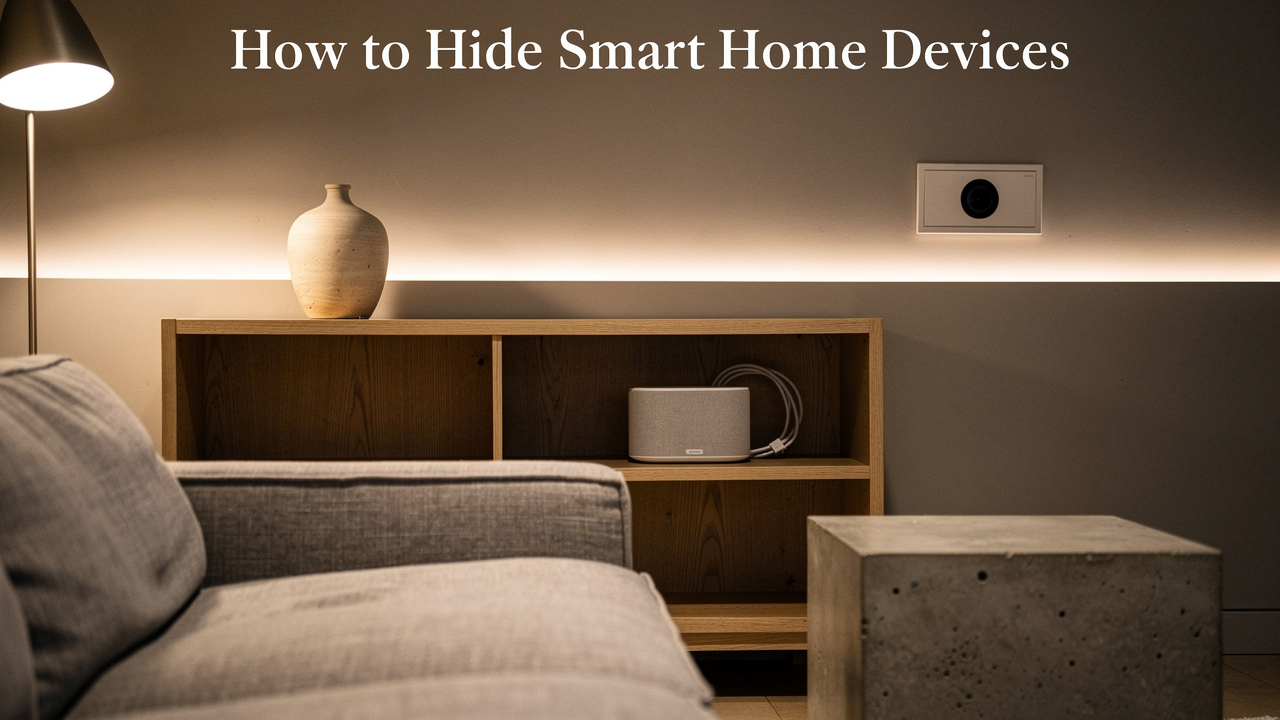
For a long time, I lived in what I call a “gadget graveyard.” It’s that point where your desire for a convenient, high-tech life starts to clash with your need for a calm, intentional space. We’ve all been there: a beautiful mid-century console ruined by a bulky black plastic hub, or a sleek gallery wall interrupted by a white security camera that looks like a lost robot.
I believe that “Living well isn’t about having more—it’s about choosing better.” Your home should be a sanctuary, not a showroom for Best Buy’s latest inventory. That’s why I developed the Design-First Blueprint. It’s my framework for creating a smart home that is high-performing but visually “silent.” Today, we’re going to walk through how to audit your tech clutter, conceal the essential “brains” of your home, and choose devices that actually spark joy instead of visual stress.
The Declutter Audit: Why Your Smart Home Feels Messy
Before we start buying rattan baskets or drilling into walls, we have to address why the space feels chaotic in the first place. It’s rarely just one device; it’s the accumulation. Research in environmental design has shown that visual clutter—the kind created by “messy” tech setups—can actually increase cortisol levels and decrease our ability to focus [1].
When we have a “cluttered smart device look,” it’s often because we’ve bought tech reactively. We bought one brand of lightbulbs, a different brand of camera, and a third brand for the thermostat. Each of those often requires its own proprietary hub or “bridge” plugged into your router. Suddenly, your media console looks like a data center.
Phase 1: Ecosystem Simplification
The first step in my “Good Life Test” for any home is efficiency. If you want to hide the tech, you need less of it to hide. Professional organizers often talk about systemization over accumulation, and the same applies to your smart home.
I recommend moving toward a unified ecosystem—specifically those that support Matter and Thread. These are new industry standards that allow devices from different brands to talk to each other without needing ten different hubs. By consolidating your “brains” into one or two high-quality controllers (like an Apple HomePod or a high-end Nest hub), you can eliminate the bulky smart home tech that creates visual noise.
The Art of Concealment: How to Hide Specific Devices
Once you’ve pared down your ecosystem, it’s time to play a game of “now you see it, now you don’t.” The goal here isn’t just to shove everything into a closet—electronics need to breathe, and signals need to travel.
Hiding the ‘Brain’: Routers and Hubs
Routers are the ultimate design offenders. They’re usually bulky, covered in blinking LEDs, and sprout antennas like a prehistoric insect. My journey to hiding my router was a series of failures; I tried putting it in a solid wood cabinet, but my Wi-Fi signal dropped by nearly 40%.
According to the IEEE, wireless signal propagation is heavily impacted by the density of the materials it has to pass through [2]. Metal is the worst, followed by solid wood and glass. What finally clicked for me was the use of natural textures.
- The Rattan Hack: Use a high-quality rattan or wicker basket with a lid. The loose weave allows for excellent ventilation (preventing overheating) and lets the Wi-Fi signal pass through almost entirely unimpeded.
- The Faux Book Box: For smaller hubs, use a decorative “book box” on a shelf. Just ensure you cut a small ventilation hole in the back for heat to escape.
- The Ventilated Media Cabinet: If you’re buying new furniture, look for pieces with slatted fronts or mesh panels.
Camouflaging Audio: Speakers as Decor
Smart speakers are tricky because they need to be “out” to hear you and for the sound to travel clearly. For years, I had an Echo Dot just… sitting there. It felt like an uninvited guest at every dinner party. I wanted something that felt like part of the room’s soul, not a plastic peripheral.
I started looking into how interior designers integrate AV, and I discovered that you don’t have to choose between high-fidelity sound and a clean wall. I found a solution that actually looks like a piece of art—literally.
The real win here: It’s art that sings.
Best For: Minimalists who want high-quality audio in a living room or bedroom without a visible speaker footprint.
The Invisible Nervous System: Managing Smart Home Wires
Even the most beautiful “aesthetic smart home setup” is immediately undermined by a “spaghetti” of visible smart home wires. Tangled cables aren’t just ugly; they’re a safety hazard. The NFPA notes that improper use of extension cords and overloaded power strips is a leading cause of residential electrical fires [4].
The Renter’s Playbook: No-Drill Wire Covers
If you’re renting (or just not ready to commit to cutting into your drywall), you have to get creative. I used to ignore the cables trailing down from my wall-mounted TV until I realized how much “visual weight” they were adding to the room. I tried those cheap plastic clips, but they kept peeling off my Austin-weather-thrashed walls.
What changed the game for me was finding a system that could be painted to match my exact wall color. It makes the “nervous system” of the house practically disappear.
The game-changer: Zero-clutter walls without the contractor bill.


Best For: Renters or DIYers who need to hide cables for wall-mounted TVs, cameras, or lamps on any flat surface.
The Homeowner’s Strategy: Recessed Outlets and In-Wall Channels
If you own your home, please—do it right. The National Electrical Code (NEC) has very specific rules about what kind of cables can be run behind a wall [3]. You cannot simply shove a standard power cord into a hole in the drywall; it’s a major fire risk.
- Recessed Outlets: These allow your furniture (like a sideboard or bed) to sit flush against the wall even when things are plugged in.
- In-Wall Power Kits: These are pre-wired systems that allow you to safely route power from an existing outlet to a point higher up the wall (like behind a TV) without exposing any wires.
Discreet by Design: Choosing Decor-Friendly Gadgets
The best way to “hide” tech is to choose items that don’t need hiding. The American Society of Interior Designers (ASID) emphasizes the importance of “visual weight” and “negative space” [5]. When a device is small, has a matte finish, or mimics a natural material, its visual weight is lower.
Lighting That Blends In
Many people start their smart home journey with smart bulbs. Here’s the problem: smart bulbs require the physical wall switch to be “on” at all times. This leads to people putting ugly tape over their switches or constantly nagging guests not to touch them. It’s the opposite of a “Good Life.”
I struggled with this until I realized I was focusing on the bulb when I should have been focusing on the control.
Bottom line: It makes your existing “dumb” lights smart without changing their look.
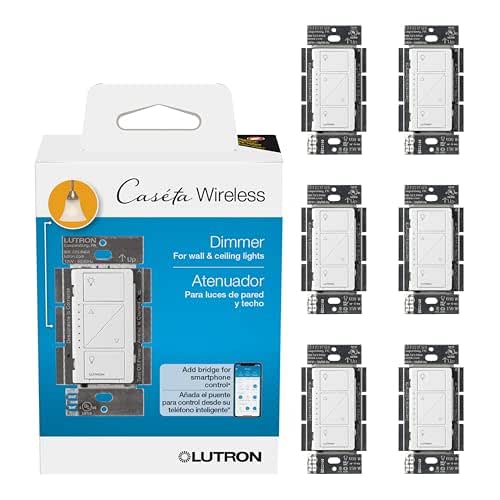
Best For: Homeowners who want a high-end, integrated lighting feel without the “cluttered” look of bulky smart bulbs.
Invisible Security
Security is the one area where you might want things hidden. However, there’s an ethical line here. I always tell my friends: be transparent with your guests. A small, discreet camera is one thing; a hidden one in a private space is a breach of trust.
- The “Persona” Loadout: The Minimalist Entryway
- Essential: A smart lock that replaces only the interior thumbturn (keeping your exterior hardware original).
- Essential: A doorbell camera with a slim profile that matches your trim color.
- Pro Upgrade: A hidden contact sensor recessed into the door frame itself.
Subtle Home Automation: The Experience-First Philosophy
The ultimate goal of all this concealment is to reach a state of “Calm Technology.” This is a term coined by researchers at ACM SIGCHI to describe tech that stays in the periphery of our attention until it’s needed [6].
Instead of shouting at a smart speaker (“Alexa, turn on the lights!”), a subtle home automation setup uses presence sensors. When I walk into my kitchen at 6:00 AM, the lights glow at 20%—just enough to find my coffee beans. There are no screens, no buttons, and no visible “gadgets” required.
By integrating smart devices into your decor, you’re not just making your house look better. You’re creating an environment that supports you silently.
References & Authoritative Sources
- Environmental Design Research Association (2023). The Psychological Impact of Visual Clutter in the Modern Home.
- IEEE (2024). Signal Attenuation and Material Interference in Residential 2.4/5GHz Networks.
- National Fire Protection Association (NFPA) (2025). National Electrical Code (NEC), NFPA 70. https://www.nfpa.org
- National Fire Protection Association (NFPA) (2024). Electrical Safety in the Home: Extension Cord and Power Strip Guidelines.
- American Society of Interior Designers (ASID) (2024). Principles of Visual Weight and Technology Integration.
- ACM SIGCHI (2022). Calm Technology and Ambient Computing: Designing for the Periphery.
A Note on Safety: Always consult a licensed electrician before performing in-wall wiring or modifications to your home’s electrical system. This guide is for informational purposes only. This post contains affiliate links; I may earn a small commission if you choose to purchase through them at no extra cost to you.
Ready to transform your space? Download our ‘Smart Home Style Audit’ checklist and share your before-and-after photos on Instagram with #BestGoodsGoodLife. I can’t wait to see your “silent” smart homes!