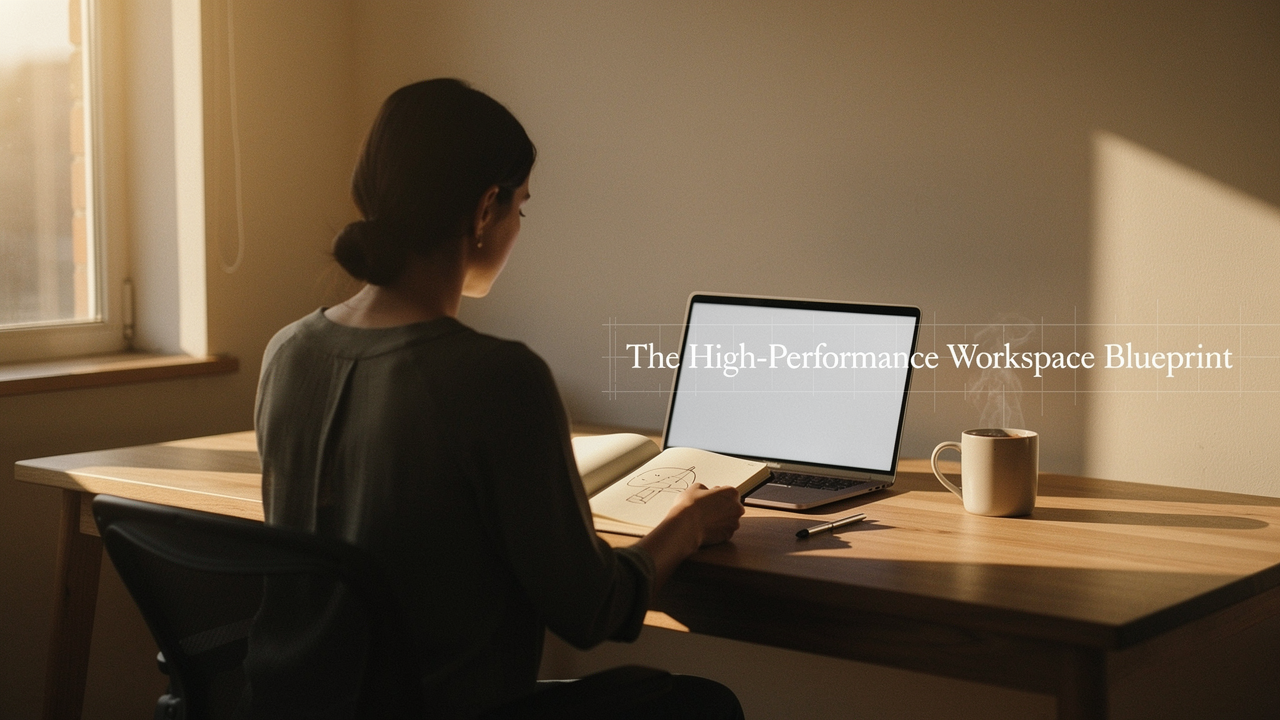
As someone who curates “Best Goods for Good Life,” I’ve spent a decade obsessed with High Lifestyle ROI. I realized that my workspace wasn’t just a place to put my laptop; it was the “hardware” of my productivity. If the hardware is glitchy and cluttered, the software (my brain) can’t run at peak performance.
We often treat workspace organization as a Sunday afternoon chore or a pursuit of a “minimalist aesthetic.” But the science tells a different story. To truly thrive, we need to treat our desks like a high-performance cockpit—a space where every tool has a purpose and every distraction is engineered out of existence. Here is the research-backed blueprint to transforming your office from a source of stress into a catalyst for flow.
The Neuroscience of Noise: Why Your Brain Hates a Messy Desk
It’s easy to tell yourself that you “work better in a bit of chaos,” but your brain’s visual cortex would disagree. When your desk is covered in workspace clutter, your eyes are constantly processing irrelevant stimuli.
Neuroscientists at Princeton University found that multiple visual stimuli compete for neural representation. Essentially, your brain is forced to spend energy filtering out the stack of unpaid bills or the tangled web of cords just to focus on the task at hand [1]. This “neural competition” creates a subtle but constant mental drag.
What surprised me during my research was the hormonal impact. A study published in Personality and Social Psychology Bulletin revealed that individuals who described their home environments as “cluttered” or full of “unfinished projects” had higher levels of cortisol—the primary stress hormone—throughout the day [2]. If you’re feeling a sense of a low productivity environment, it’s likely because your brain is stuck in a low-level “fight or flight” mode simply by looking at your desk.
The Workspace Performance Audit: Diagnosing Your Environment
Before we move a single pen, we need to understand where the friction is coming from. I like to use what I call the “Productivity Environment Scorecard.” This isn’t about being a perfectionist; it’s about identifying the specific leaks in your focus.
Gallup research has shown that highly engaged environments can lead to a 14–23% increase in productivity [3]. To see where you stand, ask yourself these three questions based on guidelines from the National Institute for Occupational Safety and Health (NIOSH) [4]:
- Visual Friction: Can I see more than three items on my desk right now that aren’t essential for my current task?
- Access Efficiency: Do I have to get up or move multiple items to reach my most-used tool (e.g., your phone, a notebook, or a headset)?
- Environmental Stress: Is the lighting causing eye strain, or is the noise level forcing me to “tune out” rather than “lock in”?
If you answered “yes” to more than one, you aren’t just disorganized—you’re working in a disorganized office system that is actively depleting your cognitive reserves.
The 60-Minute Transformation: Your Workspace Decluttering Plan
When I decided to overhaul my own studio here in Austin, I didn’t want a “quick tidy.” I wanted a system that lasted. I looked toward Lean manufacturing and the “5S” framework: Sort, Set in order, Shine, Standardize, and Sustain.
Here is the thing about workspace decluttering: you have to be ruthless. I recommend the “Clutter Triage Method.” Clear everything off your desk—yes, everything—and place it into three zones:
- Active: Items you use every single hour (Laptop, mouse, water bottle).
- Reference: Items you use once a day or a few times a week (Notebooks, specific chargers, reference books).
- Archive: Items you use once a month or less (Tax documents, old tech, extra pens).
Anything in the “Archive” category should be moved to a drawer or a different room. Only the “Active” items earn a permanent spot on the surface.
Zoning Your Desk: The Cockpit Approach
The National Association of Productivity & Organizing Professionals (NAPO) suggests “zoning” your workspace to minimize physical reach [5]. Imagine your desk as a cockpit:
- Primary Zone (The Reach): The area you can reach by moving only your forearms. This is for your keyboard and mouse.
- Secondary Zone (The Stretch): The area you can reach by extending your arms. This is for your coffee, your notebook, or your phone.
- Tertiary Zone (The Perimeter): Anything further than an arm’s length. This is for lamps, plants, or monitors.
I used to have my stapler and a stack of folders sitting right next to my mouse. I used them maybe once a week. By moving them to the “Perimeter,” I suddenly felt like I had room to breathe.
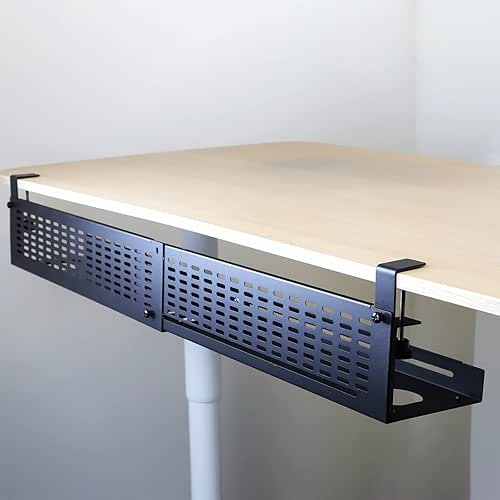
I’ll be honest: my biggest struggle during this process was the “cable jungle.” I had power strips and USB cords snaking across my desk, and every time my foot caught one, I’d lose my train of thought. I tried those little plastic clips, but they just kept popping off. What finally clicked for me was moving the mess entirely off the desk surface.
The real win here: instant visual silence and no more “cable-fishing” under the desk.

The Digital Connection: Decluttering the ‘Invisible’ Workspace
We often forget that workspace organization doesn’t end at the edge of your desk. Your digital desktop is often more cluttered than your physical one. Research indicates that disorganized digital information can slow knowledge workers down by as much as 40–60% as they hunt for files.
To fix this, I adopted a strict organizational system based on the ISO 8601 date standard (YYYY-MM-DD). Instead of naming a file “Final_Report_v2,” use “2025-03-31_Project_Blueprint.” It sounds nerdy, I know, but it allows your computer to sort everything chronologically and logically without you lifting a finger.
I also recommend a “Digital Sundown.” At the end of every day, close every single tab and move every file on your desktop into a folder. Starting the next morning with a blank screen is the digital equivalent of a freshly made bed.
Maintenance Habits: How to Sustain Your High-Performance Environment
The biggest trap is the “Clean-Messy Cycle.” You spend three hours organizing, and four days later, the clutter has crept back in. The secret to a high performance environment isn’t a bigger desk; it’s better triggers.
I’m a huge fan of the “Friday 15.” At 4:45 PM every Friday, I set a timer for 15 minutes. I clear the surface, wipe down the monitors, and digitize any paper notes. As James Clear notes in his work on habit formation, the key is to make the habit so small it’s impossible to skip [6].
Another tip for maintaining a high performance office environment? Never leave a room empty-handed. If you’re heading to the kitchen for more tea, take that empty mug and the random piece of mail with you. It’s a micro-habit that prevents “clutter-clots” from forming in the first place.
Optimizing the ‘Hardware’: Ergonomics and Lighting
Finally, let’s talk about productivity optimization through physical comfort. You can have the cleanest desk in the world, but if your neck is straining, your focus will flee.
The Occupational Safety and Health Administration (OSHA) provides clear guidelines for workstation setup [7]. Your monitor should be at eye level (no looking down!), and your feet should be flat on the floor.
Lighting is the most underrated tool in your kit. Studies show that appropriate color temperature and access to natural light can reduce fatigue by 5–15% [8]. If you’re working in a dark corner, your brain is working overtime just to keep your eyes focused.
I spent years working under harsh, flickering overhead lights that gave me a dull headache by 2 PM. I thought it was just the “mid-day slump,” but it was actually eye strain. I started looking for a light that could mimic natural circadian rhythms—cool and bright in the morning for focus, and warm in the evening to help me wind down.
The game-changer: effortless focus without the afternoon eye fatigue.
The Minimalist Remote Worker Loadout
If you’re working from a small apartment or a corner of your bedroom, you have to be even more intentional with your gear.
- Essential: A high-quality tech pouch to keep all chargers and dongles out of sight when not in use.
- Essential: A foldable laptop stand to ensure ergonomics without taking up permanent desk space.
- Essential: A single, high-capacity USB-C hub to reduce the number of cables plugged into your machine.
- Pro Upgrade: A compact “desk shelf” or monitor riser to create vertical storage space for your keyboard when you’re done for the day.
Creating a clutter-free, high-performance workspace isn’t about being perfect. It’s about building a space that respects your time and your mental energy. When you remove the friction, the flow follows. Start with just the 60-minute triage this weekend—I promise your Monday morning self will thank you.
Let’s make every day a little better, together.
References
- McMains, S., & Kastner, S. (2011). Interactions of Top-Down and Bottom-Up Mechanisms in Human Visual Cortex. Journal of Neuroscience.
- Saxbe, D. E., & Repetti, R. L. (2010). No Place Like Home: Home Environmental Mess and the Daily Cortisol Patterns of Mothers and Fathers. Personality and Social Psychology Bulletin.
- Gallup. (2023). State of the Global Workplace Report: The Impact of Environment on Employee Engagement.
- NIOSH. (2022). Workstation Layout and Environmental Factors: Guidelines for Office Safety.
- National Association of Productivity & Organizing Professionals (NAPO). (2024). Professional Standards for Workspace Zoning and Flow.
- Clear, J. (2018). Atomic Habits: An Easy & Proven Way to Build Good Habits & Break Bad Ones.
- OSHA. (2023). Computer Workstations eTool: Components of a Safe and Productive Setup.
- World Green Building Council. (2021). The Impact of Lighting and Daylighting on Health and Productivity.