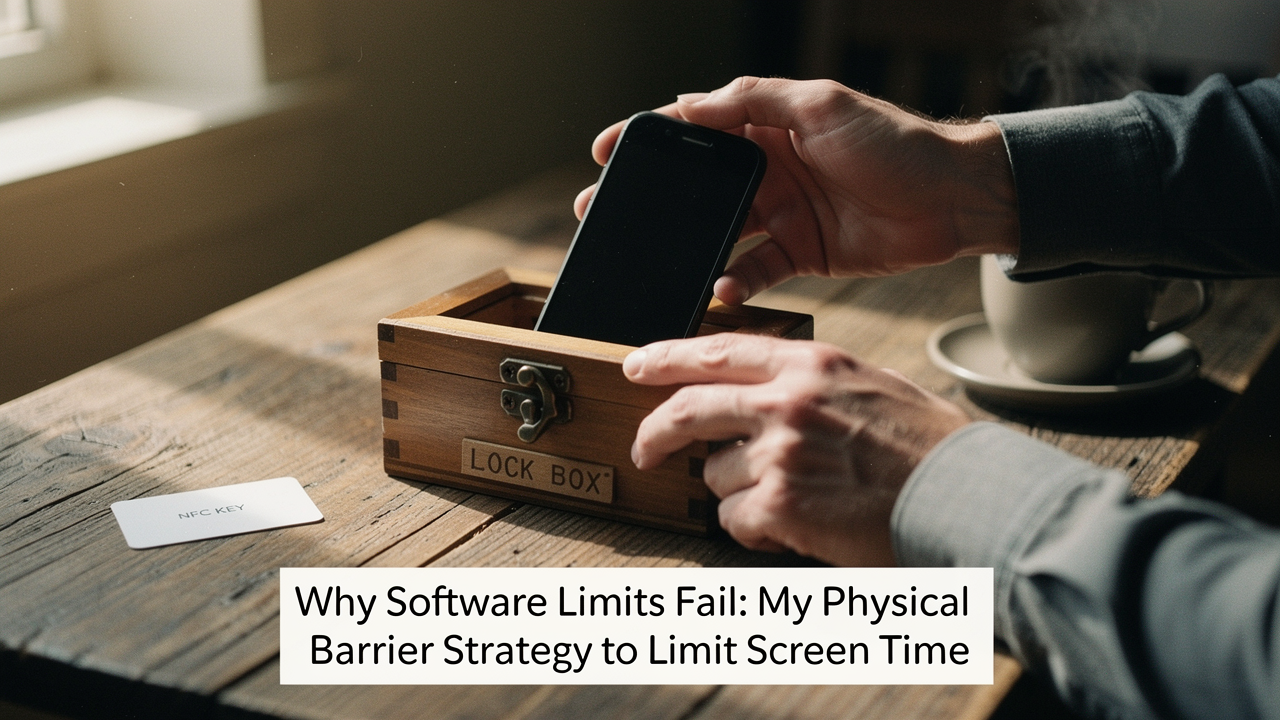
In that moment, I realized my “digital wellbeing” was a joke. I’m someone who obsessively optimizes everything—from the ergonomic height of my desk to the micron-level grind of my coffee—yet I was letting a piece of glass and silicon dictate my dopamine levels. If you’re like me, you’ve tried the app timers. You’ve tried the “grayscale” screen trick. You’ve even tried leaving your phone in the other room, only to find yourself wandering back five minutes later like a heat-seeking missile.
Here’s the hard truth I had to accept: Software limits are just suggestions. They are built by the same companies that want you to stay on the platform. To actually reclaim my focus, I had to stop relying on willpower and start using physical barriers.
The 4-Hour Threshold: Why Your Phone Usage is a Health Metric
We often talk about screen time as a productivity killer, but the research shows it’s actually a physiological health metric. When I dug into the data, I found that “excessive screen time” isn’t just a vague feeling of guilt—it has a specific number.
Recent studies from the Nature portfolio (2024/2025) indicate that daily screen time exceeding 4 hours is consistently associated with a higher risk of anxiety, depression, and ADHD symptoms [1]. This isn’t just a “teenager problem,” though CDC data shows over 50% of US teens are now blowing past that 4-hour mark daily [2]. For adults, the impact is just as sneaky. When we cross that threshold, we aren’t just “relaxing”; we are entering a state of cognitive overload that impacts our sleep, our physical activity, and even our social-emotional support systems.
A meta-analysis in JAMA Pediatrics highlighted that this excessive use often leads to “externalizing behaviors”—essentially, the more time we spend on the glass, the more irritable and distracted we become in real life [3]. Once I saw my weekly report hitting 5 hours on average, I knew it wasn’t just a time-management issue. It was a health crisis in my own pocket.
Why Willpower Fails: The Psychology of the ‘Ignore’ Button
If you feel like a failure for clicking “Ignore Limit,” don’t. The “Choice Architecture” of your phone is designed to make the path of least resistance the one that keeps you scrolling.
In behavioral science, there’s a concept that environment beats willpower every single time. BJ Fogg at the Stanford Behavior Design Lab often talks about how we need to make “good” habits easy and “bad” habits difficult [6]. My sourdough analogy is perfect here: I don’t just put the bread in the oven and “hope” I remember it; I set a loud, physical timer because I know my brain will drift.
Digital wellbeing tools inside your phone are like putting a lock on a cookie jar but leaving the key taped to the lid. You’re asking your prefrontal cortex (the logical part of your brain) to fight a battle against the reward system (the dopamine-seeking part) while the reward is literally in your hand. To win, you have to externalize that willpower. You need a “friction” that requires more than a thumb-tap to overcome.
The Physical Barrier Toolkit: Hardware That Actually Works
I spent months testing different ways to add physical friction to my digital life. I wanted items with a High Lifestyle ROI—things that were built to last and actually sparked joy in my routine rather than feeling like a punishment.
Here’s the thing about “dumb” hardware: it doesn’t negotiate. When these tools are engaged, the debate is over.
Option 1: The NFC Hard-Key (Unpluq & Tap Out)
I used to think app blockers were enough until I realized I could just delete the blocker app whenever I got an itch for TikTok. It was a cycle of shame and reinstalling. I needed something that stayed “on” even when my willpower was “off.” That’s when I discovered the concept of a physical key.
The journey started with me trying to find a middle ground between a flip phone and a smartphone. I found Unpluq, which uses a small physical NFC tag. You set your “distracting” apps to be blocked, and the only way to open them is to physically tap the tag against your phone. I keep my tag in my backpack or at my desk. If I’m on the couch and want to doomscroll, I have to actually stand up, walk across the room, and get the key. That 10-second walk is usually enough for my brain to snap out of the trance and ask, “Do I really need to do this?”
- Micro-Verdict: The ultimate friction tool for people who need a physical “speed bump” before they can access time-wasting apps.
Option 2: The Time-Locked Safe (Mindsight)
Let’s be honest: the “phone in the other room” trick doesn’t work when you’re stressed. I’d find myself “checking the weather” and thirty minutes later I’d be deep in a rabbit hole about vintage rug restoration. I needed a way to make my phone physically inaccessible during my Sunday resets and evening yoga.
I eventually invested in a Mindsight Phone Lock Box after a particularly bad week of “bedtime scrolling” that left me exhausted. It’s a simple, beautifully designed container with a digital timer. You put the phone in, set the timer (say, for 2 hours), and it stays locked. There is no “ignore” button. There is no override. It’s a commitment device that forces you to be present. I’ve found that using this during my morning journaling session in my Austin apartment has doubled my focus.
- Micro-Verdict: A “hardliner” solution that provides total peace of mind by physically removing the temptation entirely.
Option 3: The Zone Architect (Brick)
I struggled for a long time with the transition from my home office to my living space. I wanted my phone to be a “tool” at my desk but a “ghost” in my kitchen. Software-based Focus Modes are okay, but they are too easy to toggle off with a swipe.
The Brick device changed that for me. It’s a small, elegant white cube that stays in one spot (for me, it’s on my bookshelf). You “Brick” your phone by tapping it to the device, which locks out all but your essential apps (Maps, Music, Texts). To “Unbrick” it, you have to physically return to that cube. It creates a “home base” for your digital life. If I leave the house “Bricked,” I literally cannot access my distractions until I come back home. It turns my whole neighborhood into a distraction-free zone.
- Micro-Verdict: Perfect for anyone who wants to create “Sacred Spaces” where their phone is strictly limited to essentials.
Implementation: Building Your Screen-Free ‘Sanctuary’
Adding a device is only half the battle. You have to design your environment to support the shift. Here is how I’ve structured my Austin home to be a sanctuary from the “attention economy.”
The High-ROI Digital Setup
- The Phone Parking Station: I set up a charging dock in the entryway—not the bedroom. According to the American Academy of Sleep Medicine, removing devices from the bedroom is the #1 way to improve sleep hygiene [5].
- The Analog Morning: I keep a physical journal and a book on my nightstand. My phone stays “Bricked” or in the lock box until I’ve had my first cup of coffee and finished my morning movement.
- The Family Contract: If you have kids, willpower is even harder. I suggest a “Family Tech Contract” inspired by AAP guidelines. We agree on “Phone-Free Zones” (like the dining table) where the physical barrier is simply a basket where everyone drops their devices [4].
Which Setup Is Right For You? (Persona Loadouts)
- The Minimalist Remote Worker: You need focus during the day but don’t want to carry extra gear.
- Essential: The Unpluq Tag (keep it in a different room while working).
- Pro Upgrade: A dedicated “Analog Deep Work” notebook for capturing distractions.
- The “Hardliner” Parent: You’re tired of the arguments and want a system that enforces itself.
- Essential: Mindsight Lock Box for family dinners and homework time.
- Pro Upgrade: A shared “Charging Station” in a common area.
- The Hybrid Commuter: You want your phone to be “dumb” while you’re out and “smart” only when necessary.
- Essential: The Brick (leave the cube at home before you head to the office).
- Pro Upgrade: An e-ink reader (like a Kindle) to replace phone-scrolling on the bus or train.
The Reward: Harnessing Offline Productivity
What happens when you reclaim those 2+ hours a day? For me, it wasn’t about “doing more work.” It was about “doing better life.”
Once I stopped the constant digital distraction, I found I had the “deep work” capacity that Cal Newport talks about. I started using Obsidian for local-first note-taking [7]. Because it’s stored on my hard drive and works entirely offline, I can write and organize my thoughts without the siren call of the internet.
The Mayo Clinic suggests that substituting screen time with creative activities—like my sourdough baking or learning a new hiking trail—doesn’t just fill time; it actually repairs our attention spans [8]. Reclaiming your time isn’t just about being “productive”; it’s about being present enough to enjoy the life you’ve worked so hard to build.
—
Jordan’s Final Thought: Digital wellbeing isn’t a moral failing. It’s not that you lack willpower; it’s that you’re fighting an unfair fight. By using physical barriers, you’re finally leveling the playing field. Choose one tool this week—whether it’s a lock box or just moving your charger to the kitchen—and see how much space opens up in your life.
Join our ‘Optimization Newsletter’ for more high-ROI lifestyle gear reviews, or leave a comment: Which physical barrier are you trying first?
***
Disclaimers: This article discusses behavioral habits and digital wellbeing; it is not a substitute for professional mental health advice or treatment for clinical addiction.
Expert Sources & Research
- Nature Portfolio (2025). Excessive Screen Time and Mental Health Problems in US Children and Adolescents. Humanities and Social Sciences Communications. https://www.nature.com/articles/s41599-026-06609-1
- CDC (2025). Teen Screen Time and Health Outcomes Data Brief. https://www.cdc.gov/pcd/issues/2025/24_0537.htm
- Eirich et al. (2022). Association of Screen Time With Internalizing and Externalizing Behavior Problems. JAMA Psychiatry.
- American Academy of Pediatrics (AAP). Media and Children Guidelines. https://www.aap.org/
- American Academy of Sleep Medicine (AASM). Digital Devices and Sleep Hygiene Standards. https://www.aasm.org/
- James Clear (2018). Atomic Habits: An Easy & Proven Way to Build Good Habits & Break Bad Ones. Penguin Publishing Group.
- XDA Developers (2024). Building an Offline Productivity Pack with Obsidian. https://www.xda-developers.com/built-offline-productivity-pack-can-work-and-study-anywhere/
- Mayo Clinic Health System. Children and Screen Time: Practical Reduction Suggestions. https://www.mayoclinichealthsystem.org/hometown-health/speaking-of-health/children-and-screen-time