=
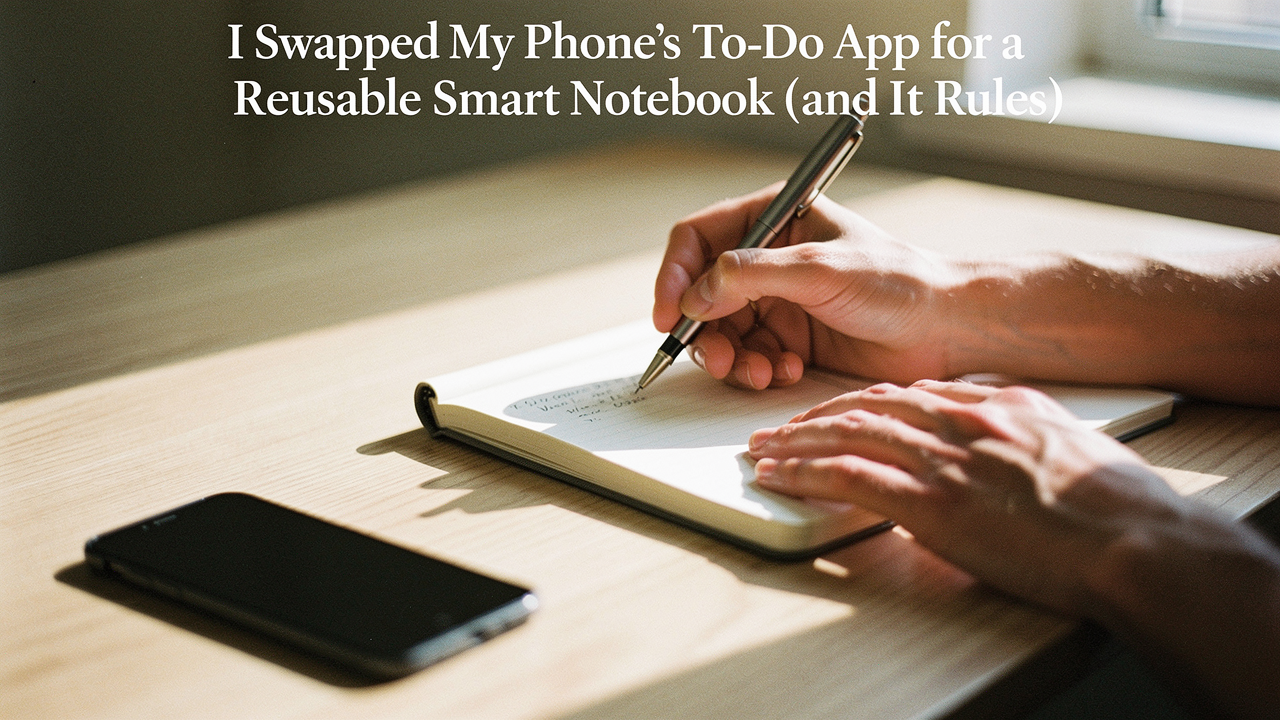
I call this “The Ping.” It’s that tiny dopamine hit that lures us into a digital rabbit hole under the guise of being productive. As someone who obsesses over “High Lifestyle ROI”—the idea that our tools should give back more energy than they take—I realized my phone was failing the test. My to-do app was supposed to be a tool for organization, but it had become a gateway to distraction.
Lately, I’ve been leaning back into the tactile. There’s a reason I still bake sourdough from a physical starter and spend my Saturday mornings at the Austin farmers market instead of ordering groceries on an app. There’s a “slow productivity” to it that feels more human. So, for the last 30 days, I performed a radical experiment: I deleted my digital task manager and replaced it with a reusable smart notebook.
Here’s why swapping my phone for “smart paper” was the best thing I did for my focus this year.
The Invisible Cost of the ‘Free’ To-Do App
We often think of digital apps as “free” or low-friction, but the cognitive cost is staggering. Research from Gloria Mark at UC Irvine shows that our average workplace attention span has plummeted to just 47 seconds before we switch tasks [1]. Every time your phone vibrates, it’s not just a notification; it’s a tax on your mental clarity.
The reality of “Digital Task Management Overload” is that we are constantly fighting our own devices. Most productivity apps are engineered to be “sticky,” using the same notification loops that social media apps use to keep us engaged [2]. When you combine that with the fact that the average worker faces over 50 interruptions per day, it’s no wonder we feel burnt out by 3:00 PM [3].
By moving my daily “must-dos” to a physical notebook, I removed the middleman. There are no red notification bubbles on a piece of paper. There’s no “infinite scroll” in a notebook. It’s just me, a pen, and my intentions for the day.
Enter the Smart Notebook: The Analog-Digital Hybrid
If you’re thinking, “Jordan, I can’t go back to a regular spiral notebook; I’ll lose everything,” I hear you. That’s where the Analog-Digital Hybrid System comes in.
In engineering, hybrid systems are often used because they offer the best of both worlds—analog for the initial interface and digital for the heavy processing. Interestingly, historic hybrid computer systems were found to be up to ten times more efficient for specific tasks than pure digital processors [4]. I’ve found the same is true for my brain. I capture thoughts with the fluidity of a pen, but I use “smart” features to archive and search them later.
Broadly speaking, there are two ways to build this system:
Type 1: The Reusable Paper Notebook (Budget & Tactile)
These look and feel like high-quality traditional notebooks, but the pages are made of a specialized polyester composite. You write with a specific pen (usually a Pilot FriXion), scan the page with your phone, and then—this is the magic part—wipe the page clean with a damp cloth to use it again.
Type 2: The E-Ink Tablet (The Digital Powerhouse)
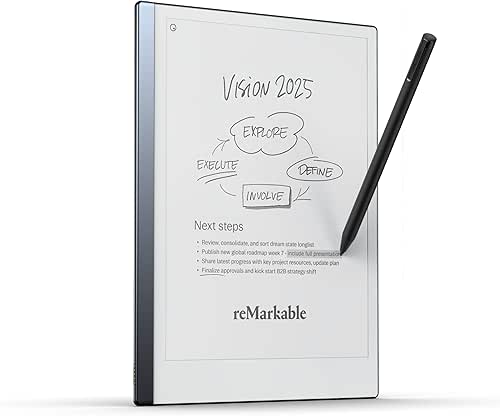
These are devices like the reMarkable or the Boox Note Air5 C. They use electronic ink to mimic the look of paper without the glare of a tablet. They offer a much deeper feature set, including handwriting-to-text conversion and direct cloud syncing, but they come with a higher price tag and a battery to charge.
The Experiment: My 30 Days Without a Phone To-Do App
For my 30-day “migration,” I wanted something that felt as close to paper as possible but wouldn’t clutter my Austin apartment with half-finished journals. I decided to use a reusable notebook that specialized in task management templates.
I’ll be honest: the first three days were hard. I kept reaching for my phone to “check” my list. But by the end of week one, something shifted. My screen time plummeted, and the “phantom vibration” in my pocket finally stopped. I was using my phone for what it’s good for—maps and music—and using my notebook for what it’s good for—thinking.
The Budget-Friendly Workhorse: Rocketbook Fusion
Here’s the thing about my old planning habit: I used to spend a small fortune on beautiful, leather-bound planners every January, only to stop using them by mid-February. It felt like such a waste of paper and money. I tried switching to a basic app on my phone, but I missed the feeling of actually crossing something off a list. I found myself looking for a middle ground—something that felt permanent but was infinitely editable.
That’s when I picked up the Rocketbook Fusion. It’s a 42-page notebook filled with different templates, including weekly planners and task lists. The pages feel slightly glossy, like a very high-end whiteboard, but the Pilot FriXion pen writes on it with enough friction to satisfy that “pen-on-paper” craving. What really won me over was the scanning app; you just mark a little icon at the bottom of the page, and it automatically sends your scan to the right folder in Google Drive or Slack.
Micro-Verdict: The most cost-effective way to get your tasks off your screen and onto “paper” without losing digital searchability.
The Minimalist’s Dream: reMarkable 2
I’ll admit it—I was skeptical at first about spending hundreds of dollars on a “digital” notebook. I already had an iPad, so why would I need another screen? But after a week of trying to plan my days on my iPad, I realized the glare was giving me constant headaches and the lure of the “Home” button was too strong. I needed something that did less, not more.
The reMarkable 2 is the closest I’ve ever come to the feeling of a fresh pencil on thick, expensive stationery. It has no backlight and no apps—literally just digital paper. During my 30-day test, this became my “Deep Work” hub. I could sketch out project maps and daily schedules without a single notification interrupting my flow. It’s thin, elegant, and fits perfectly in my yoga bag.
Micro-Verdict: An elite, distraction-free writing experience for those who want the “feel” of paper with the organization of a cloud-connected device.

Building Your Hybrid Workflow
To make this work, you can’t just buy a notebook; you need a system. I adopted a “Paper-Lite” approach. Business research shows that paper usage in offices actually grows by about 25% each year despite “going digital” [5]. My goal was to stop that cycle by using a reusable surface for the “messy” daily work and only digitizing what mattered.
The GTD and Time-Blocking Setup
I use a simplified “Getting Things Done” (GTD) method in my notebook. Every morning, while my coffee is brewing, I follow this layout:
- The Top 3: I write down three non-negotiable tasks. If I do nothing else, these must happen.
- The Schedule: I time-block my day on the left side of the page, including breaks for walks on the Lady Bird Lake trail.
- The Parking Lot: On the right side, I jot down random thoughts or “to-dos” that pop up during the day so I don’t lose focus on my current task.
- The Evening Reset: At 5:00 PM, I scan the page, wipe it clean, and I’m done.
Persona Loadouts: Which Smart Notebook is Your Match?
Depending on how you work, your “ideal” setup will look different. Here are the three most common profiles I see:
The Minimalist Remote Worker (Small Spaces)
You work from a corner of your living room and hate visual clutter. You want one tool that replaces everything.
- Essential: A Rocketbook Core (Letter Size) for daily notes.
- Essential: A single black Pilot FriXion pen.
- Pro Upgrade: A dedicated “upload station” (a small stand for your phone) to make scanning a 5-second habit.
The High-Powered Creative (Deep Thinker)
You need to sketch, mind-map, and think through complex problems without the distraction of the internet.
- Essential: A reMarkable 2 with the “Marker Plus” (the one with the built-in eraser).
- Essential: A leather folio to protect the screen in your bag.
- Pro Upgrade: The “Type Folio” keyboard if you find yourself wanting to turn notes into long-form drafts.
The Budget-Conscious Student
You need to take massive amounts of notes but can’t afford a $400 tablet.
- Essential: A Rocketbook Multi-Subject notebook.
- Essential: A pack of colored FriXion pens for color-coding different classes.
- Pro Upgrade: Using Evernote’s OCR (Optical Character Recognition) to make your handwritten scans searchable by keyword [6].
Honest Drawbacks: It’s Not All Sourdough and Sunshine
I wouldn’t be a trusted friend if I didn’t tell you the friction points. There are a few things that might drive you crazy:
- The “Ghosting” Effect: On reusable paper notebooks, if you leave ink on the page for months, you might see a faint “ghost” of the text after you wipe it. Good Housekeeping’s lab tests noted that while they are incredibly durable, they aren’t infinite—eventually, the pages show some wear [7].
- The Pen Panic: You can’t just use any pen. If you accidentally use a Sharpie on a Rocketbook, that page is gone forever. I’ve learned to keep my FriXion pens in a very specific drawer.
- The Lack of “Pings”: This is a pro and a con. A notebook won’t scream at you if you miss a meeting. I still use a digital calendar for time-sensitive alarms, but the task list stays analog.
Final Verdict: Is the Lifestyle ROI Worth It?
After 30 days, my verdict is a resounding yes. My brain feels quieter. I’m no longer “multitasking” my way through a to-do list while accidentally reading the news.
Living well isn’t about having the most features; it’s about having the most focus. A smart notebook is a tool that respects your attention. It gives you the space to think, the satisfaction of a physical “strike-through,” and the peace of mind knowing your data is backed up.
Next time you feel the “Ping” of your phone pulling you away from your life, try putting it in the other room and picking up a pen. You might find that the “Good Life” isn’t found in an app—it’s found in the space between the lines.
Affiliate disclosure: We may earn a commission on products purchased through our links. This review is based on 30 days of independent testing by Jordan Miller.
References & Authoritative Sources
- Mark, G. (2023). Attention Span: A Groundbreaking Way to Restore Balance, Happiness and Productivity. UC Irvine Research Summary.
- Child Mind Institute. (2024). How Tech Companies Design Apps to Be Addictive. https://childmind.org/article/kids-shouldnt-use-phones-during-homework/
- Gmelius. (2024). The State of Digital Overload and Workplace Interruptions. https://gmelius.com/blog/digital-overload
- IEEE Xplore. (1966/2022). Hybrid Digital/Analog Computer Systems: Efficiency and Architecture. http://ieeexplore.ieee.org/document/1647415/
- PWC/Gartner Research via StaffCircle. (2024). The Impact of Paper Usage on Business Productivity. https://www.staffcircle.com/blogs/the-digital-paperless-office/
- Ross & Ross International. (2024). Top Paperless Office Technologies: OCR and Cloud Search. https://www.rossross.com/blog/top-10-paperless-office-technologies-that-save-you-money
- Good Housekeeping Institute. (2024). Lab Test: The Best Smart and Reusable Notebooks for Durability. https://www.goodhousekeeping.com/electronics/g36557431/best-smart-notebooks/