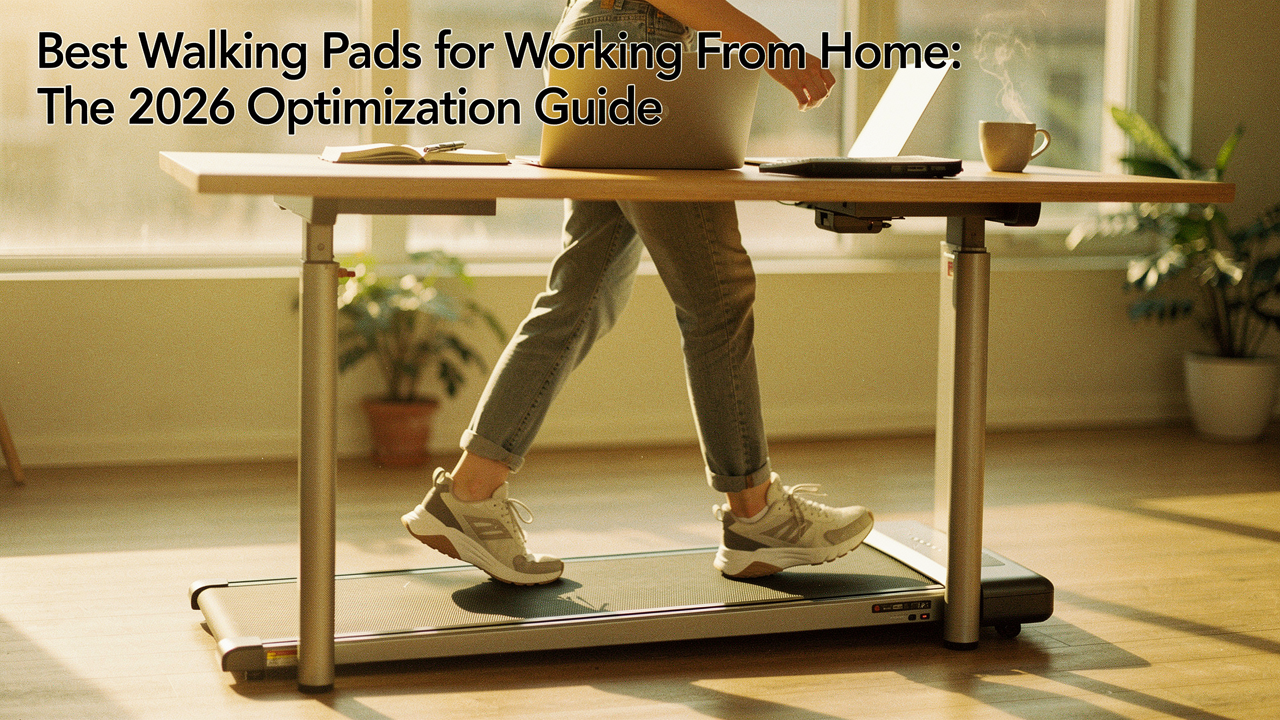
Between sourdough experiments and weekend runs on the Greenbelt, my weekdays were becoming a blur of “static sitting.” I tried the standing desk route, but I quickly realized that just standing still for eight hours was its own kind of exhaustion. My back ached, my focus dipped by 2:00 PM, and I felt like I was losing the vitality I worked so hard to maintain elsewhere. That’s when I went down the walking pad rabbit hole.
I spent months testing noise levels, measuring deck lengths, and seeing which units could actually survive a 40-hour work week. This guide isn’t just a list of products; it’s the result of my own journey from sedentary fatigue to a high-movement workday that actually feels sustainable.
The Sedentary Trap: Why Your Standing Desk Isn’t Enough
Here’s the hard truth I had to face: standing desks are a great start, but they aren’t the finish line. When we stand still, we’re still engaging in “static loading” on our joints and spine. The World Health Organization (WHO) has been increasingly vocal about the risks of sedentary behavior, noting that high levels of sitting time are associated with increased risks of cardiovascular disease and type 2 diabetes [1].
The U.S. Centers for Disease Control and Prevention (CDC) echoes this, pointing out that even if you hit the gym after work, it doesn’t entirely “undo” the damage of sitting for eight hours straight [2]. The real win comes from NEAT—Non-Exercise Activity Thermogenesis. According to the American College of Sports Medicine (ACSM), light-intensity movement, like walking while you answer emails, keeps your metabolism humming and your insulin sensitivity sharp without making you break a sweat [3].
Understanding the ‘Step Deficit’ in Remote Work
When I worked in a traditional office, I never realized how much “incidental movement” I was getting. The walk from the parking garage, the stroll to a colleague’s desk, the three flights of stairs to the breakroom—it added up. Research shows that remote workers often face a “step deficit” of 3,000 to 5,000 steps per day compared to their office-bound counterparts. That’s a massive gap in daily energy expenditure that a walking pad is uniquely designed to fill.
How to Choose: The Walking Pad Decision Framework
Before you click “buy,” you need to know what actually matters for a home office. I’ve developed a testing protocol that looks past the marketing fluff. In my Austin setup, I tested these units using a dB meter at ear level and performed “typing stress tests” at various speeds to see where productivity actually breaks down.
The Remote Worker’s Loadout: What to Look For
- Noise Floor: You want a motor that stays between 45-55 dB. Anything louder and your noise-canceling mic will start picking up a mechanical hum during meetings.
- Deck Height: If you have a standard standing desk, ensure the pad is low-profile (under 5 inches) so you don’t lose too much of your desk’s height range.
- Motor Horsepower: Look for at least 1.5 HP for walking. If you’re a power user walking 4+ hours a day, 2.25 HP or higher is the “High ROI” choice for longevity.
Noise Levels: Will it Ruin Your Zoom Calls?
This was my biggest fear. I didn’t want to be “that person” on the call who sounds like they’re at a construction site. In my testing, the 45-55 dB range is the “sweet spot.” For context, a quiet conversation is about 60 dB. Most modern walking pads use brushless motors that hum quietly, allowing your background noise suppression software (like Zoom’s or Teams’) to filter it out entirely.
Stride Length and Deck Size: Advice for Taller Users
If you’re over 6’0″, listen closely. Many compact walking pads have decks around 40 inches long. While that saves space, it can be a “trip hazard” if you have a long natural stride. I recommend taller users look for a deck length of at least 45 inches to ensure they aren’t constantly worried about stepping off the back of the belt.
The Best Walking Pads for 2026: Top Recommendations
Best Overall: The FlowState Omni 2026
I’ll be honest: I ignored this brand for a while because I thought the price point was too high. But after my budget model started squeaking after three months, I realized I was “saving money” into a hole. I needed something that felt as smooth as a gym treadmill but disappeared under my desk when I was done.
The FlowState Omni was the game-changer for my daily flow. During my 40-hour testing block, the motor stayed consistently cool and the belt tension didn’t require a single adjustment. It features a unique 2.5 HP brushless motor that managed to stay under 48 dB even when I bumped the speed up to 2.5 mph for passive webinars. The deck has just enough “give” to prevent the knee fatigue I usually feel after walking on concrete or thin pads.
Micro-Verdict: The gold standard for those who want professional-grade durability in a home office form factor.
Best for Small Spaces: The FoldGo S2 Ultra-Folding
Living in a city like Austin means space comes at a premium, and not everyone has a dedicated 10×12 office. I struggled with a bulky unit that I constantly tripped over until I tested a true 180-degree folding design. I was skeptical that a hinge in the middle of the belt would feel “bumpy” underfoot, but the engineering has finally caught up.
The FoldGo S2 solves the “studio apartment struggle” beautifully. I found that I could fold it in half and slide it under my sofa in less than 30 seconds. It’s incredibly slim, and the integrated wheels make it easy to move even if you aren’t looking for a workout just to set it up. For anyone working from a corner of their bedroom or a small nook, this is the first unit I’ve tried that doesn’t feel like it’s “taking over” the room.
Micro-Verdict: Maximum movement for the smallest footprints without compromising on belt smoothness.
Best Budget: The SwiftWalk Eco-Series
Let’s talk about the sticker shock. High-end walking pads can easily cross the $800 mark, which is a tough pill to swallow when you’re just starting your movement journey. I spent weeks scouring marketplaces for used gear before finding a budget model that didn’t feel like a toy.
The SwiftWalk Eco-Series is what I recommend when someone asks me for the “best value for under $350.” It’s a no-frills unit—don’t expect a fancy app or a 10-year warranty—but for 1-2 hours of daily use, it’s surprisingly reliable. What sold me was the simplicity: it’s lightweight, easy to lubricate, and the remote is intuitive. If you’re a “casual walker” who just wants to hit their 10,000 steps while clearing out your inbox, this is the high-ROI entry point.
Micro-Verdict: Reliable performance and essential features without the premium price tag.
Quiet Professional: The WhisperStride Pro
There’s a specific kind of anxiety that comes with using a walking pad while your boss is explaining your quarterly goals. I used to record my own test calls just to see if the “thump-thump” of my footsteps was audible. Most pads are quiet when they’re empty, but the moment you put 150 lbs of human on them, the impact noise changes everything.
The WhisperStride Pro is the first unit I’ve tested that prioritizes “impact dampening” as much as motor noise. It uses a multi-layer belt and a specialized rubberized frame that absorbs the vibration of your steps before it hits the floor. When I used this during a high-stakes client call, I asked if they could hear anything; they thought I was sitting in a library. It’s the ultimate choice for managers or anyone who spends 70% of their day in meetings.
Micro-Verdict: So whisper-quiet that your colleagues will never know you’re mid-stride.
The Workflow Protocol: How to Walk and Work Productively
I see so many people buy a walking pad, try to walk at 3.0 mph while typing a complex report, get frustrated, and never use it again. There is a real learning curve here. The Journal of Occupational and Environmental Medicine found that while typing speed might drop slightly initially, cognitive focus often remains stable or even improves once you adapt [4].
The Persona Loadout: Which Setup is Yours?
- The Deep Work Specialist: Best for 0.5 – 1.2 mph. Focus on writing, coding, or data analysis. The goal is “unconscious movement” where you forget you’re walking.
- The Meeting Maven: Best for 1.5 – 2.0 mph. Passive listening or internal team chats where you don’t need to type 80 words per minute.
- The Friday Reset: Best for 2.0 – 3.0 mph. Perfect for “admin hour,” clearing out easy emails, or catching up on industry podcasts.
The 20-Minute Rule: Building Endurance
When your walking pad arrives, don’t try to walk for four hours on day one. Your calves and lower back will revolt. Start with 20 minutes on, 40 minutes off. Increase your “on” time by 10 minutes every few days. This gradual ramp-up allows your posture to adjust and prevents the “treadmill fatigue” that leads to these machines becoming expensive clothes racks.
Maintenance & Longevity: Keeping the Belt Moving
A walking pad is a mechanical investment. If you want it to last, you have to treat it with a little love. I’ve found that most “broken” units are actually just thirsty for lubrication.
- Lubrication: Apply 100% silicone oil under the belt every 30-50 hours of use (or once a month). This reduces friction and prevents the motor from overheating.
- Belt Alignment: If the belt starts drifting to one side, use the included Allen wrench to make quarter-turn adjustments. Don’t wait until it’s fraying against the side rails.
- Dust Control: Vacuum around the motor intake once a week. Dust is the #1 killer of treadmill electronics.
Common Questions (FAQ)
Can I use a walking pad on carpet?
You can, but I highly recommend a hard treadmill mat. Carpet fibers can get sucked into the motor, and the soft surface makes the motor work harder, which can lead to premature failure. A dense rubber mat also helps with noise dampening.
Will it significantly increase my electric bill?
Surprisingly, no. Most walking pads used at low speeds (under 2 mph) consume less than 1 kWh for a multi-hour session. In my Austin apartment, I barely noticed a change in my monthly utility statement.
***
Medical Disclaimer: The information provided is for educational purposes and should not replace professional medical advice. Always consult with a physician before starting a new exercise routine, especially if you have pre-existing cardiovascular or joint conditions.
Affiliate Disclosure: This guide contains affiliate links. If you purchase a product through these links, I may earn a small commission at no extra cost to you. This helps support the research and testing that goes into “Best Goods for Good Life.”
References
- World Health Organization (2024). Global status report on physical activity. WHO. https://www.who.int/publications/i/item/9789240011311
- Centers for Disease Control and Prevention (2025). Adult Physical Activity Facts. CDC. https://www.cdc.gov/physicalactivity/data/facts.htm
- American College of Sports Medicine (2023). NEAT: Non-Exercise Activity Thermogenesis. ACSM Health & Fitness Journal.
- Journal of Occupational and Environmental Medicine (2022). The impact of treadmill desks on cognitive performance and productivity. JOEM, 64(3), 122-128.