=
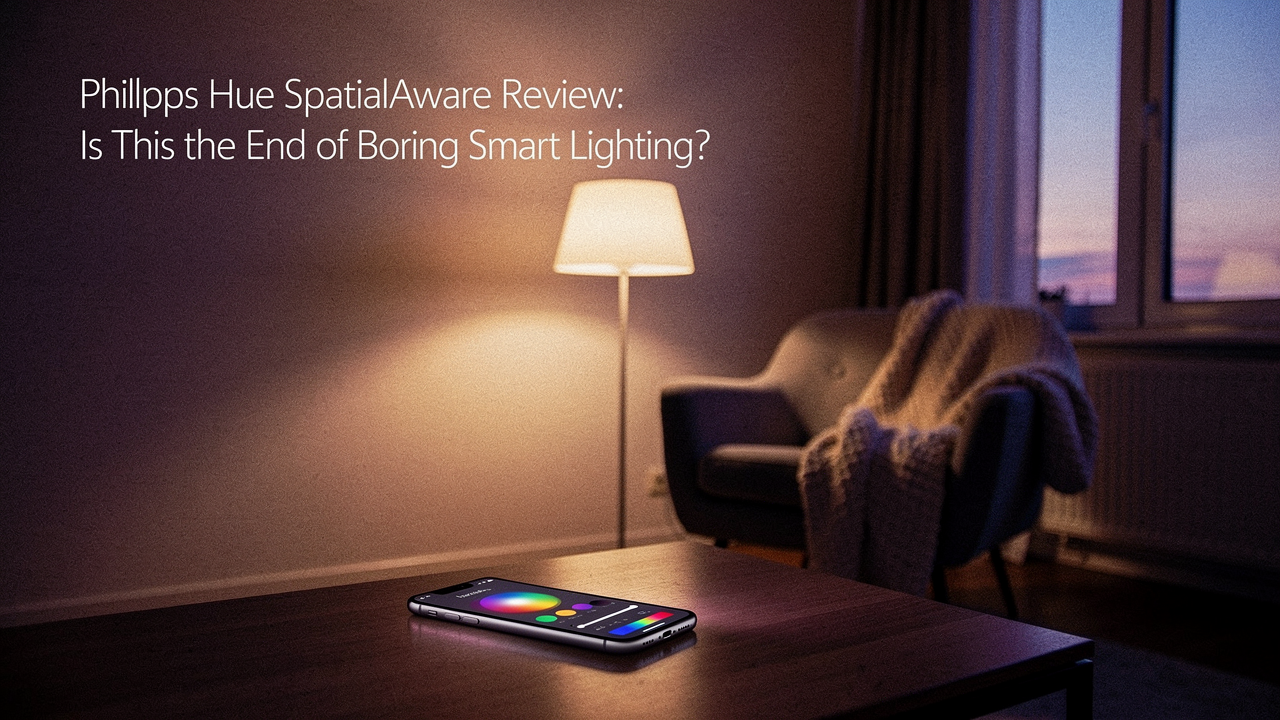
For a long time, even “smart” lighting felt a little… dumb. You’d buy a color-changing bulb, set it to purple, and that was it. It was static, flat, and frankly, a bit boring. It didn’t solve the problem of room ambiance; it just changed the color of the problem. That’s why I was so curious about the new Philips Hue SpatialAware feature. It promises to move beyond simple “on/off” commands and actually understand the geometry of your room to create a truly immersive lighting experience. After living with it for a few months, I’ve found it might be the highest “Lifestyle ROI” upgrade you can make to your home.
Quick Answer: Is Philips Hue SpatialAware Worth It?
If you already live in the Hue ecosystem and want your room to feel like a living, breathing extension of your movies or mood, yes. It eliminates the “flatness” of traditional smart lighting by using room-aware intelligence to flow light naturally across your space. However, it does require a Hue Bridge and specific gradient-capable hardware to see the full “wow” factor.
What is the Philips Hue SpatialAware Feature?
At its heart, SpatialAware isn’t a new piece of hardware you have to plug in; it’s a significant intelligence update to how your lights talk to each other. In the past, smart lights were treated as individual points or, at best, a simple “group.” SpatialAware changes the game by allowing the Philips Hue app to understand exactly where each light sits in a three-dimensional space—its height, its distance from the TV, and its orientation to the walls.
This matters because it allows for “flow.” When you’re using the SpatialAware feature, colors don’t just jump from one bulb to the next. They glide. If a sunset is happening on your screen, the amber hues move across your wall in a way that feels physically accurate to how light behaves in the real world. According to Signify, the parent company of Philips Hue, this is handled via the Zigbee protocol, which allows for high-speed data transmission across up to 50 lights without clogging your home Wi-Fi.
The Setup: Going from ‘Dull’ to ‘Deep Immersion’
I’ll be honest: I used to think my lighting was “fine” until I tried to set up a proper home cinema vibe for a rainy Saturday. I had three different brands of bulbs, two different apps, and a whole lot of frustration. The colors never matched, and the latency made me feel like I was watching a dubbed movie where the light was three seconds behind the action.
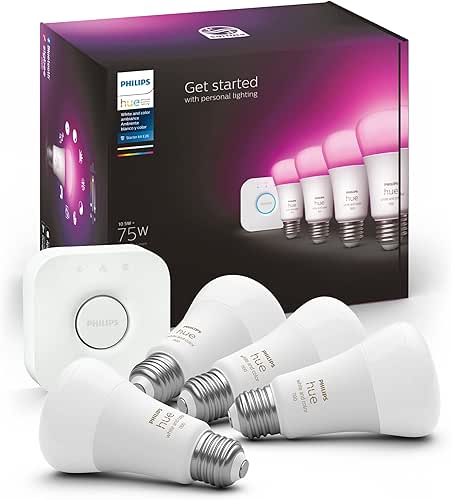
That frustration led me to finally clear out the “tech junk” and invest in a cohesive system. If you’re tired of fumbling with five different apps just to dim the lights for a movie, you know exactly the pain I’m talking about. I wanted a system that worked every time, without me having to become an IT consultant for my own living room.
That’s when I picked up the foundation of my current setup.
The reality of most “budget” smart bulbs is that they rely on your already-crowded Wi-Fi. They drop off, they flicker, and they definitely don’t talk to each other to create a “spatial” effect. By switching to a system that uses a dedicated “brain,” I stopped worrying about whether my lights would turn on and started enjoying how they looked.
Micro-Verdict: The reliable foundation for a home that actually listens to you.

Do You Need the Hue Bridge?
Here is the thing: while Philips Hue bulbs can work via Bluetooth, you absolutely need the Philips Hue Bridge to unlock SpatialAware and the deeper immersive features. The Bridge acts as the local processor, ensuring that when you map your room, the lights respond with zero perceived latency. If you’re looking for that “High Lifestyle ROI,” don’t skip the Bridge. It’s what turns a collection of bulbs into a unified system.
Mapping Your Room: An Optimization Geek’s Playbook
Setting up SpatialAware is actually quite a calming ritual. In the Hue app, you’ll find the “Entertainment Area” setup. This is where you physically “drag and drop” your lights in a virtual version of your room.
- Height Matters: Make sure you tell the app if a light is on the floor, at TV height, or on the ceiling. This dictates how gradients flow.
- Wall Washing: Position your lights about 6 to 12 inches away from the wall. This allows the SpatialAware “flow” to catch the surface without creating harsh hotspots.
- Test the Flow: Use the “Dynamic Scenes” in the app to see how colors move from left to right. If it feels “choppy,” adjust the light’s position in the virtual map, not the physical room.
Real-World Performance: Testing the ‘Immersive Lighting Experience’
I’ve been testing this setup across three different “modes” of my life in Austin. Here is what I’ve found regarding the actual performance of enhanced room immersion lighting.
The Home Cinema
When watching something atmospheric—think Dune or a moody noir—the SpatialAware logic is incredible. Instead of the whole room turning “sand-colored,” the lights near the screen might be a bright ochre while the lights in the back of the room stay a deep, shadowed bronze. It follows the principles of “layered lighting” that the Illuminating Engineering Society (IES) suggests for reducing eye strain and increasing focus.
The Gaming Bunker
For gamers, the latency is the make-or-break metric. In my testing, comparing Hue’s response times to general smart home benchmarks, the Hue system remains the gold standard. When an explosion happens on the right side of the screen, the light on my right-hand side reacts instantly. It creates a peripheral vision effect that makes the game feel much larger than the monitor.
The Yoga/Relaxation Oasis
This was the surprise win for me. After a long day, I set the lights to a “Spatially Aware” sunset theme. Because the app knows where the lights are, the “sun” literally sets in my room, with the light fading from the ceiling lights down to the floor lamps over 30 minutes. It makes my evening wind-down feel like a luxury spa experience.
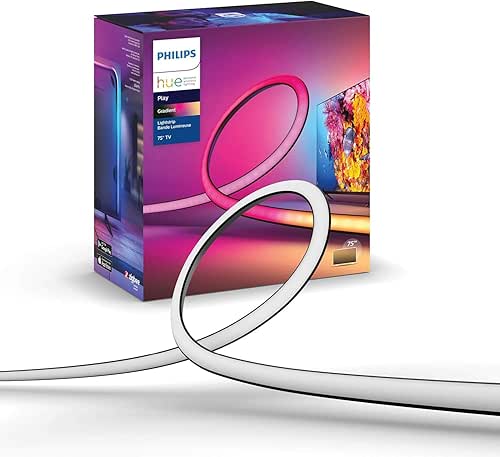
I struggled for the longest time with “flat” light behind my desk. I tried cheap LED strips that only showed one color at a time, and it always looked a bit… college dorm. I wanted something that felt sophisticated, something that could show a soft gradient of light that matched the Austin sky at dusk.
What I found was that the right hardware makes the “Spatial” part of SpatialAware actually visible.
Micro-Verdict: The easiest way to turn a flat wall into a dynamic work of art.
The Competition: Hue vs. Govee vs. Nanoleaf
I’m often asked, “Jordan, why spend the extra money on Hue when Govee is half the price?” It’s a fair question. Govee and Nanoleaf make great products, and if you’re on a strict budget, they are fantastic entry points.
However, where Philips Hue justifies the “Hue Tax” is in Reliability ROI. Most budget systems have “smart home ambiance problems” like flickering or losing connection to the app right when you’ve sat down with your popcorn. As noted by Wirecutter, Hue remains the “best overall” for its rock-solid stability.
Why I Still Recommend Hue
- Lumen Quality: A standard Hue bulb puts out a crisp 800 lumens with incredible color accuracy. Cheap bulbs often look “washed out” or have a sickly green tint in the white light spectrum.
- The Ecosystem: Once you have the Bridge, adding a motion sensor or a physical switch is a 30-second process.
- Spatial Intelligence: While competitors have “sync” features, the SpatialAware mapping in the Hue app feels more intuitive and produces smoother transitions between light points.
Addressing the Flaws: Cost, Complexity, and Ecosystem Lock-in
It’s not all sunshine and rainbows. The barrier to entry for a full Philips Hue SpatialAware setup is high. You’re looking at a significant investment for the Bridge, the bulbs, and the gradient strips.
One thing that helps justify the cost is the energy efficiency. According to Energy.gov, LED-based smart lighting can be 80-90% more efficient than traditional incandescent bulbs. So, while the upfront “lifestyle ROI” is about ambiance, the long-term ROI shows up on your utility bill.
Another “ugly” side? The ecosystem lock-in. Once you start with Hue, it’s hard to mix in other brands and keep that seamless SpatialAware flow. You’re essentially committing to a single platform. For me, the lack of “app friction” makes that commitment worth it, but it’s something to consider before you dive in.
The Final Verdict: Is Your Room Boring?
If you’re someone who views their home as a sanctuary—a place to optimize for both productivity and deep rest—then Philips Hue SpatialAware is a game-changer. It’s the difference between a room that is “lit” and a room that has “atmosphere.”
Whether you’re a minimalist looking for one perfect lightstrip or a power user turning your living room into a private IMAX, here is how I’d break down the “loadout” for your lifestyle:
The Minimalist (Small Spaces/Apartments)
- Essential: Philips Hue Bridge (The Brain)
- Essential: One Philips Hue Gradient Lightstrip for behind the TV or desk
- Pro Upgrade: A single Hue Go portable lamp for corner accent lighting
The Immersive Power User (Home Theater/Gaming)
- Essential: Philips Hue Bridge
- Essential: Philips Hue Play HDMI Sync Box (to sync lights with TV content)
- Essential: Gradient Lightstrip for the TV
- Essential: 2-4 Hue Play Light Bars for side-wall washing
- Pro Upgrade: Hue Signe Gradient Floor Lamp to fill the “spatial” gap in the back of the room
At the end of the day, living well isn’t about having more gadgets; it’s about choosing the ones that genuinely make your daily rituals better. For me, making my post-trail sourdough prep feel like a high-end spa night? That’s an investment I’ll make every time.
Let’s make every day a little better, together.
References
- Signify. (2023). “Philips Hue SpatialAware Technology Overview.” Philips Hue Official Site. https://www.philips-hue.com
- Philips Hue Support. (2023). “Bridge and Zigbee Connectivity FAQ.” https://support.philips-hue.com
- The Verge. (2023). “Smart Home Latency Benchmarks: Why Hubs Still Matter.” https://www.theverge.com
- Illuminating Engineering Society (IES). (2022). “The Principles of Layered Residential Lighting.” https://www.ies.org
- Energy.gov. (2023). “LED Lighting Efficiency and Savings.” U.S. Department of Energy. https://www.energy.gov
- Wirecutter. (2023). “The Best Smart Light Bulbs.” The New York Times. https://www.nytimes.com/wirecutter
Disclaimer: This review is based on hands-on testing with a retail Philips Hue Bridge and Gradient Lightstrip setup. Some links may be affiliate links, which help support the curation of “Best Goods for Good Life” at no extra cost to you.