=
I’ll be the first to admit it: I’m an optimization geek. If a targeted ad promises a “high-performance workspace,” my thumb starts hovering over the buy button. Over the years, I’ve fallen for plenty of gadgets that ended up in the “junk drawer of regret.” But every so often, a whim purchase turns out to have a massive High Lifestyle ROI.
I used to think my afternoon slump was just a lack of caffeine, and I ignored my nagging neck tension as just “part of the job.” But what I discovered is that our environment either supports us or drains us. Research shows that a cluttered or poorly configured workspace doesn’t just hurt your back; it increases cognitive load, making you feel mentally fatigued before you’ve even finished your first task [3].
Today, I’m sharing the five accessories that survived the “whim” phase to become non-negotiable parts of my daily flow. They fixed the pain, tamed the chaos, and honestly, they just make sitting down to work feel like a treat.
The Psychology of the ‘Whim’ Buy: Why We Impulse-Shop for Our Desks
Let’s be honest: when we’re stressed or bored, a new desk accessory feels like a fresh start. We aren’t just buying a stapler; we’re buying the version of ourselves who has their life together. However, impulse buying is often driven by emotional states, and without a system, we just end up with more clutter that competes for our brain’s attention.
To keep my “Austin minimalist” vibe intact, I’ve adopted what money coaches call the 24-hour freeze rule [5]. Before I buy a new gadget, I let it sit in the cart for a full day. If I still think it will solve a specific friction point after the morning coffee wears off, only then do I pull the trigger. As intentional shopping expert Jennifer Meyering suggests, we have to move from “retail therapy” to “intentional outfitting.” The goal is to choose items that genuinely improve your daily life—not just your desk’s aesthetic.
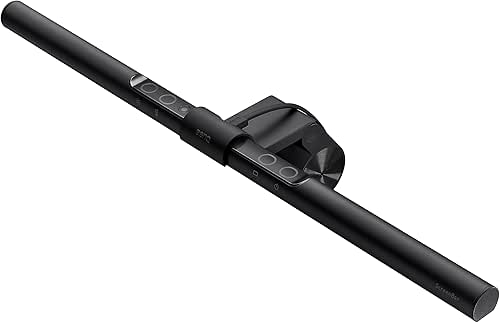
1. The Monitor Light Bar: Solving the Eye Strain ‘Mystery’
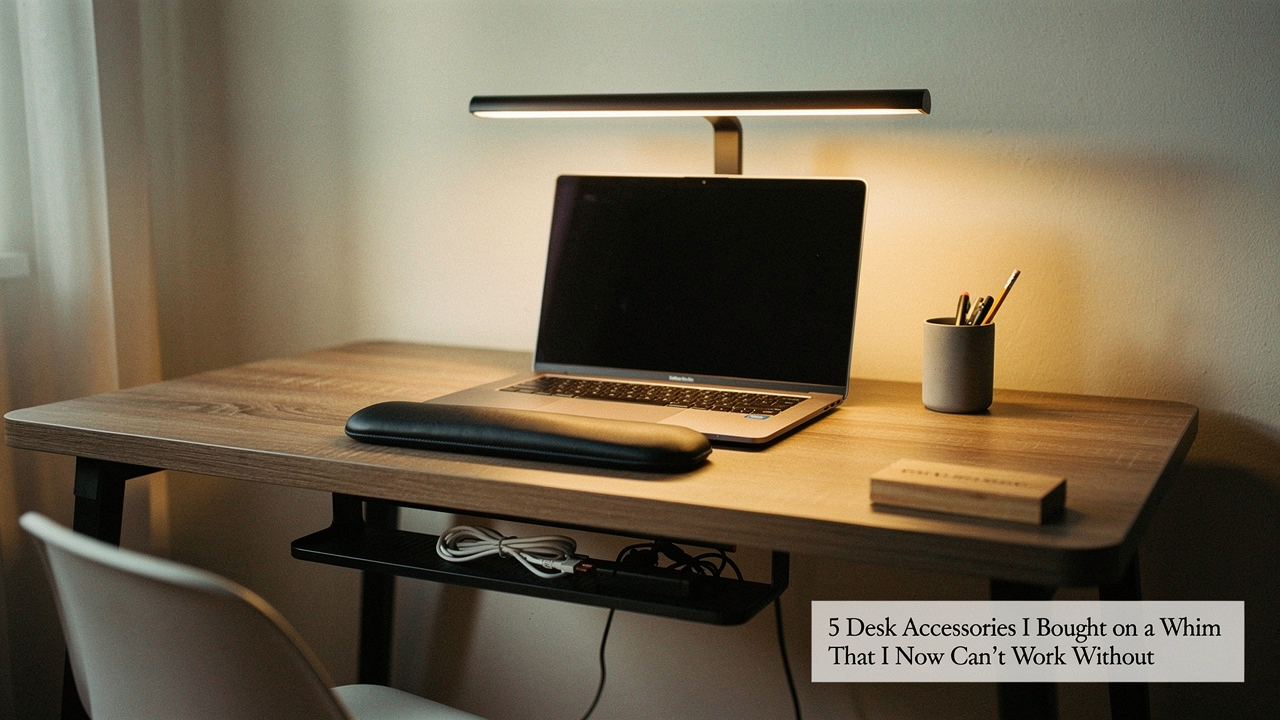
You know that feeling when it’s 4 PM, and your eyes feel like they’ve been rubbed with sandpaper? For a long time, I blamed my screen brightness. I tried traditional desk lamps, but they always created a nasty glare on my monitor and took up precious real estate on my desk. I bought a monitor light bar on a total whim after seeing one in a “clean setup” video, thinking it was just for the cool, moody lighting.
What I didn’t realize was that I was fighting a losing battle with contrast. The Cleveland Clinic notes that proper lighting isn’t just about seeing your work; it actually reduces eye strain and supports your overall mood while working from home [4]. Here’s the thing: most desk lamps cast light into your eyes or onto the screen. This bar clips to the top of the monitor and projects light downward at an angle that illuminates the desk without a single reflection on the glass.
The ROI: Why it beats a standard desk lamp
What surprised me was the immediate sense of calm it brought to my evenings. Instead of a harsh overhead light or a bulky lamp, the light bar creates a focused “pool” of light that tells my brain exactly where to focus. It’s the ultimate space-saver for small Austin apartments where every inch of desk surface matters.
Micro-Verdict: The game-changer: Total visual clarity without the desk-cluttering footprint.

2. The Ergonomic Laptop Stand: Fixing the ‘Laptop Lean’
I spent the first year of my digital wellness journey “laptop leaning”—that classic hunch where your chin moves toward your chest and your shoulders round like a turtle. I ignored the dull ache in my upper back until I realized I was developing what physical therapists call “forward head posture.” I bought a sleek aluminum stand on a whim because it matched my laptop, but it ended up being the single most important health investment I’ve made.
There’s actual science behind this struggle. Forward head posture is directly correlated with neck pain in office workers because it puts an immense amount of strain on the cervical spine [2]. When your screen is too low, you’re essentially asking your neck to hold up a bowling ball at a 45-degree angle all day. With roughly 65 million Americans suffering from back and neck discomfort [1], raising your screen to eye level isn’t a luxury—it’s a necessity.
Symptom-Based Decision: If you feel neck tension, prioritize this first.
If you’re working from a laptop, your screen is naturally too low. By lifting the display so the top third is at eye level, you force your spine back into a neutral position. I’ll admit, it felt weird at first, but now, if I try to work without it, my body rebels within twenty minutes.
Micro-Verdict: Bottom line: It’s the quickest way to stop your workday from becoming a literal pain in the neck.

3. The Felt Desk Mat: Taming Visual Clutter and Cognitive Load
I used to think desk mats were just for gamers or people who liked “aesthetic” TikToks. My desk felt like a sea of white laminate, and no matter how much I organized, it still felt “messy.” I bought a grey felt mat on a whim, thinking it might just protect the surface. What actually happened was a psychological shift.
Here’s the science: physical clutter in your peripheral vision increases cognitive load. Your brain has to work harder to filter out the “noise” of random objects on your desk, which reduces your ability to focus on deep tasks [3]. The felt mat acts as a visual “anchor.” It defines the “work zone.” When an item is on the mat, it’s in use; when it’s off the mat, it needs to be put away. It’s a physical manifestation of the One-Touch Rule—if you pick it up, decide where it goes immediately rather than letting it sit on the edges of your space.
Micro-Verdict: The real win: An instant “focus zone” that tells your brain exactly where the work happens.
4. The External Macro Pad: Reducing ‘Micro-Frictions’ in Workflow
This was my most “out-there” whim purchase. I saw a creative professional using a small pad with programmable buttons (like an Elgato Stream Deck) and thought, “That looks cool, but I’m not a streamer.” But then I started thinking about the “micro-frictions” in my day—the hundreds of times I click through menus to mute my mic, open my sourdough spreadsheet, or toggle my focus timer.
Research suggests that employees lose up to 720 hours a year to distractions and interruptions [6]. Many of those distractions come from the “searching” phase—looking for the right tab or the right app. By using a macro pad for “cognitive offloading,” I moved those repetitive digital tasks into physical buttons [4]. Now, one tap mutes my Zoom call. Another tap launches my “Deep Work” playlist and sets a 25-minute timer.
Micro-Verdict: What sold me: Reclaiming hours of my life by turning complex digital chores into a single physical tap.

5. The Under-Desk Footrest: The Secret to Better Low Back Health
I’ll be honest—I thought footrests were for grandmas. I’ve always been a “sitter-shifter,” constantly crossing my legs or tucking them under me, which I later learned was a sign that my chair wasn’t supporting my lower back properly. I bought a teardrop-shaped foam footrest on a whim during a particularly long week of writing, and the relief was instantaneous.
Sedentary workers have a much higher incidence of pain because we often lose the “base” of our posture [8]. When your feet are flat on a supportive surface, it tilts your pelvis into a more neutral position, taking the pressure off your lumbar spine. Some modern versions even encourage “subtle movement,” which helps maintain engagement and reduces the fatigue that comes from being static for too long [7].
Micro-Verdict: The game-changer: Zero-effort posture correction that makes an 8-hour day feel like four.
How to Build Your Own High-ROI Workspace (Without the Regret)
Creating a space that supports your life doesn’t mean buying everything at once. In fact, that’s the fastest way to create a cluttered environment you’ll eventually resent. The key is to follow a staged roadmap: prioritize your health first, then your productivity, and finally, the aesthetics that spark joy.
The $50 Starter Kit vs. The $500 Ultimate Setup
Depending on where you are in your journey, here is how I would prioritize your next “whim” (turned essential):
- The $50 Starter (The “Health First” Pack): A basic adjustable laptop stand and a high-density foam footrest. This solves the two biggest physical pain points—neck strain and lower back fatigue—for the price of a few fancy Austin brunches.
- The $150 Pro Upgrade (The “Focus” Pack): Add a monitor light bar and a large desk mat. These items are about sensory management—reducing glare and visual clutter to help you stay in the “zone” longer.
- The $500+ Ultimate Setup (The “Optimization” Pack): This is where you add the macro pad for workflow automation and perhaps a premium ergonomic chair or a monitor arm. At this level, you aren’t just fixing problems; you’re building a high-performance cockpit.
At the end of the day, the best accessories aren’t the ones that look the best in a photo. They’re the ones that solve a specific friction point in your day. When your environment supports you, everything else—your work, your sourdough, your morning yoga—just flows better.
Which desk accessory did you buy on a whim that you can’t live without? I’d love to hear about your “accidental essentials” in the comments!
Disclaimers:
Affiliate disclosure: This post contains links where I may earn a commission at no extra cost to you. Health disclaimer: Ergonomic advice is for educational purposes and is not a substitute for professional medical advice from a doctor or physical therapist.
Scientific References & Authority Sources
- Augusta Pain Center (2025). Ergonomic Tips to Prevent Back and Neck Pain at Work. https://augustapaincenter.com/blog/ergonomic-tips-to-prevent-back-and-neck-pain-at-work/
- Nejati, S., et al. (2015). Forward head posture and its relationship with neck pain in office workers. International Journal of Occupational Medicine and Environmental Health. https://www.spine-health.com/conditions/neck-pain/workplace-ergonomics-and-neck-pain
- Thomas, M. (2026). Does A Cluttered Desk Hurt Performance? What the Science Says. https://www.maurathomas.com/cluttered-desk/
- Cleveland Clinic (2024). How to Work From Home and Still Be Productive. https://health.clevelandclinic.org/how-to-work-from-home-still-be-productive
- CNET Personal Finance (2025). Tips to Curb Overspending and Impulse Buying. https://www.cnet.com/personal-finance/banking/give-your-bank-account-a-break-im-a-money-coach-and-these-are-my-top-tips-to-curb-overspending/
- Spaces / Createspaces (2024). The Real Cost of Workplace Distractions. https://createspaces.com/blog/how-distractions-at-work-negatively-impact-productivity/
- FluidStance (2025). The Science of Subtle Movement and Anti-Fatigue Tools. https://fluidstance.com/collections/ergonomic-desk-accessories
- Green, B.N. (2008). A literature review of neck pain associated with computer use. Journal of the Canadian Chiropractic Association. https://www.ncbi.nlm.nih.gov/pmc/articles/PMC2528269/