=
That morning, I realized my “High Lifestyle ROI” filter was missing something critical: a way to stop the “lost wallet dance” before it starts. While I love my Apple AirTags for my keys and hiking pack, shoving a bulky silver “coin” into a slim leather wallet is a recipe for a ruined silhouette and stretched-out card slots.
What I needed was something that lived in the Apple ecosystem but played by the rules of minimalist design. Enter the SwitchBot Wallet Finder. After living with it for several weeks, through farmers market runs and chaotic Sunday resets, I’ve found it to be one of those rare “set it and forget it” tools that genuinely lowers your daily cortisol levels.
Quick Verdict: Is it worth it?
If you use an iPhone and hate the bulge of an AirTag in your pocket, the answer is a resounding yes. It offers the massive reach of Apple’s Find My network in a form factor that’s actually built for a wallet.
The Hardware: Thin Enough for Your Slimmest Wallet
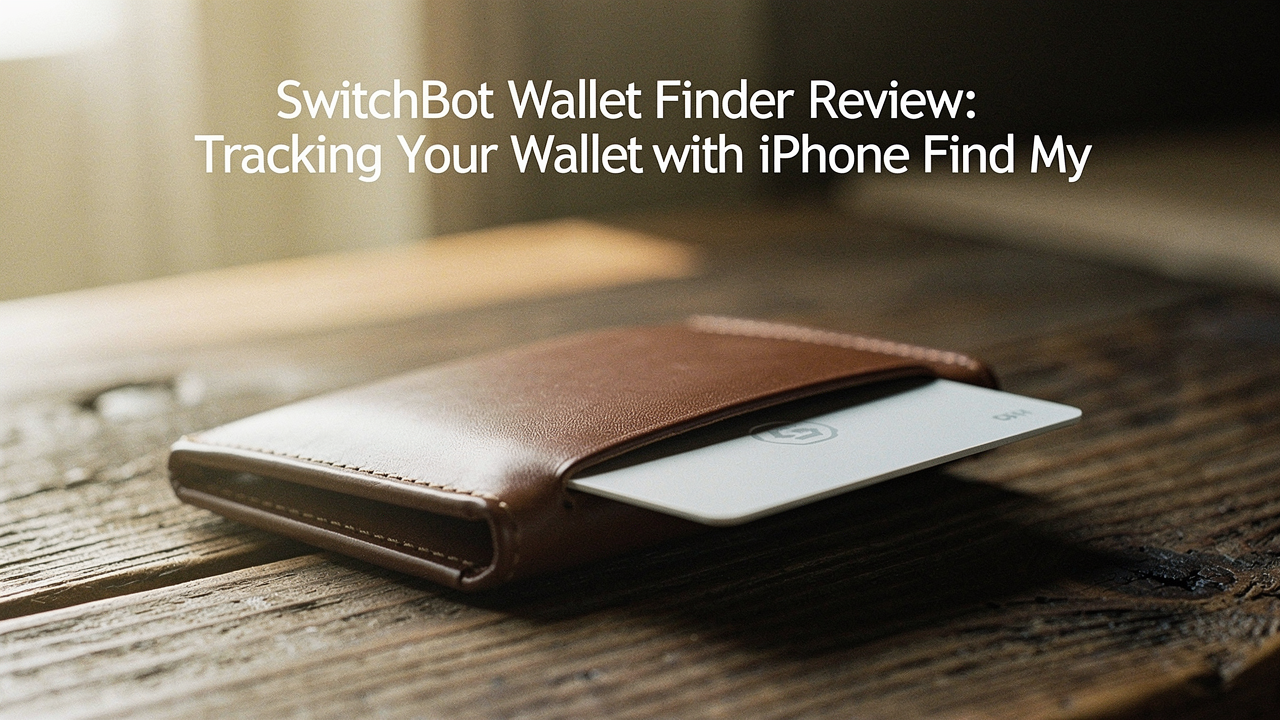
Let me be honest: I ignored wallet trackers for years because they all looked like chunky calculators. But the first thing I noticed about the SwitchBot Wallet Finder was the profile. At approximately 2.5mm thick, it’s roughly the equivalent of stacking two or three credit cards [4].
In my testing, I slipped it into a standard bifold and a slim front-pocket cardholder. In the bifold, it was virtually undetectable. In the slim cardholder, there was a slight increase in rigidity, but no “bump” like you’d get with a coin-shaped tracker.
Here is what you need to know about the build:
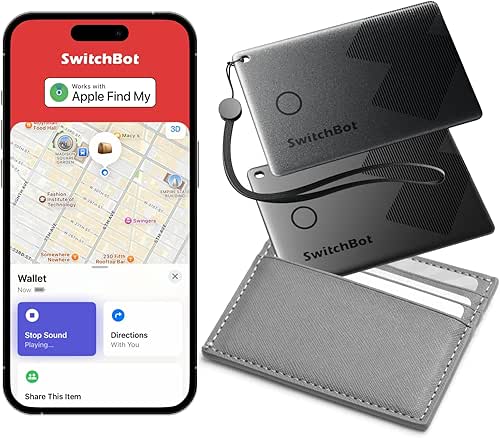
- Dimensions: It matches the standard credit card footprint (approx. 85.6 x 54 mm), meaning it fits into any standard slot [4].
- Durability: It has a slight flex to it. I’ve sat on it in my back pocket for hours during long drives out to Hill Country, and it hasn’t warped or cracked.
- Tactile Design: The surface is matte, so it doesn’t slide out of leather slots accidentally—a small but thoughtful detail for those of us with well-worn wallets.
The real win here: It provides 100% of the tracking utility without compromising the aesthetics of your daily carry.

Setting Up the iPhone Find My Integration
One of my biggest pet peeves is “app bloat.” I didn’t want to download yet another manufacturer’s app just to see where I left my ID. This is where the SwitchBot really shines. Because it is a certified Find My accessory, you can bypass the SwitchBot app entirely if you want to.
The setup process was refreshingly simple. I opened the Find My app on my iPhone, tapped the “+” icon, selected “Add Other Item,” and pressed the small button on the card. Within ten seconds, it was paired and named “Jordan’s Wallet.”
What’s happening behind the scenes is actually pretty incredible. It taps into Apple’s Find My network, which leverages hundreds of millions of Apple devices worldwide [3]. If I leave my wallet at a café on South Congress, any passing iPhone can anonymously and securely relay its location back to me.
Apple uses end-to-end encryption for this process, so neither SwitchBot nor Apple knows the exact location of your items [3]. It’s a high-level security feature that makes me feel much better about carrying a GPS-adjacent device in my pocket.
Real-World Performance: Range, Volume, and Reliability
It’s one thing to look good on paper; it’s another to find your wallet when it’s buried under a mountain of sourdough starter and mail on your kitchen counter.
I put the SwitchBot through a series of “Where is it?” drills. Here’s what I found:
- Indoor Range: I consistently maintained a Bluetooth connection within 10 to 30 meters [2]. Even through two walls in my apartment, the signal held steady.
- The “Ring” Factor: The speaker on this card is surprisingly punchy. SwitchBot claims a volume in the 80-100 dB range, and while I didn’t have a lab-grade decibel meter, it was loud enough to hear from the next room while tucked inside a leather bifold [4].
- Left-Behind Alerts: This is the feature I use most. About 100 yards after walking away from my wallet, my phone sends a gentle “Item Left Behind” notification. It’s the digital equivalent of a friend tapping you on the shoulder.
Bottom line: It’s loud enough to find under a couch cushion and smart enough to tell you it’s there before you even leave the building.
SwitchBot Wallet Finder vs. AirTag vs. The Competition
You might be wondering: “Why not just stick with an AirTag?” I struggled with this too until I saw the side-by-side comparison. While the AirTag has “Precision Finding” (the little arrow that points you to the exact inch), the SwitchBot offers the “Lifestyle ROI” of a better fit.
Quick Comparison Table
- Form Factor: SwitchBot (Slim Card) vs. AirTag (Thick Coin)
- Network: Both use Apple Find My
- Battery: SwitchBot (2-Year Sealed) vs. AirTag (1-Year Replaceable CR2032)
- Precision Finding (UWB): SwitchBot (No) vs. AirTag (Yes)
- Price: SwitchBot is often more affordable when buying single units
If you are a “Power User” who loses things in very cluttered environments, you might miss the UWB Precision Finding of the AirTag. But for 95% of us who just need to know if the wallet is at home or at the gym, the card shape is the superior choice for a wallet.
Battery Life and Sustainability
Here’s the part where I have to be a little bit “tough love” with you: the battery is not replaceable. SwitchBot claims a 2-year battery life [4]. To keep the card thin enough to fit in your wallet, they had to seal the unit.
I’ll admit—I was skeptical at first. I hate the idea of “disposable” tech. However, when you consider that a 2-year lifespan means 730 days of peace of mind for roughly the cost of two avocado toasts, the ROI is high. When the battery eventually dies, SwitchBot encourages eco-friendly disposal through small electronics recycling programs. It’s a trade-off for the ultra-slim design, but one I’m willing to make for the comfort of a flat wallet.
Is It Right for You? (The Verdict)
After weeks of testing, here is my breakdown of who will love this and who should skip it.
The Minimalist Daily Carrier
You value a clean aesthetic and want to protect your investment in a high-quality leather wallet.
- Essential: The SwitchBot Wallet Finder for its 2.5mm profile.
- Essential: iPhone with Find My enabled for seamless tracking.
- Pro Upgrade: A MagSafe-compatible slim wallet to keep everything tight and secure.
Who should pass?
- Android Users: While SwitchBot has an app, the full “Find My” network benefits are locked to the Apple ecosystem.
- The “Ultra-Forgetful”: If you frequently lose things inside your house and need an arrow to point you to the exact spot under a pile of laundry, an AirTag’s UWB feature is better for you.
Frequently Asked Questions
Does it work with Android?
Technically, you can use the SwitchBot app to find the card via Bluetooth, but you lose the “community find” power of the Apple network. If you aren’t on an iPhone, I’d suggest looking at Tile or the upcoming Google Find My Device network trackers.
Can I replace the battery?
No. To maintain that incredibly slim 2.5mm profile, the battery is integrated and non-replaceable. It is rated for roughly two years of standard use.
Is it waterproof?
The card features an IP67 rating [4]. This means it can handle a splash, a rainy run, or even a brief accidental drop in a puddle. Just don’t take it for a swim in Barton Springs!
References
- Apple Inc., (2024), Find My network and privacy, Apple Support, https://support.apple.com/en-us/HT210400
- Bluetooth SIG, (2023), Bluetooth Low Energy (BLE) Specifications and Range Standards, Bluetooth.com
- Apple Platform Security, (2023), Find My network security and encryption, Apple Whitepaper
- SwitchBot, (2024), SwitchBot Wallet Finder Product Specifications and Manual, Switch-Bot.com