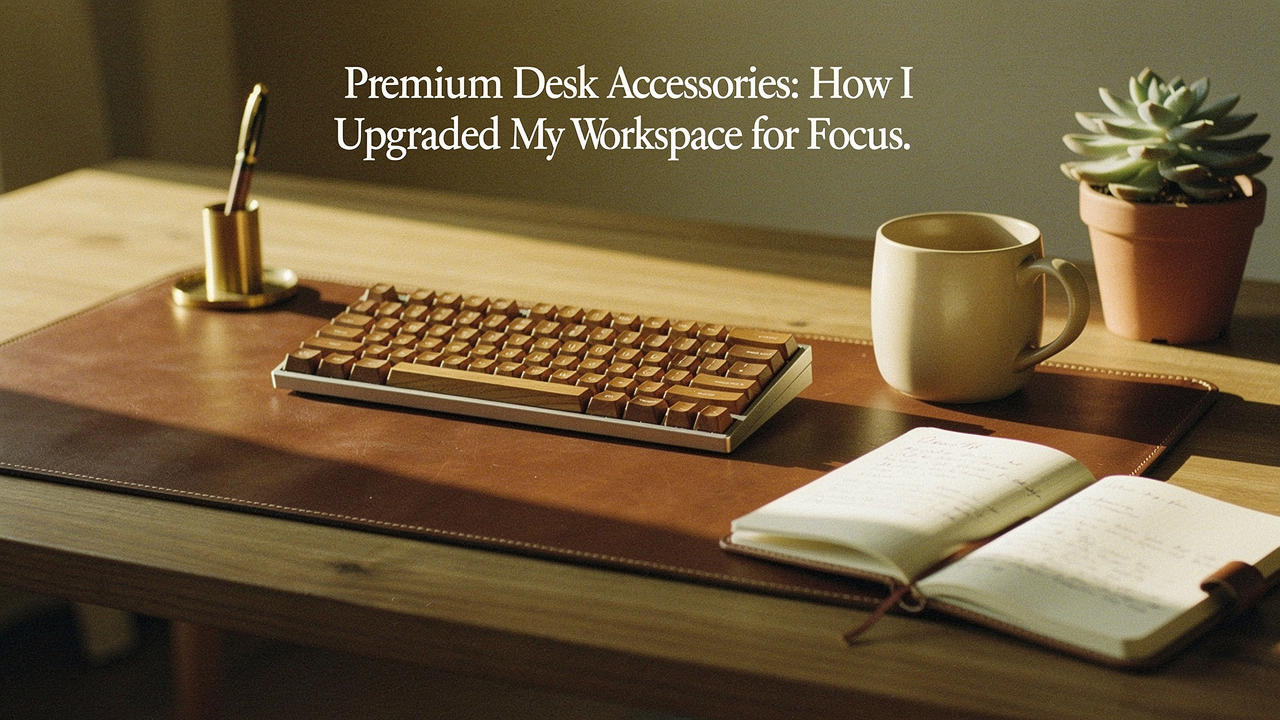
Have you ever walked into your office on a Monday morning, coffee in hand, only to feel your shoulders tighten the moment you look at your desk? I know that feeling all too well. For years, my workspace felt less like a “command center” and more like a junk drawer with a monitor attached. It was a sea of tangled white charging cables, a desk surface that felt sticky no matter how much I wiped it, and a monitor that sat just low enough to give me a persistent “tech neck” by 2:00 PM.
In Austin, we have these incredible hiking trails where everything feels intentional—the path is clear, the air is crisp, and your mind just opens up. I wanted my desk to feel like that. I realized that my “good enough” gear was actually a form of cognitive tax I was paying every single day.
That’s when I started applying what I call the High Lifestyle ROI philosophy to my workspace. Living well isn’t about having a desk full of “stuff”; it’s about choosing better tools that solve real problems, last for a decade, and actually spark a little bit of joy during a long Tuesday of Zoom calls.
This isn’t just about aesthetics (though, let’s be honest, a walnut desk shelf looks amazing). It’s about a “Chaos to Command Center” roadmap designed to protect your focus and your health.
The Hidden Cost of the ‘Good Enough’ Desk Setup
We often tell ourselves that a cluttered desk setup is just a sign of a busy mind, but the science tells a different story. When your environment is unorganized, your brain is constantly processing that visual “noise,” which leaves less energy for the work that actually matters.
A landmark study from the Princeton University Neuroscience Institute found that multiple visual stimuli—like that pile of mail, the three different charging cords, and the random pens—compete for neural representation [1]. Essentially, your desk is shouting at you while you’re trying to concentrate. I noticed this most when I moved from a cheap, plastic-heavy setup to a more intentional one. My “unorganized workspace” wasn’t just messy; it was a productivity killer.
Why Budget Gear Often Fails the Durability Test
I’ll be the first to admit that I spent way too much money on “cheap” things before I learned my lesson. I’d buy a $20 monitor stand made of MDF (medium-density fiberboard), and within six months, the veneer would start peeling at the edges from my coffee mug’s condensation. Or I’d buy a “leather” desk mat that was actually polyurethane and ended up smelling like a chemical factory for weeks.
Here is the difference when you move into the world of premium desk accessories:
- Materials: You’re moving from plastic and particle board to solid American Walnut, vegetable-tanned leather, and anodized aluminum.
- Stability: Premium gear has weight. It doesn’t slide around when you bump it.
- Longevity: These items don’t just last; they age. A solid wood shelf or a leather mat develops a patina over time that tells the story of your career.
Phase 1: Ergonomics—The Foundation of High-Performance
When people ask me how to start a desk setup upgrade, they usually expect me to suggest a pretty lamp. But I always start with ergonomics. You can’t be productive if your lower back is screaming or your eyes are strained.
According to the Human Factors and Ergonomics Society (HFES), proper monitor positioning is one of the most effective ways to reduce musculoskeletal discomfort [2]. If you’re looking down at your screen, you’re putting up to 60 pounds of pressure on your cervical spine. I spent a year dealing with tension headaches before I realized my monitor was four inches too low.
The Impact of Premium Monitor Risers and Arms
Let me be honest: I ignored my posture for years. I thought “ergonomics” was for corporate offices with cubicles, not my cozy home setup. I used a stack of old coffee table books to raise my iMac, but they took up half my desk and looked, frankly, embarrassing. I needed a solution that gave me my desk space back while saving my neck.
I finally invested in a handcrafted desk shelf, and the change was instant. It wasn’t just that the screen was at eye level; it was that I suddenly had a “home” for my keyboard and mouse when I wasn’t using them.
The game-changer: A solid wood desk shelf that elevates your screen while creating a secondary level of storage.
Best For: Remote workers using a large monitor or iMac who need to reclaim desk real estate and improve their posture.
Phase 2: Organization—Creating a Cognitive ‘System’
Once the “bones” of your desk are right, we have to tackle the clutter. A 2020 study by Steelcase revealed that 88% of workers feel a well-organized workspace directly increases their productivity [3].
The goal isn’t just to hide the mess; it’s to create a system where every tool has a “home.” When you don’t have to hunt for a charging cable or a notepad, you stay in “the flow” longer.
Cable Management: The Ultimate Visual De-Stresser
Here’s the thing about cables: they are the “weeds” of the workspace. No matter how many times you tuck them away, they seem to crawl back across your desk. I used to use those cheap adhesive plastic clips, but the sticky residue they left behind was a nightmare, and they’d inevitably pop off after a month.
I found that the only way to truly win the war on cables was to use weighted, magnetic solutions. I wanted something that felt like a permanent part of my desk, not a temporary fix.
The real win here: A weighted cable block that keeps your chargers from sliding off the desk without damaging the surface.
Best For: Minimalists who hate the sight of “cable creep” and want a tactile, high-quality way to keep chargers within reach.
Catch-alls and Trays: The ‘Zone’ Method
I’m a big fan of the “5S” organizational method, which is all about “shining” and “standardizing” your space. I divide my desk into zones:
- Zone 1 (The Focus Zone): Only your computer, mouse, and keyboard.
- Zone 2 (The Reach Zone): Items you use hourly, like your phone or a notepad.
- Zone 3 (The Reference Zone): Things you need daily but not constantly, like reference books or a dedicated pen tray.
To make this work, I moved away from random bowls and started using modular tray sets.
What sold me: A coordinated tray system that organizes small essentials while matching the material of my desk shelf.
Best For: Professionals who deal with “small item clutter” like pens, SD cards, and AirPods.
Phase 3: Tactical & Aesthetic Elevation
The final layer of a workspace upgrade is about the items you touch. In my Austin home, I’m all about textures—linen curtains, stone coasters, and natural wood. Your desk should be no different.
Workspace accessories that use natural materials actually help reduce stress. It’s called “biophilic design”—the idea that bringing elements of nature into your indoor space improves well-being [4].
The Desk Mat: Defining Your Territory
I used to think desk mats were unnecessary. Why do I need a giant piece of felt or leather under my mouse? But then I realized my desk surface was getting scratched, and the “clack-clack” of my keyboard was actually quite loud during late-night writing sessions.
I tried a cheap felt mat first, but it pilled within weeks and felt itchy against my wrists. Switching to a premium, high-density mat changed the entire “haptic” experience of my workday.
Bottom line: A premium desk mat provides a soft landing for your hands while dampening sound and protecting your desk.
Best For: Creatives and writers who want a defined, comfortable surface that improves both acoustics and mouse tracking.
The Full Setup Walkthrough [Video Breakdown]
If you’re more of a visual learner, I’ve put together a video walkthrough of my current setup. What you can’t see in photos is the sound and feel of these items. There is a specific “thud” when you set a ceramic mug down on a wool felt mat, and a satisfying weight to a solid brass pen that makes you actually want to write in your journal.
I’ve lived with these specific items in my Austin office for over six months now. Here’s my honest assessment of how they’ve aged:
- The Wood: The walnut has deepened in color slightly, losing that “brand new” sheen and gaining a warm, rich character.
- The Leather: My desk mat has developed a slight “character” where my wrists rest—a patina that I personally love.
- The Sustainability: Because these are built from solid materials, I haven’t had to replace a single item. In the long run, this “expensive” setup has actually cost me less than the constant cycle of buying and tossing cheap plastic alternatives.
The Persona Loadout: Which Setup Is Yours?
Depending on how you work, your needs will change. Here are my “High Lifestyle ROI” recommendations for three common profiles:
The Minimalist Remote Worker
- Essential: A premium wool felt desk mat to define the space.
- Essential: A single magnetic cable block for your laptop charger.
- Pro Upgrade: A small solid-wood laptop riser to save your neck.
The Power User (Multiple Monitors)
- Essential: A heavy-duty, dual-monitor desk shelf (extra wide).
- Essential: An under-desk cable management tray to hide the “spaghetti” of wires.
- Pro Upgrade: A dedicated charging dock for phone, watch, and pods.
The Creative Freelancer
- Essential: A large linoleum desk mat (great for sketching and easy cleaning).
- Essential: A tiered tray set for pens, hard drives, and tools.
- Pro Upgrade: A monitor light bar to reduce eye strain during late-night edits.
Upgrading your desk isn’t just about spending money—it’s about investing in your own focus. When you remove the friction of a messy, uncomfortable workspace, you give yourself permission to do your best work. Like a good sourdough starter, a great desk setup takes a little time and intention to refine, but once you get it right, the results are so worth it.
Disclosure: This post contains affiliate links. Products were tested for a minimum of 30 days in my Austin home office.
References & Research
- McMains, S., & Kastner, S. (2011). “Interactions of Top-Down and Bottom-Up Mechanisms in Human Visual Cortex.” Journal of Neuroscience.
- Human Factors and Ergonomics Society (HFES). (2019). “Ergonomic Guidelines for Computer Workstations.”
- Steelcase. (2020). “The State of the Post-Pandemic Workplace Research.” Steelcase 360.
- Journal of Environmental Psychology. (2017). “The Benefits of Personalization and Biophilic Design in the Workspace.”
- American Optometric Association (AOA). “Computer Vision Syndrome and Digital Eye Strain Guidelines.” AOA Guide
- OSHA. “Computer Workstations eTool.” OSHA.gov