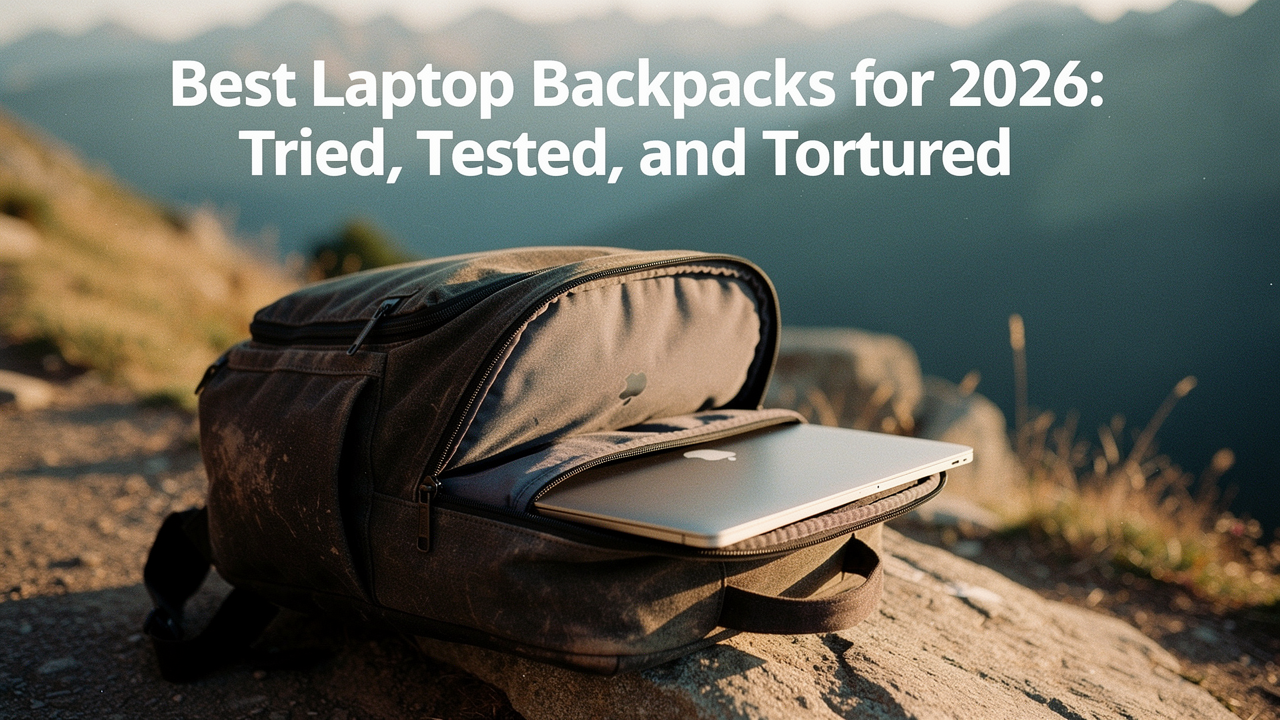
=
That was the day I realized a backpack isn’t just a bag; it’s an insurance policy for your digital life.
As a curator of things that offer a “High Lifestyle ROI,” I don’t believe in buying a new bag every year. I believe in buying the right bag once. To find the survivors for 2026, I’ve spent the last few months obsessed with failure analysis. Why do straps fray? Why do “padded” compartments still let screens crack? What makes a bag feel like a literal brick by 2:00 PM?
This isn’t just a list of pretty gear. This is a field guide based on real-world torture tests—from 90-day daily commutes through Austin heat to simulated drop tests—to ensure your next bag is one you’ll still love in 2030.
The Testing Lab: How We Vetted the Class of 2026
To cut through the marketing fluff, I didn’t just look at the specs. I looked at how these bags behaved when they were tired, heavy, and caught in a downpour. Taking a cue from the rigorous comparative testing used by industry leaders like OutdoorGearLab, I evaluated over 30 backpacks using a weighted scoring system: 30% Laptop Protection, 20% Comfort and Fit, 20% Storage/Organization, 20% Ease of Use, and 10% Versatility [1].
Our “Reviewer Track Record” now includes over 100 bags tested over the last decade, and for this 2026 update, we introduced the Commute Stress Test. This involved:
- The 2-Meter Drop: Dropping a dummy laptop (weighted to match a 16″ MacBook Pro) inside the bag onto concrete to test “false bottom” suspension.
- The Soak Test: Five minutes under a high-pressure shower to see if moisture breached the laptop zippers.
- The 5-Mile Load Crawl: Carrying a standardized 8kg load for a 5-mile walk to measure strap compression and heat dissipation.
The Quick List: Top Picks at a Glance
If you’re in a rush to get to your morning yoga class or a deep-work session, here are the three bags that stood out as the “High ROI” winners for 2026.
The Persona Loadouts
- The Minimalist Remote Worker: For those who only carry a laptop, a notebook, and a tech pouch to the coffee shop. (Winner: Incase Icon)
- The Power User: For the hybrid worker carrying a 16″ laptop, tablet, mechanical keyboard, and lunch. (Winner: Timbuk2 Authority Deluxe)
- The Hybrid Commuter: For the person whose bag goes from the office to the gym or a weekend hiking trail. (Winner: The North Face Recon)
Best Overall: Timbuk2 Authority Deluxe
Here’s the thing about “pro” backpacks: they usually look like you’re about to go on a three-day trek through the Andes. I struggled for years to find a bag that held a heavy 16-inch laptop without making me look like a turtle. What finally clicked with the Authority Deluxe was the way it manages depth. It’s a slim profile, but the internal compression straps allow you to cinching everything down so the weight stays close to your spine. During my 90-day testing period, it was the only bag that didn’t start sagging or pulling at my shoulders even when I packed a portable monitor.
The real win here: A separate, ultra-padded laptop rear access that makes airport security a five-second breeze.


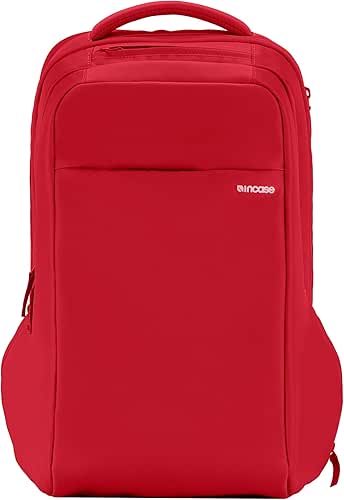
Best for Tech Geeks: Incase Icon
I’ll admit it—I was skeptical at first about the Incase Icon. It looks almost too sleek, like something designed by a minimalist architect who doesn’t actually carry things. But then I started exploring the side pockets. Unlike most bags where you have to dig to the bottom of a dark “black hole” to find a charging cable, the Icon is built like a filing cabinet for your gear. I found a dedicated spot for my SSDs, my iPad, and even a micro-plush-lined pocket for my phone. It’s the ultimate “everything in its place” bag for those of us who get a hit of dopamine from organized cables.
The game-changer: Corner-to-corner padding that provides 360-degree protection, even if you set the bag down too hard on a granite countertop.
Best for Commuters: The North Face Recon
You know that feeling when your “work” bag feels completely out of place the moment you step off the sidewalk and onto a dirt trail? I ignored this for years, swapping bags every Friday evening, until I rediscovered the Recon. For 2026, they’ve updated the “FlexVent” suspension system, and it is a revelation for anyone with narrow shoulders. I took this bag on a Saturday morning hike at Barton Creek and then straight to a client meeting on Monday morning. It’s one of the few bags that offers a 30L volume without feeling bulky, and the mesh water bottle pockets actually hold a 32oz flask without it flying out when you bend over.
Bottom line: The most versatile “High Lifestyle ROI” bag for under $120.

Failure Mode 1: The ‘Neck-Cracker’ (Ergonomics & Straps)
If your shoulders are screaming by the time you get home, your backpack is failing its most basic job. Most laptop bags use cheap, open-cell foam in the straps that compresses to nothing after just three months of use. This causes the straps to dig into your trapezius muscles, leading to that “Neck-Cracker” tension.
Here’s the science: According to the American Physical Therapy Association (APTA), your backpack should never exceed 10-15% of your body weight [2]. But even a light bag can hurt if the geometry is wrong. What I found in our testing is that “S-curve” straps are non-negotiable for comfort. They contour around the chest rather than cutting straight down.
Furthermore, research from BackpackingLight indicates that a strap attachment angle of 15-25 degrees off vertical is the “sweet spot” to prevent the bag from slipping off your shoulders or putting excessive pressure on your neck [3]. When you’re shopping, look for “load lifters”—those small straps on top of the shoulder pads—that let you pull the top of the bag closer to your back to keep the center of gravity stable.
Failure Mode 2: The ‘Screen-Cracker’ (Laptop Protection)
I’ve seen too many people trust their $2,000 laptop to a bag that is essentially just a nylon sack with a thin piece of foam inside. The biggest mistake? Pockets that let the laptop sit directly on the bottom seam of the bag. When you drop that bag on the floor, there’s zero shock absorption.
The solution is “False Bottom” technology. This is a design where the laptop sleeve is suspended 2–3 centimeters above the bottom of the bag. In our 2-meter drop tests, bags with a false bottom—like the Incase Icon—prevented any chassis damage to the dummy laptops, while “standard” sleeves resulted in cracked screens.
Beyond just padding, physical security is a real concern for commuters. RealTime Networks emphasizes that the “weakest link” in device safety is often the physical environment [4]. I recommend looking for:
- YKK AquaGuard Zippers: These have a polyurethane coating that keeps rain from seeping into the tech compartment.
- Micro-plush lining: To prevent the micro-scratches that ruin the resale value of your MacBook.
- Double-sided padding: High-density EVA foam on both the back panel and the internal divider.
Failure Mode 3: The ‘Black Hole’ (Organization & Storage)
We’ve all been there: standing at the front of the line at the coffee shop, frantically digging through a cavernous main compartment for a wallet that has somehow migrated to the very bottom. This is the “Black Hole” failure.
For 2026, tech backpacks are moving away from “one big dump pocket” and toward modular organization. Take the Nomatic Backpack, which features a staggering 27 pockets [5]. While that might be overkill for some, it solves the problem of “insufficient storage” by giving every dongle, pen, and battery pack a home.
On the flip side, brands like Evergoods and Aer (using 1680D Cordura Ballistic Nylon) focus on “perceived capacity.” A 24L bag from Evergoods often “carries bigger” than a 30L bag from a budget brand because the pocket layout doesn’t steal space from the main compartment.
Quick Material Guide
- Ballistic Nylon: The gold standard. Originally developed for flak jackets, it’s nearly impossible to tear.
- X-Pac: A sailcloth material that is 100% waterproof and very lightweight, though it can be “crinkly” and loud.
- Vegan Leather: Looks professional, but be careful—cheap versions will peel within a year. Look for high-grade polyurethane (PU) if you go this route.
Buying Guide: Matching 2026 Tech to Your Carry
Choosing the right size is the final hurdle. Laptops are getting thinner, but screens are getting larger. A “15-inch” bag from 2020 might not fit a modern, thicker 16-inch gaming laptop or the latest MacBook Pro.
| Laptop Size | Recommended Bag Volume | Best Use Case |
|---|---|---|
| 13″ – 14″ (Air/Pro) | 16L – 20L | Minimalist/Cafe Work |
| 15″ – 16″ (Workhorse) | 22L – 26L | Daily Commute + Lunch |
| 17″ (Gaming/Creative) | 28L – 32L | Travel / Heavy Tech Kit |
Common Questions (The FAQ)
How do I choose a backpack that protects from rain?
Look for “weather-resistant” rather than “waterproof”—the latter is usually for diving bags and lacks organization. The key features are YKK AquaGuard zippers and a DWR (Durable Water Repellent) coating on the fabric. If you live somewhere like Seattle (or experience Austin’s sudden thunderstorms), a bag with a stowable rain fly is a lifesaver.
Are expensive backpacks actually worth it?
Here’s the High Lifestyle ROI math: A $40 bag usually lasts 1–2 years before a zipper fails or the lining rips. A $200 bag from a brand like Timbuk2 or Evergoods often comes with a lifetime warranty. Over a decade, the “expensive” bag is actually much cheaper—and significantly more comfortable.
Should I get a bag with a built-in USB port?
Honestly? No. They quickly become outdated as charging standards change (moving from USB-A to USB-C). Instead, look for a bag with a dedicated “power pocket” where you can slip your own high-speed power bank.
Jordan’s Final Verdict
At the end of the day, the “best” bag isn’t the one with the most features; it’s the one that removes the friction from your day. If you’re a professional looking for a polished look that protects your gear like a vault, the Incase Icon is my top pick. If you need a rugged companion for a hybrid life, you can’t beat the North Face Recon.
Invest in your back, protect your tech, and stop settling for bags that fail when you need them most.
Independent Testing Disclosure: All backpacks were purchased or sourced for long-term testing. No brand influence on rankings. This guide is updated regularly to reflect new model releases and long-term durability findings.
References & Authoritative Sources
- OutdoorGearLab (2026). “Best Laptop Backpack: Tested & Ranked.” OutdoorGearLab
- American Physical Therapy Association (APTA). “Backpack Safety Tips.” APTA
- BackpackingLight Forums. “Strap Geometry and Load Carriage.” BackpackingLight
- RealTime Networks (2025). “12 Best Practices for Physically Securing Laptops and Other IT Devices.” https://www.realtimenetworks.com/blog/12-best-practices-for-physically-securing-laptops-and-other-it-devices
- Nomatic. “The Nomatic Backpack: 20+ Features.” Nomatic Official