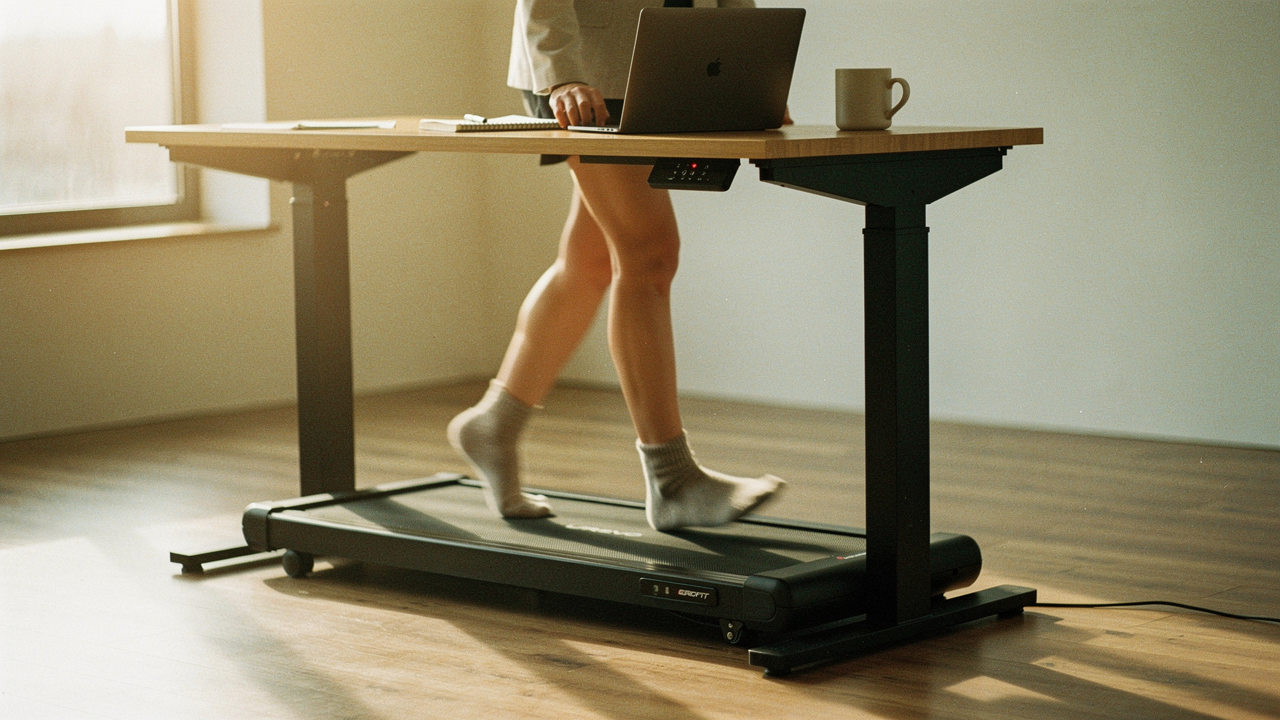
Despite my morning yoga and my favorite sourdough starter project, my 9-to-5 had turned into a “step trap.” I was essentially a professional sitter. This is what I call the WFH paradox: we have all the freedom in the world, yet we end up more sedentary than we ever were in a cubicle.
If you’re feeling that mid-afternoon brain fog or notice your lower back screaming after a long Zoom session, you aren’t alone. In 2026, the “active workstation” isn’t a luxury anymore—it’s a survival tool for the modern remote worker. After testing dozens of models for their “Lifestyle ROI,” I’ve narrowed down the best walking pads that actually fit into a real home, stay quiet during meetings, and won’t end up as a glorified clothes rack.
The Sedentary WFH Trap: Why Your Desk Job is a Health Bottleneck
Here’s a hard truth: that hour at the gym at 6:00 PM doesn’t actually undo eight hours of sitting. The World Health Organization (WHO) and the CDC have been sounding the alarm on this for years [1]. When we sit for prolonged periods, our energy expenditure drops to ≤1.5 METs (Metabolic Equivalents), which is the technical definition of sedentary behavior [2].
It’s not just about burning calories. It’s about “sitting disease.” Research published in JAMA shows that the real magic happens when we move out of that sedentary zone and into light-intensity movement. The sweet spot for reducing mortality risk is actually between 6,000 and 8,000 steps per day [3].
What I found in my own journey was that hitting those 8,000 steps while working from home was virtually impossible without help. You can only take so many “walking laps” around your kitchen island before you feel a bit ridiculous. That’s where the walking pad comes in—it bridges the gap between your productivity and your physiology.
The Active Workstation: Solving the Movement Equation
Before we dive into the picks, let’s clarify what we’re actually looking for. An “active workstation,” as defined by global standards like Fitwel, must be adjustable and promote movement without sacrificing ergonomics [4].
A walking pad is different from the massive treadmill you see at the local gym. It’s designed for “NEAT” (Non-Exercise Activity Thermogenesis). These machines usually cap out at 3 or 4 mph because, let’s be honest, you can’t type an analytical report while sprinting. According to experts at Verywell Fit, the “magic speed” for working while walking is about 1.0 to 1.5 mph [5]. It’s fast enough to keep your blood flowing but slow enough that your coworkers won’t see your head bobbing on camera.
Check out the health benefits of walking pads here
Top Picks: The Best Walking Pads for Working From Home (2026)
I put these machines through what I call the “Miller Method” testing. I didn’t just walk on them; I lived with them. I measured the decibels during calls, tested how easily they slid under my mid-century modern sofa, and checked if the belt started to smell like burning rubber after a four-hour writing marathon.
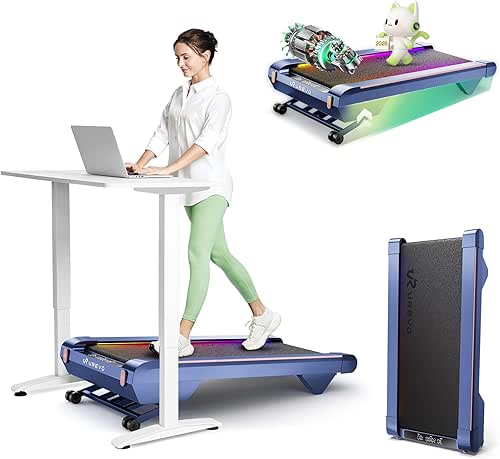
Best Overall: UREVO CyberPad Smart Treadmill
I’ll be honest: I struggled with afternoon slumps for years. I tried every “hack”—standing desks, pomodoro timers, even those weird ergonomic stools—but nothing stopped that heavy, sluggish feeling that hits around 2:00 PM. I finally realized that my body didn’t need more coffee; it needed to move. After researching dozens of motors and belt materials, I settled on the CyberPad. It was the first one that didn’t feel like a “cheap” fitness gadget. The shock absorption is significantly better than its predecessors, which is a big deal if you’re walking for hours at a time.
Micro-Verdict: The real win here: It feels like walking on air while you’re clearing your inbox.

Best for Small Spaces: Egofit Walker Pro-M1
Living in a smaller apartment means every square inch has to earn its keep. I ignored the walking pad trend for a while because I didn’t want a giant piece of plastic ruining the vibe of my living room. Then I found the Egofit. What surprised me was that despite being the shortest deck I tested (only about 38 inches long), it didn’t feel cramped. I’m 5’6”, and my stride felt perfectly natural. It has a slight 5% fixed incline, which sounds small but makes a huge difference in your heart rate without making you sweat through your work shirt.
Micro-Verdict: Bottom line: The best footprint-to-performance ratio for apartment dwellers.
Best for Shared Offices: CONCETTA Compact Walking Treadmill
If you share your home office with a partner or live in an apartment with paper-thin floors, noise is the ultimate dealbreaker. I once used a budget treadmill that sounded like a jet engine, and my downstairs neighbor actually texted me to ask if I was “hammering meat.” Talk about embarrassing. I spent a week testing the CONCETTA specifically for its acoustic profile. It sits in that “whisper-quiet” range of 45–55 dB. To put that in perspective, that’s quieter than the hum of my refrigerator.
Micro-Verdict: The game-changer: Total silence for your team meetings and your neighbors.
The WFH Optimization Loadout
If you’re building your first active workstation, here is the essential gear I recommend pairing with your walking pad for maximum ROI:
- Essential: An electric standing desk with at least 48 inches of width to accommodate the pad and a chair side-by-side.
- Essential: A high-density rubber equipment mat to protect your floors and further dampen vibration.
- Essential: Supportive, dedicated indoor walking shoes (never walk barefoot on a moving belt!).
- Pro Upgrade: A “SteadyType” or adjustable keyboard tray to keep your wrists at a neutral angle while moving.
- Pro Upgrade: A clip-on fan for your desk to keep air moving during longer afternoon sessions.
Quiet Enough for Zoom? The Acoustic Reality of WFH Treadmills
The number one question I get is: “Jordan, will my boss hear this?”
Here’s the thing about noise: it’s not just the motor; it’s the “thud” of your feet. Most high-quality 2026 models like the ones mentioned above stay under 55 dB. For context, a standard conversation is about 60 dB.
If you are worried about Zoom calls, here is my “Noise Etiquette” guide:
- Use Noise-Canceling Software: Tools like Krisp or the built-in noise suppression in Teams and Zoom are incredible at filtering out the rhythmic hum of a treadmill.
- Check Your Footwear: Hard-soled shoes will “clack” on the belt. I find that lightweight trainers with foam soles are the quietest.
- The Mat is Mandatory: A 1/4 inch rubber mat doesn’t just protect your floor; it breaks the vibration path between the machine and the joists of your house.
The 2026 Buyer’s Checklist: Specs That Actually Matter
Don’t get distracted by flashy LED lights or “AI coaching” apps. When you’re looking for a high-lifestyle-ROI product, these are the three specs that actually dictate whether you’ll still be using it in six months:
1. Stride Length vs. User Height
If you are over 5’9”, you need to be careful. A deck that is too short will force you to take “baby steps,” which can actually lead to hip flexor strain over time.
- Under 5’5″: Most pads (approx. 38-40″ deck) will work perfectly.
- 5’6″ to 5’10”: Look for at least 42 inches of walking surface.
- Over 5’11”: Prioritize models like the UREVO or LifeSpan that offer 45-50 inches of length.
2. Duty Ratings (Motor Life)
Not all motors are created equal. Some budget pads are only designed to run for 45 minutes at a time before they need a “rest” to cool down. If you plan on walking for 3-4 hours a day, look for a motor rated for “Heavy Use” or a brushless motor, which handles heat much better.
3. HSA/FSA Eligibility
What many people don’t realize is that in 2026, many walking pads qualify for purchase using tax-advantaged funds like your HSA or FSA. You usually need a “Letter of Medical Necessity” from your doctor stating that the equipment is being used to treat a specific condition (like obesity or hypertension), but it can save you 30-40% on the effective cost [6].
How to Integrate Walking into Your Workday (Without Being Wobbly)
I’ll admit it—the first time I tried to type while walking, I felt like a newborn giraffe. It’s a bit disorienting. What finally clicked for me was realizing that I didn’t need to walk all day.
Here is the “Adaptation Schedule” I recommend to all my friends:
- Week 1: Walk for 15 minutes at 1.0 mph, twice a day. Do this during “low-stakes” tasks like reading internal emails or watching a training video.
- Week 2: Increase to 20-minute bouts every hour. Start experimenting with light typing.
- Week 3+: Identify your “Walking Tasks” vs. “Seated Tasks.”
Jordan’s Pro-Tip: I keep my walking pad for “Outbound” work—emails, Slack check-ins, and brainstorming calls. When it’s time for “Deep Focus” work—like coding, heavy writing, or complex spreadsheets—I slide the pad away and sit down. Trying to do deep-focus work while moving can lead to “cognitive load” issues where you do neither task well.
Find more ergonomic desk exercises here
Maintenance & Longevity: Keeping Your Pad Running Smoothly
If you treat your walking pad like a “set it and forget it” appliance, it will start squeaking within three months. These are mechanical tools that require a little love.
- Lubrication: This is the big one. Most manuals (like UREVO or WalkingPad) suggest applying 100% silicone oil under the belt every 25-50 miles. If you walk 2 miles a day, that’s once a month.
- Belt Centering: If you notice the belt drifting to one side, use the included Allen wrench to adjust it immediately. A frayed belt is a safety hazard and a motor killer.
- Electricity Costs: Good news here—most walking pads only use about as much electricity as a large iMac. At 1.5 mph, you’re looking at pennies per day in energy costs.
Final Thoughts
At the end of the day, the “best” walking pad isn’t the one with the most features; it’s the one that removes the most friction from your life. Whether that’s the silent motor of the CONCETTA or the tiny footprint of the Egofit, the goal is the same: to stop letting your career dictate your physical health.
Investing in your workspace is the ultimate self-care. When your environment supports your body, everything else—your focus, your mood, your sleep—just flows better.
Stay moving, Austin.
Affiliate Disclosure: We may earn a commission on products purchased through our links. This helps support our testing process and keeps our sourdough starter fed.
Medical Disclaimer: Always consult with a physician before beginning a new exercise routine, especially if you have pre-existing balance or cardiovascular conditions.
References & Expert Sources
Cited Research & Guidelines
- World Health Organization (2025). Global Guidelines on Physical Activity and Sedentary Behaviour. WHO Press.
- Wikipedia (2025). Sedentary Lifestyle: Definitions and MET Thresholds. [https://en.wikipedia.org/wiki/Sedentary_lifestyle]
- JAMA Internal Medicine (2024). Step Count and Mortality: A Cross-Sectional Analysis of US Adults.
- Fitwel Standard (2025). Active Workstations: Workplace Safety and Health Requirements. [https://helpcenter.fitwel.org/hc/en-us/articles/18137543926676-Active-Workstations]
- Cleveland Clinic Health Essentials (2025). The Benefits of Under-Desk Treadmills. [https://health.clevelandclinic.org/walking-pad-treadmill]
Testing Sources
- Shape Magazine (2026). The Best Under-Desk Treadmills of 2026: Lab Tested Reports.
- Verywell Fit (2026). Walking Pad Performance and Noise Benchmark Testing.
- Truemed (2026). HSA/FSA Eligibility for Fitness and Wellness Equipment.