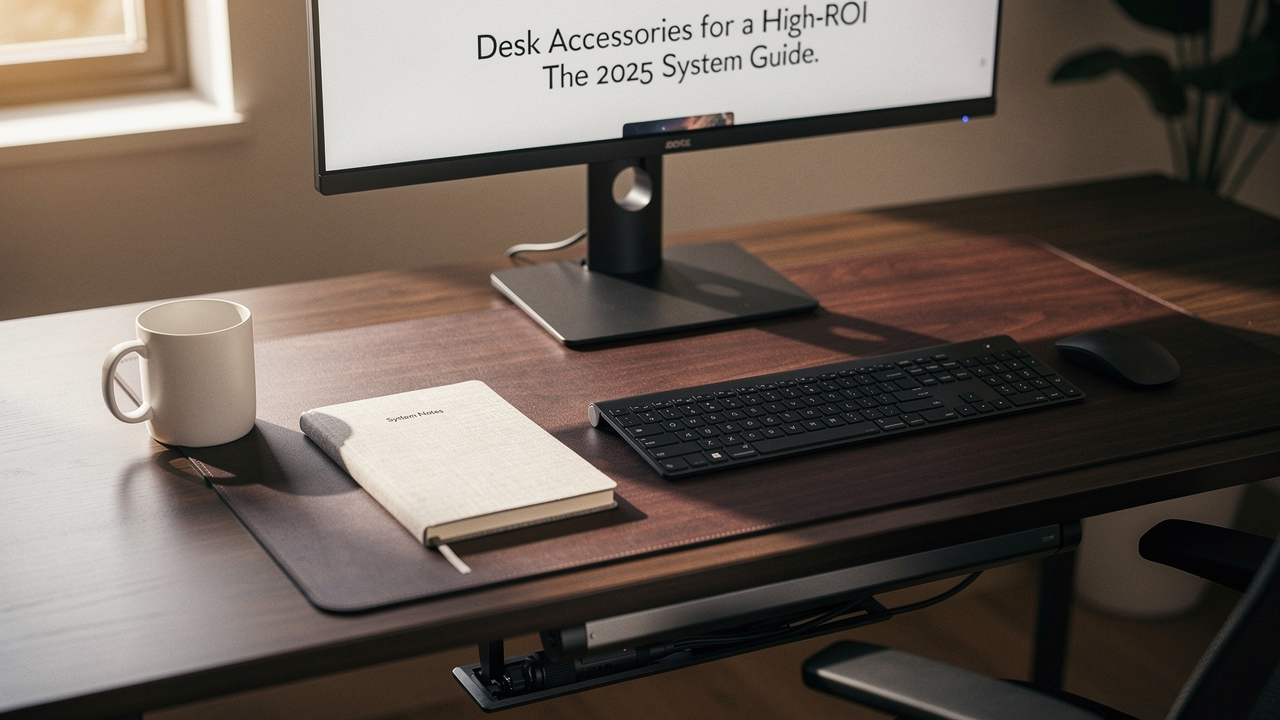
Let’s be honest—your desk is your cockpit. It’s where you execute your best work, battle your deepest focus, and, if you’re like me in my Austin apartment, drink way too much coffee. But there’s a paradox I see all the time. We buy gadgets and organizers chasing productivity, only to end up with a different kind of clutter: expensive clutter.
That’s the trap. Buying “stuff” without a “system.”
After a decade in tech and digital productivity, I’ve learned that being busy isn’t the same as living well. A good life, especially a good work life, is built on smart choices. For your workspace, that means investing in accessories with a high Lifestyle ROI—items that genuinely solve problems, last for years, and spark a little joy in your daily routine.
This isn’t another list of cool-looking trinkets. This is a science-backed, system-first blueprint for 2025. We’re going to move through three phases: solving physical pain (Ergonomics), eliminating mental stress (Organization), and supercharging your workflow (Connectivity). Let’s build a workspace that works for you.
The Hidden Cost of a Disorganized Workspace
You know the feeling. You sit down to tackle a big project, but your eyes dart from a tangle of charger cables to a stack of unfiled papers. Your mouse is competing for space with a cold coffee mug. That nagging sense of “I should clean this” is constantly running in the background.
This isn’t just about aesthetics. Visual noise is cognitive noise. Research has shown that a disorganized environment competes for your attention, increasing cognitive load and making it harder to focus on the task at hand [1]. It’s like trying to concentrate while someone whispers in your ear.
When your desk is a cluttered desk, you’re not just looking at mess—you’re feeling it. Mental health platforms like Calm highlight the direct link between physical clutter and increased anxiety, as our environment directly impacts our mental state [2].
The goal isn’t a sterile, Instagram-perfect setup. It’s a functional one. It’s about creating a space where everything has a purpose and a place, so your brain can stop managing the chaos and start doing the work. The first step out of a disorganized workspace is understanding that the clutter is costing you more than just desk space.
Phase 1: The Ergonomic Core (Solving for Pain)
Before we talk about organizers or gadgets, we need to address the foundation: your body. An uncomfortable desk setup isn’t just a nuisance; it’s a direct path to chronic pain, fatigue, and repetitive strain injuries (RSIs). If you’re wincing by 3 PM, no amount of cable management will fix your day.
The principle is simple: achieve a neutral posture. Your elbows should be at about 90 degrees, shoulders relaxed, and your screen should be at or just below eye level so you’re not craning your neck. This isn’t my opinion—it’s the cornerstone of workstation guidelines from the Occupational Safety and Health Administration (OSHA) [3].
Think of these ergonomic desk accessories for home office setups as non-negotiable investments in your long-term health. They pass my “Good Life Test” with flying colors: they solve a real problem (pain), are built to last, and the joy of a pain-free workday is unbeatable.
Monitor Arms and Risers: Your Neck’s Best Friend
The single biggest ergonomic win for most people is getting their screen to the right height. Staring down at a laptop or a low monitor forces your neck into a forward-head posture, which can lead to serious musculoskeletal strain over time [4].
You have two main paths here: monitor arms or desk shelves/risers.
- Monitor Arms: (like the ) are the ultimate in flexibility. They clamp to the back of your desk, freeing up the entire space underneath. You can float your screen, push it back, pull it forward, and tilt it to the perfect angle. It’s a game-changer for dual-monitor setups or for finding that sweet spot between sitting and standing.2026年3月7日 10:17 AM
-
- Micro-Verdict: For the power user who values infinite adjustability and a clean, floating look.
- Desk Shelves/Risers: (like the ) solve the height problem while adding valuable storage real estate. They lift your monitor to eye level and create a shelf underneath for stowing keyboards, notebooks, or desk pads. The aesthetic is warm and grounded.
- Micro-Verdict: For the design-conscious worker who wants to elevate their screen and gain organized storage in one beautiful piece.


Input Evolution: Keyboards and Mice
If your wrists are aching after a long typing session, your standard peripherals are likely the culprit. Ergonomic keyboards and mice are designed to keep your hands, wrists, and forearms in a more natural, neutral position.
- For Your Mouse Hand: The is my top pick. Its 57-degree vertical angle naturally aligns your forearm, reducing the pronation (twisting) that causes wrist strain. After a four-week testing period, the difference in my right shoulder tension was noticeable.2026年3月7日 10:17 AM
-
- Micro-Verdict: The definitive upgrade for anyone experiencing mouse-related wrist or forearm pain.
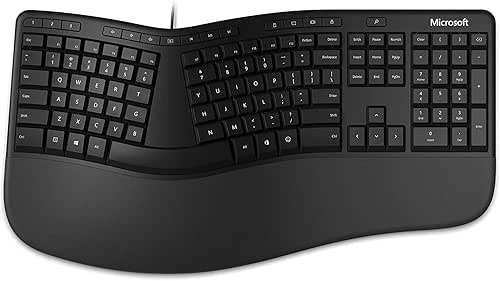
- For Your Typing Hands: You don’t need to go full split keyboard to see benefits. The offers a gentle, positive split and a cushioned palm rest that encourages a healthier wrist posture without a steep learning curve.2026年3月7日 10:17 AM
-
- Micro-Verdict: The most accessible, budget-friendly entry point into ergonomic typing.

Phase 2: The Logic of Desk Organization
With a pain-free foundation, we can now tackle the clutter. Effective desk organization isn’t about hiding everything in drawers. It’s about creating a logical, efficient system for the items you use daily. I use a simple “3-Zone System” inspired by professional organizing principles [5]:
- Primary Reach (The “Active” Zone): The space directly in front of you. This should hold only what you’re using for your current task: your keyboard, mouse, notebook, and maybe a pen.
- Secondary Reach (The “Support” Zone): Within arm’s reach. This is for items you use frequently but not constantly: your phone, a cup of pens, a charging cable, a reference book.
- Storage (The “Archive” Zone): Everything else. This includes drawers, shelves behind you, or vertical organizers. If you use it less than once a day, it belongs here.
The goal is to keep your Primary Reach pristine. This is where desk organization tools come in—not as clutter, but as system enablers.
Verticality: Reclaiming Horizontal Real Estate
The most powerful trick for a small or crowded desk is to think vertically. Your horizontal space is precious; use walls, risers, and stacked organizers to free it up.
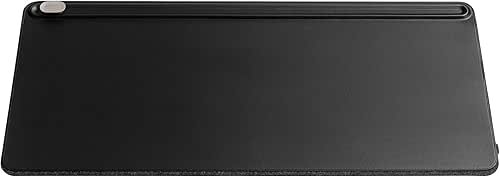
- Define Your Territory: A large desk pad, like the , isn’t just for looks. It visually defines your Primary Reach zone, protects your desk, and provides a consistent, pleasant surface for your mouse and keyboard.2026年3月7日 10:17 AM
-
- Micro-Verdict: The simplest way to instantly make a desk feel intentional and organized.
- Corral the Small Stuff: For the Secondary Reach zone, I love modular systems. The lets you build a custom ecosystem of trays, bins, and drawers to hold pens, sticky notes, cables, and thumb drives exactly how you need them.
- Micro-Verdict: The ultimate solution for taming desk-top clutter without sacrificing accessibility.
Phase 3: The Productivity Engine (Power and Cables)
Here’s where modern office desk accessories become productivity desk gadgets. In 2025, a clean and capable tech setup isn’t a luxury; it’s a baseline for professional work. Tangled cables aren’t just ugly—they create friction. Searching for the right dongle, untangling wires to plug in a device, or having limited ports creates micro-interruptions that break your flow.
One-Cable Nirvana: Docking Stations and Hubs
The dream is simple: one cable from your laptop to your desk that delivers power, video to your monitor, and connectivity to all your peripherals. A high-quality docking station makes this a reality, turning your sleek laptop into a full-powered workstation in seconds.
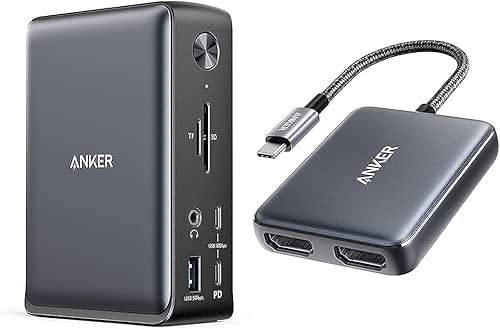
- The 2025 Gold Standard: For professionals with demanding setups (dual 4K monitors, fast storage, gigabit ethernet), the is unparalleled. It’s an investment, but as noted in expert reviews, its reliability and sheer port count justify the cost for power users [6].2026年3月5日 1:10 PM
-
- Micro-Verdict: The undisputed champion for creating a future-proof, single-cable workstation.
- The Smart, Streamlined Hub: For most people, a powerful but more focused hub hits the sweet spot. The delivers essential ports (HDMI, USB-A, Ethernet, SD card) and strong power delivery in a compact, reliable package.
- Micro-Verdict: The perfect balance of capability, value, and desk-footprint for the modern hybrid worker.

Building Your Personalized System: Persona Loadouts
A system only works if it fits your life. Based on your work style and space, here’s how to prioritize.
The Minimalist Remote Worker (Small Spaces)
You work from a corner of your living room or a small apartment desk. Your mantra is “less, but better.”
- Essential: A monitor riser or shelf to gain vertical space and achieve ergonomic screen height.
- Essential: A single, high-quality USB-C hub to expand your laptop’s ports without a cable jungle.
- Essential: A compact desk mat to define your work zone and protect the surface.
- Pro Upgrade: A modular desktop organizer to corral pens, notepads, and chargers in one tight footprint.
The Dual-Monitor Power User
Your productivity is tied to screen real estate. Your setup is complex, but it shouldn’t feel chaotic.
- Essential: Two monitor arms to float your screens and reclaim your entire desk surface.
- Essential: A Thunderbolt or high-end USB-C docking station for one-cable connectivity.
- Essential: A comprehensive under-desk cable management kit (rails, sleeves, clips).
- Pro Upgrade: An ergonomic vertical mouse and split keyboard to protect your wrists during marathon sessions.
The Hybrid Commuter
Your work happens both at a corporate office and at home. You need portable solutions.
- Essential: A premium tech pouch for your dongles, cables, and portable SSD.
- Essential: A sleek, foldable laptop stand for ergonomics on any desk.
- Essential: A multi-port compact charger that can power your laptop, phone, and headphones.
- Pro Upgrade: A high-quality Bluetooth mouse and keyboard that pair seamlessly with multiple devices.
The Jordan Miller Testing Protocol
I don’t recommend anything I haven’t lived with. My testing isn’t a quick unboxing. It’s a minimum four-week integration into my daily workflow here in Austin. Here’s what I look for:
- Ergonomic Impact: Does it actually reduce discomfort? I note any changes in neck, shoulder, or wrist strain.
- Build Quality: Is it made from materials that will last, or does it feel cheap? Does it wobble or feel stable?
- Joy Factor: This is subjective but crucial. Does using it feel good? Does it make my desk a place I want to be?
- System Fit: Does it play well with my other gear? Or does it create a new problem?
This hands-on, long-term testing is what separates a genuine recommendation from a spec-sheet review.
Wrapping Up: System Over Stuff
The best desk accessory is the one you don’t notice—because it works perfectly. It’s the monitor arm that holds your screen steady at the perfect height, the docking station that connects everything with one click, the organizer that keeps your tools at hand but out of mind.
Invest in the system—Ergonomics, Organization, Connectivity—not in isolated gadgets. Start with the phase that addresses your biggest pain point. Build slowly, intentionally.
And remember, a high-ROI workspace isn’t about spending more money. It’s about making smarter choices with the money you spend. Choose items that solve real problems, are built to last, and make your daily work life just a little bit better.
Here’s to less clutter and more focus. See you on the trails.
Ready to audit your own space? Download my 2025 Desk Audit Checklist to identify which zone of your workspace needs the most help.
Disclosure: This guide includes affiliate links. Our recommendations are based on hands-on testing, user experience, and alignment with established ergonomic guidelines from OSHA and NIOSH. We only recommend products we genuinely believe in.
Research and Resource References
- Harvard Business Review (2023). How Office Design Impacts Focus and Collaboration. Research on environmental psychology and cognitive load in workspaces.
- Calm.com Blog (2024). The Mental Weight of Clutter: How Your Space Affects Your Mind. Analysis of the link between physical disorder and anxiety.
- Occupational Safety and Health Administration (OSHA). Computer Workstations eTool. Guidelines for desk, chair, monitor, and keyboard/mouse positioning to prevent musculoskeletal disorders.
- National Institute for Occupational Safety and Health (NIOSH). (2022). Musculoskeletal Disorders and Workstation Factors. Research on the relationship between screen height, posture, and neck strain.
- National Association of Productivity & Organizing Professionals (NAPO). Workspace Zoning Strategies. Principles for creating efficient, zone-based organizational systems.
- Business Insider Reviews (2025). The Best Docking Stations for Professional Setups. Independent testing and analysis of high-performance docking stations for 2025 workflows.
- Mayo Clinic (2024). Office Ergonomics: Your How-To Guide. Consumer-friendly medical guidance on preventing repetitive strain injuries (RSIs) at a desk.