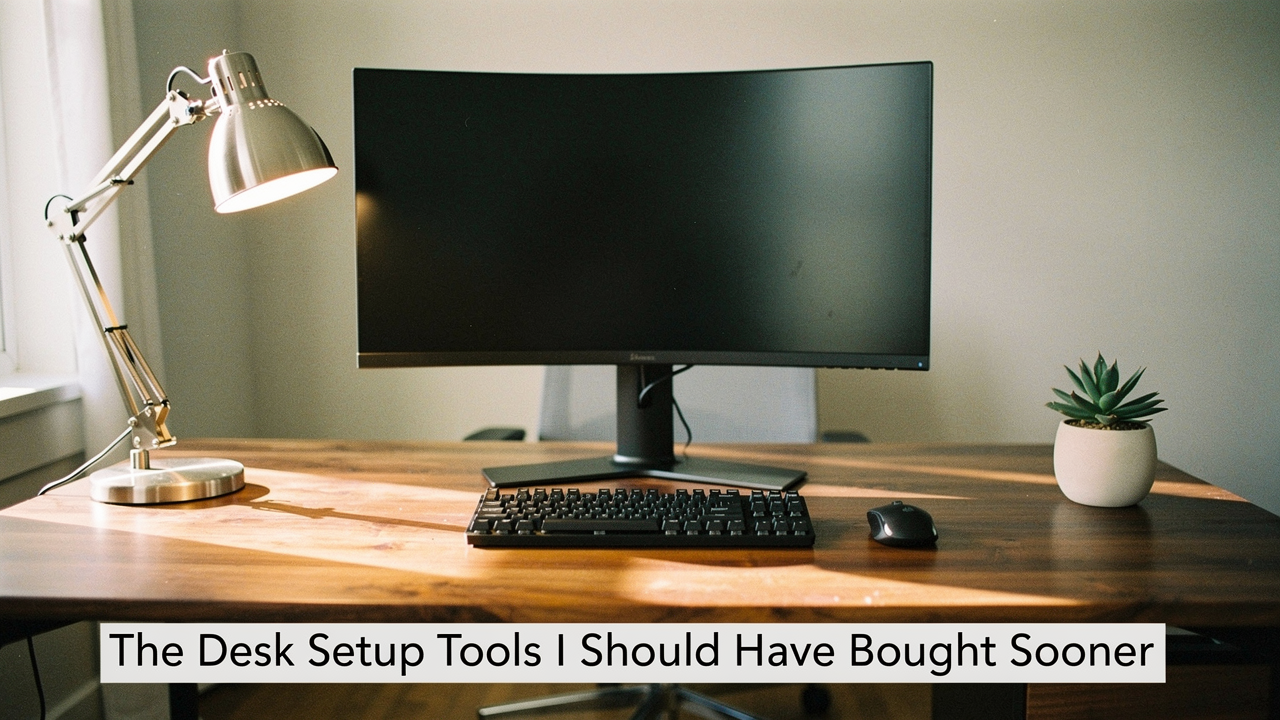
It wasn’t until a morning trail run at Lady Bird Lake that it finally clicked. Just like I wouldn’t hike five miles in flip-flops just because they look cute, I couldn’t expect to do my best work in a space that prioritized aesthetics over biomechanics. My workspace was “incomplete” not because it lacked decor, but because it lacked the essential desk setup tools that bridge the gap between a pretty room and a high-performance environment.
If you’ve ever felt like your desk is working against you, you’re not alone. This isn’t just a shopping list; it’s a diagnostic audit. We’re going to look at the “High Lifestyle ROI” items I wish I’d bought years ago—the ones that actually solve the “unproductive workspace” puzzle.
Quick Answer: The “High ROI” Essentials
Short on time? If you’re looking to fix an incomplete desk setup today, prioritize these three categories:
- Ergonomics: A monitor arm to reach eye level and an adjustable footrest to ground your posture.
- Sensory: A monitor light bar to eliminate glare and active noise-canceling headphones for focus.
- Organization: A dedicated “drop zone” with valet trays and magnetic cable anchors to kill visual clutter.
The Anatomy of an Unproductive Workspace
Here’s the thing about a bad desk: it’s rarely one big problem. It’s a thousand tiny points of “invisible friction.” We often think that “work is just hard,” but research suggests our environment is doing a lot of the heavy lifting.
What surprised me was learning that poorly designed spaces actually change how we behave. For instance, studies on open-plan offices showed a staggering 70% decrease in face-to-face interaction when the environment didn’t feel “right” [1]. Even in a home office, if your setup feels cluttered or uncomfortable, your brain registers it as a source of stress.
There’s also the “spillover effect.” Data shows that seating a highly productive person next to others can boost the neighbors’ output by 10% [2]. When you’re working solo, your “neighbor” is your equipment. If your tools are clunky or “missing,” your productivity takes the hit. To fix this, I use what I call the 4F Model: Focus, Flow, Feel, and Health. If a tool doesn’t improve at least two of these, it doesn’t stay on my desk.
Phase 1: The Ergonomic Core (Fixing the Pain)
Let’s be honest: I ignored ergonomics for years because “ergonomic” usually meant “ugly.” I paid for it with a persistent ache between my shoulder blades that even my favorite yoga flow couldn’t fix.
The biggest mistake we make is assuming the stand that came with our monitor is sufficient. According to OSHA guidelines, the top of your screen should be at or slightly below eye level [3]. If you’re looking down even a few degrees, you’re putting massive strain on your cervical spine.
The Monitor Arm: Your Neck’s New Best Friend
I spent years propping my monitor up on stacks of coffee table books. It looked messy, and I could never get the height quite right for my different sitting and standing positions. I felt trapped by the static nature of my desk. What finally changed the game was moving to a dedicated mechanical monitor arm.
By lifting the screen off the desk, I didn’t just save my neck; I reclaimed about 20% of my desk’s real estate. Suddenly, I had room for my journal and coffee without feeling cramped. The ability to pull the monitor closer for deep editing or push it back for a Zoom call changed how I physically interacted with my work.
Micro-Verdict: The ultimate freedom for your desk space and your spine.
Best For: Knowledge workers using a single or dual-monitor setup who struggle with neck stiffness.
Footrests and Keyboard Trays: The Under-Desk Heroes
You know that feeling when you’re constantly shifting in your chair because your lower back feels “tight”? I realized I was doing this because my feet weren’t firmly planted. If you’re on the shorter side (like me), most desks are actually too high, causing your legs to dangle or your shoulders to hunch.
I resisted a footrest because it felt like something for an old-fashioned office, but adding an adjustable 4-12 inch footrest was a revelation. It grounded my pelvis and immediately took the pressure off my lumbar spine. Combined with a keyboard tray that allows my elbows to rest at a 90-degree angle—a key NIOSH recommendation for reducing musculoskeletal risk [4]—the “afternoon ache” simply vanished.
Micro-Verdict: The foundation for lower back relief you didn’t know you needed.
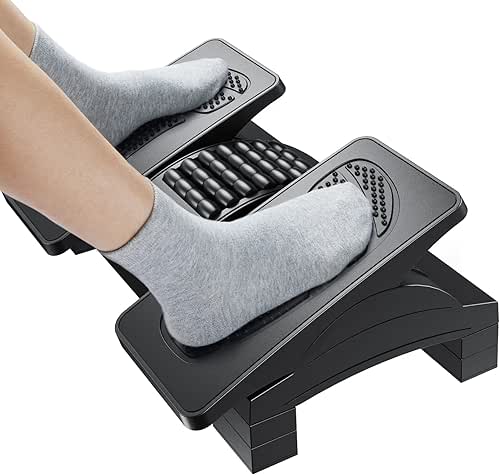

Best For: Anyone working at a standard-height desk who finds themselves “perching” on the edge of their seat.
Phase 2: Sensory Optimization (Lighting and Sound)
I used to think my 4 PM headaches were just a sign that I needed more caffeine. It turns out, my eyes were just exhausted. High glare and poor lighting are leading causes of computer vision syndrome, yet they are the most overlooked home office must-haves.
The Monitor Light Bar: Killing Screen Glare
For a long time, I used a standard architect lamp. The problem? It created a massive reflection on my screen and left half my desk in shadow. I’d find myself squinting at my monitor, which research links directly to increased eye strain and headaches [5].
I’ll admit, I was skeptical about monitor light bars at first. It felt like a redundant gadget. But once I clipped one onto the top of my screen, the difference was night and day. Because the light is “asymmetric,” it illuminates the desk surface perfectly without hitting the screen itself. It’s the most “I wish I bought this sooner” item in my entire setup.
Micro-Verdict: Crystal-clear lighting that eliminates eye fatigue without the desk footprint.
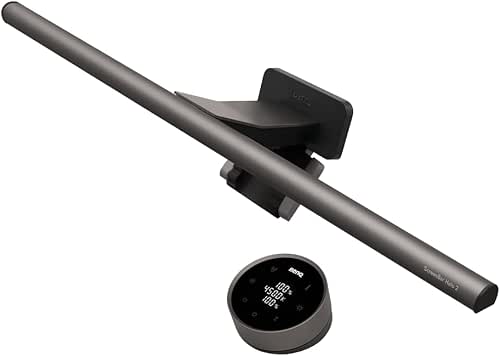
Best For: Night owls and anyone working in rooms with inconsistent natural light.
Noise-Canceling Tech: Protecting Your Deep Work
In my Austin neighborhood, there is always someone mowing a lawn or a dog barking right when I’m trying to write. I used to just “power through,” but my focus was fragmented. We know that background noise impairs attention, and in a home environment, those distractions are constant.
What sold me on high-end active noise-canceling (ANC) headphones wasn’t just the music quality—it was the silence. Even when I’m not playing anything, putting them on signals to my brain (and my family) that I’m in “focus mode.” It’s an environmental boundary that protects my deep work.
Micro-Verdict: Your portable ‘Do Not Disturb’ sign for instant mental clarity.
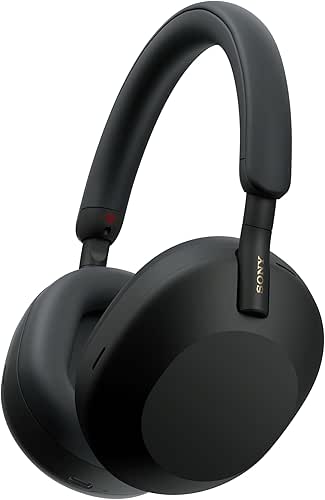
Best For: Remote workers in shared households or noisy urban environments.
Phase 3: The Organization “Drop Zone”
Clutter isn’t just an aesthetic issue; it’s a cognitive one. Visual clutter competes for your attention, increasing your cognitive load and making it harder to stay on task [8].
Valet Trays and Magnetic Cable Clips
I used to lose ten minutes every morning just looking for a pen or fishing my charging cable out from behind the desk. It’s a common struggle—an OfficeMax survey found that 82% of workers report missing pens as a top daily disruption [7].
The solution wasn’t a massive filing cabinet; it was a “drop zone.” By using a simple valet tray for my “everyday carry” items and magnetic cable clips to keep my chargers anchored to the desk edge, I eliminated the “search and rescue” missions.
Micro-Verdict: Tiny anchors that provide massive mental clarity.
Best For: Minimalists who hate the “cable spaghetti” look.
Persona Loadouts: What Do You Actually Need?
Depending on your work, your “missing tools” will look different. Here is how I would prioritize based on your role:
The Minimalist Remote Worker (Small Spaces)
You work from a corner of your living room and need to reclaim your home at 5 PM.
- Essential: A foldable laptop stand to ensure ergonomics on any table
- Essential: A high-quality tech pouch to hide cables at the end of the day
- Essential: A monitor light bar (takes up zero desk space)
- Pro Upgrade: A compact, ergonomic “stool” that tucks under the desk
The Power User (Dual Monitor/Creative)
You spend 10+ hours a day at your desk and manage multiple streams of info.
- Essential: Dual monitor arms (frees up massive space)
- Essential: A 140W multi-port charging station to power everything from one hub
- Essential: A large XXL desk mat to define your workspace
- Pro Upgrade: A mechanical keyboard for tactile feedback and reduced finger fatigue
The Digital Layer: Software as a Desk Tool
We often forget that our “desk” extends into our screen. An incomplete desk setup often includes a messy digital environment. If you’re constantly fighting with your tools, you’re losing “flow.”
Restoring Your ‘Missing’ Microsoft Tools
I’ve had moments where my Microsoft Word proofing tools simply vanished, or my Outlook icons went missing. It’s incredibly frustrating when you’re on a deadline. If this happens to you, don’t panic—it’s usually a language pack conflict or a corrupted add-in.
According to Microsoft Support, the quickest fix is often a “Quick Repair” via the Control Panel, or ensuring your language settings in File > Options > Language haven’t defaulted to something unexpected [10]. Keeping your digital “supplies” in order is just as vital as having a working pen.
Final Thoughts: Living the 4F Model
Building a “Good Life” starts with the spaces where you spend the most time. My desk is no longer just a place where I answer emails; it’s a tool that supports my health (Health), keeps me focused (Focus), keeps my work moving (Flow), and honestly, it just feels good to sit there (Feel).
Don’t feel like you need to buy everything at once. Start with the “pain” first. If your neck hurts, get the monitor arm. If you’re distracted, get the headphones.
Now, if you’ll excuse me, my sourdough starter is finally active, and it’s time for my Sunday reset. Let’s make your workspace support you, not drain you.
Jordan’s Final Tip: Take five minutes at the end of every day to “reset” your desk. Clear the coffee cups, align your keyboard, and clip your cables. Your “Monday Morning Self” will thank you.
Disclaimer: I personally test every product mentioned in my guides. Some links may earn a commission at no extra cost to you, which helps support “Best Goods for Good Life.”
Authoritative Resources & References
- Bernstein, E. S., & Turban, S. (2018). The impact of the ‘open’ workspace on human collaboration. Philosophical Transactions of the Royal Society B.
- Corner, J. (2017). The Impact of Seating Plans on Productivity and Profit. HBR-referenced Fortune 500 Study.
- Occupational Safety and Health Administration (OSHA). Computer Workstations eTool: Components – Monitors. [https://www.osha.gov/etools/computer-workstations/components/monitors]
- National Institute for Occupational Safety and Health (NIOSH). Ergonomic Solutions for Retail Workers & Office Environments.
- International Journal of Industrial Ergonomics. The effects of glare on eye strain and cognitive performance.
- University of Utah. Productivity Gains from Dual Monitor Setups.
- OfficeMax / Clickthrough SEO Auckland. Survey on Office Supply Theft and Missing Items. [https://influencing.com/pr/54331/office-theft-the-most-stolen-office-consumables]
- McMains, S., & Kastner, S. (2011). Interactions of top-down and bottom-up mechanisms in human visual cortex. Journal of Neuroscience. (Relating to visual clutter and cognitive load).
- BrowserStack. 50 Best Remote Working Tools to Boost Productivity. [https://www.browserstack.com/guide/remote-working-tools]
- Microsoft Support. Repair an Office application. [https://support.microsoft.com]