=
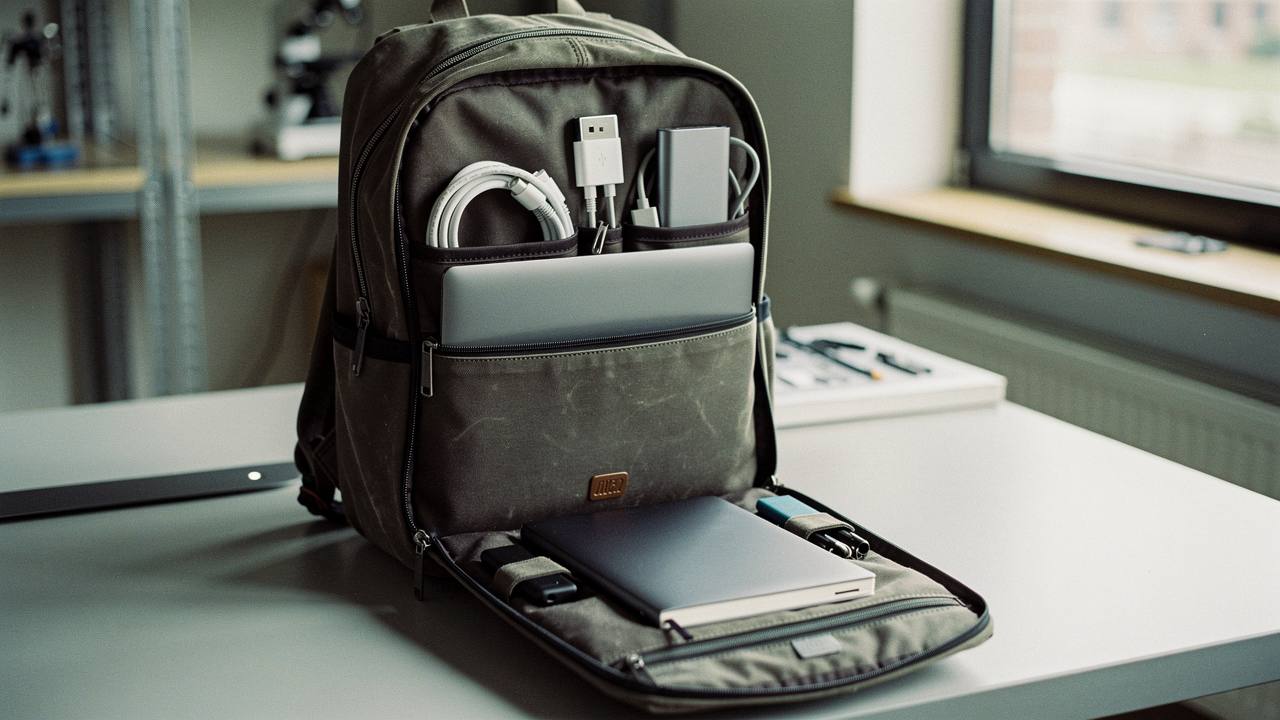
When you’re carrying a $2,000 workstation plus your whole life, choosing a backpack isn’t just about aesthetics; it’s about spinal health and asset protection. This year, I decided to go beyond the marketing fluff. We’ve put the top-tier contenders through a rigorous lab-testing protocol to see which ones actually solve the daily frustrations of the modern nomad.
The 2026 Testing Protocol: How We Quantify ‘Greatness’
To provide you with data that actually matters, we moved away from subjective “I like this color” reviews and moved toward a four-pillar testing system. We wanted to see how these bags perform when life actually happens—like when you’re rushing through TSA or caught in a sudden Texas downpour.
Our methodology is inspired by industry leaders like OutdoorGearLab, who prioritize laptop protection (30%) and comfort (20%) in their scoring metrics [1]. Here is how we broke it down:
- The Drop Protection Test: We measured the “False Bottom”—the gap between the bottom of the laptop sleeve and the base of the bag. A true protective pack ensures your device never touches the floor, even if you drop the bag from table height.
- The TSA Speed Test: We timed how long it takes to access, remove, and repack a 16-inch laptop. In 2026, efficiency is everything.
- The 5-Mile Comfort Log: We loaded each pack with 15 lbs of gear (laptop, chargers, water bottle, and a light jacket) and walked 5 miles through downtown Austin, monitoring for strap slippage and shoulder fatigue.
- The 30-Minute Rain Simulation: Using a controlled spray, we simulated a heavy rainstorm to see if moisture penetrated the tech compartment.
The Top 4 Laptop Backpacks of 2026: At a Glance
If you’re in a rush to get to your next meeting, here’s the high-level breakdown of the packs that survived our lab with the highest scores.
Our Lab Favorites: Comparison Matrix
| Model | Capacity | Max Laptop Size | Weight | Water Resistance |
|---|---|---|---|---|
| Timbuk2 Authority Deluxe | 28L | 17″ | 1.3 kg | High (DWR) |
| Incase Icon | 20L | 16″ | 1.2 kg | Moderate |
| The North Face Recon | 30L | 15/16″ | 1.1 kg | Moderate |
| Matein Travel (Budget) | 30L | 15.6″ | 0.9 kg | Low |
Deep Dives: The Best Laptop Backpacks by Persona
What works for a graduate student trekking across campus might not work for a creative director flying to London for a pitch. Here is what we found when we looked at these bags through the lens of specific lifestyles.
The All-Rounder: Timbuk2 Authority Deluxe
Here’s the thing about “work-life balance”—most bags are either too corporate and stiff or too sporty and messy. I spent years switching between a leather briefcase that killed my shoulder and a gym bag that made me look like I was heading to a sleepover. What I finally found was that the right commute bag needs to be a chameleon. After testing the Timbuk2 Authority Deluxe on everything from the Austin MetroRail to coffee shop work sessions, I realized its “High Lifestyle ROI” comes from its sheer durability. The 1680D ballistic nylon is essentially armor for your tech [5].
Micro-Verdict: The ultimate professional’s choice for those who need a heavy-duty carry that still looks sharp in a boardroom.


The Tech Fortress: Incase Icon
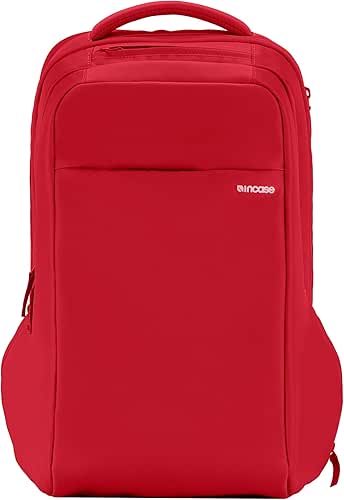
I’ll admit it—I was skeptical at first about a bag that looked so minimalist. I used to worry constantly about micro-scratches on my MacBook, and my old bag’s “padding” felt like a thin sheet of cardboard. My journey to find better protection led me to the Incase Icon, and what surprised me was the internal architecture. It uses a compression-molded cage for the laptop, meaning the edges of your computer are protected by a rigid frame, not just soft foam. It’s like a helmet for your laptop.
Micro-Verdict: Best-in-class protection for Apple ecosystem users who prioritize device safety above all else.
The Campus Workhorse: The North Face Recon
You know that feeling when you’re carrying three heavy textbooks plus a laptop and you can feel your posture literally collapsing? I ignored this for years until the back pain became a daily reality. In my research for a more ergonomic solution, I discovered the Recon is actually endorsed by the American Chiropractic Association [6]. During our 5-mile comfort log, the “FlexVent” suspension system was a game-changer. The straps are wide and contoured, which prevents that digging sensation that usually sets in after twenty minutes.
Micro-Verdict: The gold standard for students or heavy-loaders who need medical-grade back support.

Persona Loadout: The Digital Nomad (2026 Edition)
If you’re someone who works from anywhere, your bag is essentially your office. Here is how I recommend setting up for maximum efficiency:
- Essential: A high-quality tech pouch for chargers and dongles to prevent “cable spaghetti” in the main compartment.
- Essential: A collapsible laptop stand to ensure your screen is at eye level, wherever you set up.
- Pro Upgrade: A portable power bank with at least 65W output to keep your laptop charged when outlets are scarce.
- Best For: Professionals who rotate between home, co-working spaces, and travel.
The Science of Carry: Solving Your Carrying Pain Points
Most of the discomfort we feel isn’t just because the bag is heavy—it’s because we aren’t wearing it correctly. According to health guidance from the University of Wisconsin, a poorly fitted bag leads to muscle fatigue and spinal misalignment [10].
How to Fit Your Backpack Like a Pro
To get the most out of an ergonomic design, follow these steps in order:
- The Hip Belt: If your bag has one, tighten it first. It should sit on your hip bones, transferring 80% of the weight away from your shoulders.
- Shoulder Straps: Pull these until the pack sits snug against your back, but not so tight that they pinch your armpits.
- The Sternum Strap: Clip this across your chest to pull the shoulder straps inward, freeing up your arm movement.
- Load Lifters: These are the small straps at the top of the shoulders. Pull them forward to bring the top of the bag closer to your spine, preventing the bag from leaning backward.
Material Education: Why 1680D Ballistic Nylon Matters
Let’s be honest: not all “durable” fabrics are created equal. When you see a “D” next to a material (like 600D or 1680D), it stands for Denier, which measures the thickness of the fibers [11]. While 600D is fine for a light school bag, 1680D Ballistic Nylon was originally designed for military flak jackets. It’s highly abrasion-resistant and won’t fray after a year of being tossed under airplane seats.
Addressing Common Tech Carry Frustrations (FAQ)
Does a ‘False Bottom’ really protect my laptop?
Absolutely. Think of it as a suspension system. If your laptop sleeve goes all the way to the bottom of the bag, every time you set the bag down on a hard floor, your laptop takes a direct hit. A “False Bottom” leaves a 1-inch gap of air or extra padding at the base, ensuring the bag hits the floor, but your device stays suspended in mid-air [1].
How much should I spend on a quality laptop bag?
Here is how I break down the value tiers for 2026:
- Budget ($50 – $80): You’ll get basic padding and polyester fabric. Good for light use, but expect zippers to fail within 2 years.
- Mid-Range ($100 – $160): The “Sweet Spot.” You get ballistic nylon, YKK zippers, and solid ergonomics. These bags often last 5-10 years.
- Premium ($200+): You’re paying for specialized materials (like X-Pac or leather), lifetime warranties, and highly refined aesthetics.
At the end of the day, the “best” bag is the one that fits your specific body and your daily workflow. Living a “Good Life” isn’t about the flashiest gear—it’s about choosing the tools that support you so you can focus on what actually matters. Whether you’re heading to a meeting in downtown Austin or catching a flight across the country, I hope this guide helps you find a carry solution that brings a little more flow to your day.
If you found this helpful, check out our “Digital Nomad Toolkit” for more tested gear that makes working from anywhere a breeze.
Disclaimer: This article contains affiliate links. We may earn a small commission at no extra cost to you. Our testing methodology remains independent and data-driven regardless of brand partnerships.
References & Authoritative Sources
- OutdoorGearLab (2025). “Best Laptop Backpack | Tested & Ranked.” https://www.outdoorgearlab.com/topics/travel/best-laptop-backpack
- Business Insider (2026). “The best college backpacks for students.” https://www.businessinsider.com/guides/style/best-college-backpacks
- Pack Hacker (2026). “Best Laptop Bag For You: How To Pick.” https://www.packhacker.com/guide/best-laptop-bag/
- Nomads Nation (2025). “7 BEST Laptop Backpacks for Professionals.” https://nomadsnation.com/7-best-laptop-backpacks/
- Timbuk2 (2026). “Authority Laptop Backpack Deluxe Technical Specifications.” https://www.timbuk2.com
- The North Face (2026). “Recon Backpack Features and ACA Endorsement.” https://www.thenorthface.com
- Salomon (2024). “How to properly adjust your backpack.” https://www.salomon.com/en-us/sg/a/how-to-properly-adjust-your-backpack
- Backpackies (2025). “Ultimate Guide to Waterproof Backpacks.” https://backpackies.com/blog/waterproof-backpack-guide
- BlackBackpack (2024). “Ergonomic Backpack Design: Principles for Comfort.” https://blackbackpack.co.uk/articles/ergonomic-backpack-design-principles-guide.html
- University of Wisconsin (2023). “Backpack Ergonomics: Selection and Fit.” https://www.uhs.wisc.edu/wp-content/uploads/Backpack-Ergonomics.pdf
- Big Duck Canvas (2025). “Fabric for Backpacks: Understanding Denier and Durability.” https://www.bigduckcanvas.com/fabric-for-backpacks.html