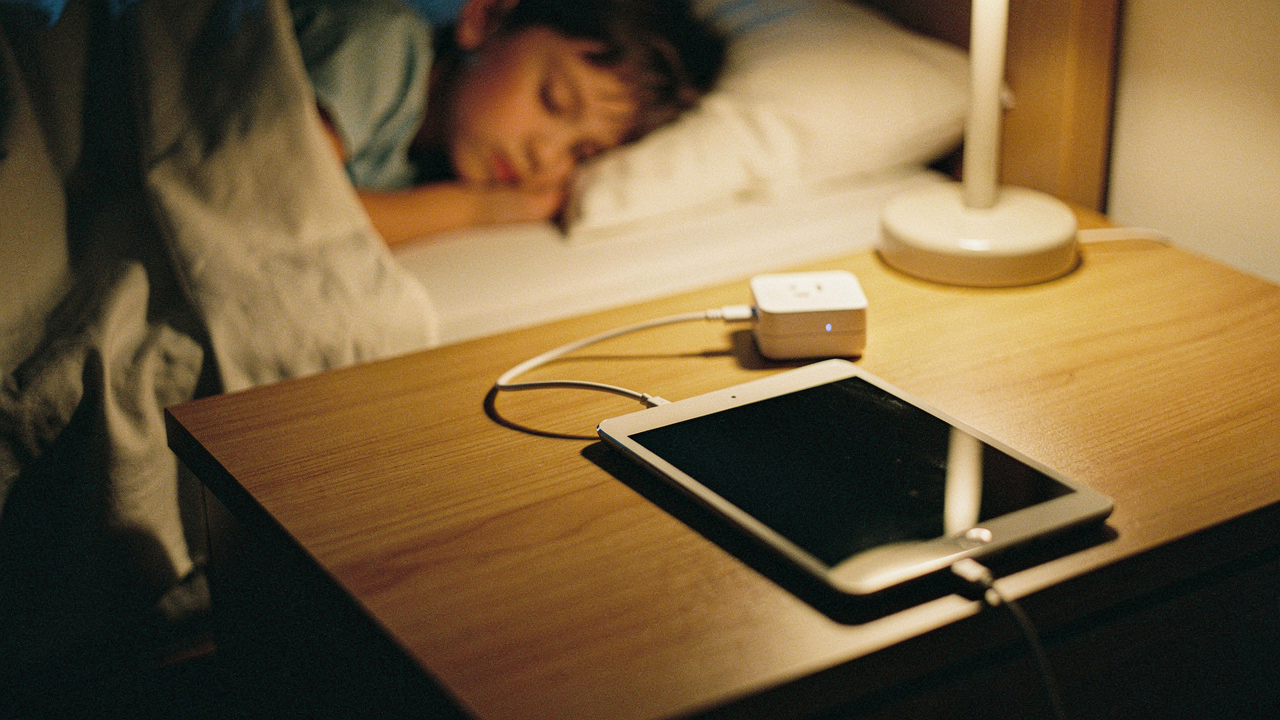
As someone who obsesses over “High Lifestyle ROI”—the idea that our tools should work harder so we don’t have to—I realized this nightly friction was a massive drain on my emotional energy. I didn’t want to be the enforcer; I wanted to be the mom who enjoys a Sunday reset without a side of resentment.
That’s when I started experimenting with Smart Plug Parenting. It’s not about surveillance or “tricking” your kids. It’s a philosophy that uses home automation to create neutral, consistent boundaries. By removing the parent from the role of the “shutdown button,” you reclaim your evening peace and, more importantly, protect your child’s sleep hygiene.
The Bedtime Friction: Why Late-Night Screens Win
If you’ve ever felt like your child becomes a different person when you ask them to turn off a game, you aren’t alone. Bedtime resistance isn’t just a discipline issue; it’s a biological one. Our kids are up against some of the most sophisticated “hooks” ever designed by engineers, and their developing brains aren’t always equipped to win that battle.
Research shows that nearly 70–80% of teens have electronic devices in their bedrooms, a factor heavily linked to shorter sleep duration [1]. When kids are staying up late scrolling or gaming, they aren’t just losing minutes; they’re losing the deep, restorative sleep necessary for growth and emotional regulation.
The Melatonin Sabotage: Why One More Level Matters
Here’s the thing about excessive screen time at night: it’s a double-edged sword. First, there’s the cognitive arousal—the “just one more level” dopamine hit that keeps their brains buzzing. Second, there’s the blue light. The American Academy of Sleep Medicine (AASM) notes that evening light exposure from screens can suppress melatonin, the hormone that tells our bodies it’s time to sleep, delaying the onset of rest [2]. For a school-aged child, a thirty-minute delay in sleep can be the difference between a focused morning and a total classroom meltdown.
The Philosophy of Smart Plug Parenting
What finally clicked for me was realizing that my manual enforcement was part of the problem. When I am the one saying “off,” I am the target of the frustration. When the house says “off” via an automated power cutoff, it becomes an objective reality—much like the sun going down.
Smart Plug Parenting is built on three pillars:
- Transparency: Your kids know exactly when the power cut is coming. No surprises.
- Consistency: The schedule doesn’t forget, even when you’re busy or tired.
- Collaboration: Using tech to support a child’s bedtime routine, rather than as a punitive measure.
As Common Sense Media suggests, healthy digital habits are formed when we move away from “policing” and toward “mentoring” [3]. By automating the “hard stop,” we free up space for the soft parts of bedtime—the reading, the chatting, and the connection.
The Tech Stack: Selecting Your Smart Plug
You don’t need a complex smart home hub to make this work. A simple, reliable smart plug can handle the heavy lifting. I spent a few weeks testing different setups to see which offered the best “Lifestyle ROI” for parents.
Best for Alexa Households
I’ll admit, I was skeptical of the “house-brand” options at first, but for those already living in an Amazon-centric home, the simplicity is hard to beat. I found that I was constantly struggling to sync third-party apps with my voice commands, which added more “tech-stress” than it solved. I needed something that would just work without me having to act as a part-time IT consultant for my ten-year-old’s bedroom TV.
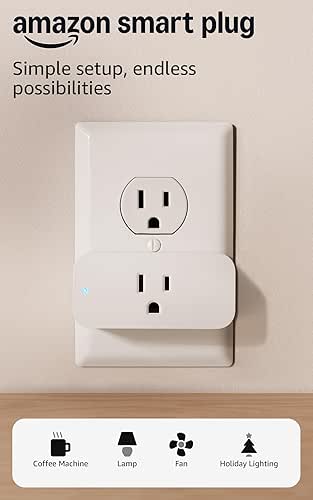
The Amazon Smart Plug was my answer. It doesn’t require a separate hub, and because it lives natively within the Alexa app, setting up a recurring schedule took me less time than it takes to brew a Chemex. I plugged the TV into it, labeled it “Nightmare Switch” (just kidding, it’s labeled “Bedroom TV”), and set a hard cutoff for 8:30 PM.
Micro-Verdict: The most seamless, “set-it-and-forget-it” choice for parents already using Echo devices.

Best for Versatility
If you’re like me and have a mix of devices—some Google, some Alexa, maybe a stray Apple tablet—you need a plug that plays well with everyone. I tried a few budget-bin options I found online, but they’d frequently “go dark” or lose their Wi-Fi connection right at 8:59 PM, which actually caused more arguments because the automation failed.
The TP-Link Kasa KP125M became my go-to recommendation for friends. What sold me was the Matter compatibility, which basically means it’s future-proof and works across all major platforms. I used this one for the gaming console in the den. It even has energy monitoring, which was a great teaching tool for my kids to see exactly how much power their “idle” PlayStation was sucking up during the day.
Micro-Verdict: A rock-solid, high-performance plug that offers the best reliability for the price.
Best for HomeKit (Privacy First)
For families who are deeply integrated into the Apple ecosystem and prioritize data privacy, the “cloud-based” nature of many smart plugs can be a deterrent. I wanted an option that kept the “parental control” data local to my home network without sending my family’s habits to a third-party server.
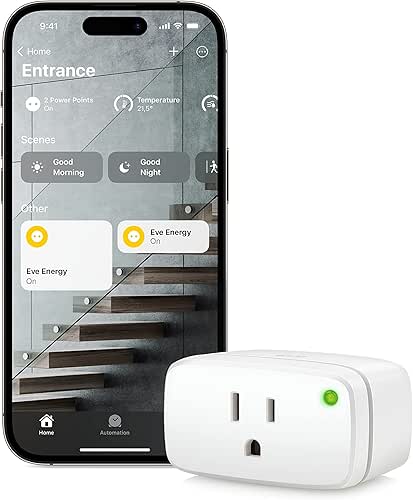
The Eve Energy is the premium choice here. It uses Thread technology, which is incredibly fast and doesn’t rely on your Wi-Fi router to function. I use this for the “charging station” where the kids’ tablets live. It ensures they aren’t “sneaking” a charge or a late-night YouTube session under the covers, and it does so with the highest level of encryption available.
Micro-Verdict: The gold standard for privacy-conscious families who want a lightning-fast, secure connection.
Step-by-Step: Setting Up Your Bedtime Shutdown
Setting up a smart plug schedule is straightforward, but the “secret sauce” is in how you layer the automation.
- Phase 1: The 15-Minute Warning. If you have smart bulbs, set them to dim to 30% or shift to a warm amber light at 8:15 PM. This is the visual cue that “the internet is getting sleepy.”
- Phase 2: The Soft Cut. At 8:30 PM, the smart plug for the TV or console turns off.
- Phase 3: The Dark Mode. At 8:45 PM, any non-essential bedroom lights turn off, leaving only a reading lamp or a nightlight active.
To set this up in Alexa or Google Home:
- Open your app and select “Routines” or “Automations.”
- Create a new routine titled “Bedtime Shutdown.”
- Set the “When” to a specific time (e.g., 8:30 PM on Weekdays).
- Set the “Action” to turn your smart plug to “Off.”
- Pro Tip: Add an action to play a specific song or a 2-minute white noise clip to signal the transition.
Safety Note: Always check the wattage of the device you are plugging in. While TVs and consoles are fine, never use smart plugs for high-load appliances like space heaters in a child’s room.
Scripts: How to Tell Your Kids the ‘Internet is Sleeping’
The biggest mistake parents make is implementing an automated power cutoff in secret. This feels like a “gotcha” and can lead to bedtime resistance and broken trust. Instead, frame it as a family-wide health goal.
I used the American Academy of Pediatrics (AAP) Family Media Plan tool to sit down with my kids and talk about why we were doing this [4]. Here is what I said:
For Younger Kids (Ages 5-8):
“Our bodies need to ‘recharge’ just like your iPad. At 8:30, the house starts to get sleepy so we can all be ready for our hike at Barton Creek on Saturday. The TV will turn off on its own so we don’t have to keep checking the clock.”
For Tweens/Teens (Ages 10-15):
“I know it’s hard to stop mid-game. To help everyone get the sleep we need for school, I’ve set the console on a timer. It’ll shut down at 9:00 PM. This way, I don’t have to come in and be the ‘bad guy,’ and you know exactly how much time you have left.”
Troubleshooting and Ethics: What Could Go Wrong?
Let’s be real: kids are smart. If they can reach the plug, they might try to bypass it.
- The “Sneaky Bypass”: If your child simply unplugs the smart plug and plugs the TV directly into the wall, you have a behavioral issue, not a tech one. This is where you revisit the family agreement. However, placing the plug behind a heavy dresser usually solves 90% of the problem.
- The “Data Loss” Risk: Some gaming consoles don’t love “hard” power cuts. To mitigate this, I suggest setting the smart plug cutoff 10 minutes after the software-based parental controls on the console itself (like the built-in Xbox or PlayStation timers). The smart plug acts as the “fail-safe” for when they try to “just one more minute” past the software lock.
- Wi-Fi Outages: If your Wi-Fi goes down, most smart plugs will stay in their last state (on or off). I always keep a “dumb” lamp in the room so they aren’t left in total darkness if the router flinches.
The Ethics of Automation
Is it “lazy” to let a plug do your parenting? I don’t think so. I think it’s efficient. By automating the mundane “no,” you save your emotional energy for the meaningful “yes.” You aren’t cutting off their fun; you’re protecting their future—one restful night at a time.
As you look toward your next Sunday reset, imagine an evening where the only thing you have to worry about is whether your sourdough starter is bubbly enough. That’s the “High Lifestyle ROI” we’re aiming for.
Affiliate disclosure: We may earn a commission on products purchased through our links. Electrical safety: Never use smart plugs for high-wattage appliances like space heaters in children’s rooms.
References
- Centers for Disease Control and Prevention (CDC). (2024). Sleep in Middle and High School Students. CDC Healthy Schools. https://www.cdc.gov/healthyschools/features/sleep.htm
- American Academy of Sleep Medicine (AASM). (2022). Technology use and its effects on sleep. Sleep Education. https://sleepeducation.org/technology-use-effects-sleep/
- Common Sense Media. (2023). Parents’ Guide to Screen Time. https://www.commonsensemedia.org/screen-time
- American Academy of Pediatrics (AAP). (2024). Family Media Plan. https://www.healthychildren.org/English/media/Pages/default.aspx