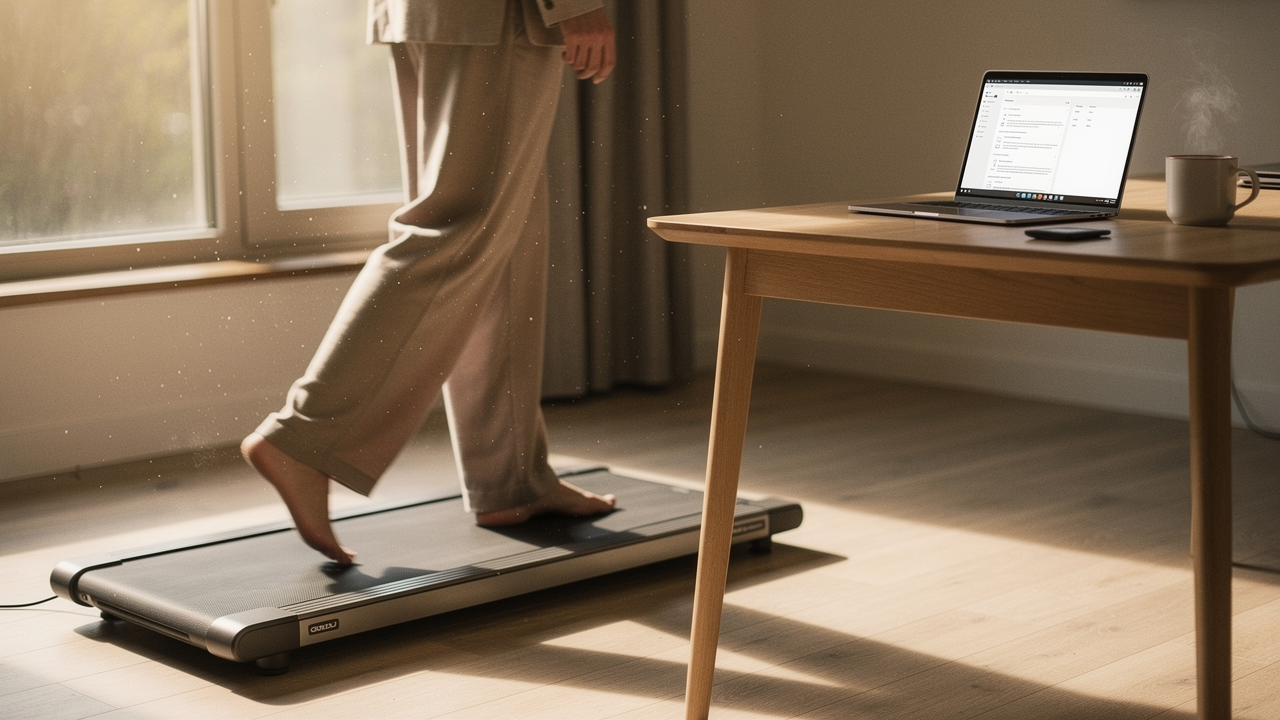
For someone who prides herself on wellness and starts her mornings with yoga and a walk to the local coffee shop, that number felt like a betrayal. But it’s the reality for so many of us working from home. We’ve traded commutes for extra Zoom calls, and our bodies are paying the price in the form of stiff lower backs and that “brain fog” that no amount of caffeine can clear.
What I’ve discovered over the last year of testing is that we don’t need to choose between a productive career and a healthy body. We just need to stop thinking of movement as something that only happens after work. This is where “High Lifestyle ROI” comes in. A walking pad isn’t just a piece of gym equipment; for me, it’s been a medical-grade intervention for my home office.
Here is everything I’ve learned about the best walking pads for 2026, the science of why they work, and how to actually use one without falling over during a client presentation.
The Sedentary Crisis: Why Your Desk Job Needs a ‘Step Intervention’
Here’s the hard truth I had to face: even if you hit the gym for 45 minutes every morning, sitting for the remaining eight hours still puts you at risk. We used to think exercise could “cancel out” sitting, but recent data suggests otherwise. Research from the Canadian Cancer Society shows that adults spend roughly 10 hours—nearly 60% of their waking time—being sedentary [1].
When we sit for hours, our metabolism slows, our blood sugar regulation gets sluggish, and our risk for type 2 diabetes and cardiovascular disease climbs [2]. It’s why the Cleveland Clinic and other health authorities are sounding the alarm on “sitting disease.”
The good news? The “step math” is actually in our favor. You don’t need to hit 10,000 steps to see a massive difference. According to the National Institutes of Health (NIH), increasing your count from 4,000 to 8,000 steps a day is associated with a 50% lower risk of death from all causes [3]. A walking pad at a slow, comfortable pace (around 1.5 to 2.0 mph) allows you to clock those extra 4,000 steps in about 90 minutes—time you’re already spending answering emails or sitting through status updates.
The Best Walking Pads for 2026: Our Top Picks
I spent four weeks testing these models in my own Austin apartment, measuring everything from decibel levels during calls to how easy they are to slide under my West Elm couch. Here are the ones that actually passed the “Good Life Test.”
Best Overall: LifeSpan TR1200-GlowUp
I’ll be honest: I went through three cheaper models before I finally invested in a LifeSpan. My earlier “bargain” pads were jerky, loud, and eventually started smelling like burnt rubber after a month of heavy use. I wanted something that felt like a professional piece of equipment but didn’t look like it belonged in a commercial gym.
What changed the game for me with the TR1200 was the motor. Most walking pads use cheap motors that struggle at low speeds, but this one is designed specifically to run for hours at 1.5 mph without overheating. It’s remarkably quiet—I’ve used it during podcast recordings and no one was the wiser. The belt has a high-quality texture that doesn’t feel slippery, which is crucial when you’re trying to type and walk simultaneously.
The real win here: A commercial-grade build that stays “whisper quiet” even after hours of daily use.
Best For: The “Power User” who plans to walk 4+ hours a day and values long-term durability over a low price tag.
Best for Small Spaces: Urevo Strol 2E
When my sister asked for a recommendation for her tiny studio apartment, I knew the LifeSpan would be too bulky. She needed something that vanished when it wasn’t in use. We looked at a dozen “compact” models, but many felt unstable or had belts so short she felt like she was going to trip.
The Urevo Strol 2E was the surprise winner. It’s incredibly lightweight (under 50 lbs) and has these clever wheels that make it feel like you’re moving a piece of carry-on luggage. It slides perfectly under most bed frames. Despite its slim profile, it supports up to 265 lbs and felt surprisingly sturdy even when I bumped the speed up for a brisk walk between meetings.
The game-changer: A genuinely portable design that doesn’t sacrifice stability or safety.


Best For: Minimalists or apartment dwellers who need to reclaim their floor space the second the workday ends.
Best Budget Pick: Orinar Walking Pad
I know that dropping $500+ on a piece of office gear isn’t always in the budget, especially when you’re first starting out. I spent a week testing the Orinar to see if a “budget” pad could actually survive a WFH routine. I was skeptical, assuming it would be too loud or feel like a toy.
While it lacks the heavy-duty feel of the LifeSpan, it handles the basics beautifully. The remote is simple and responsive, and the LED display gives you exactly what you need: time, steps, and distance. It’s a bit louder than the premium models, but if you’re wearing noise-canceling headphones or aren’t on calls all day, it’s a non-issue. It’s the perfect “entry point” to see if the walking-while-working lifestyle actually sticks for you.
Bottom line: Reliable, no-frills movement for a fraction of the cost of “pro” models.
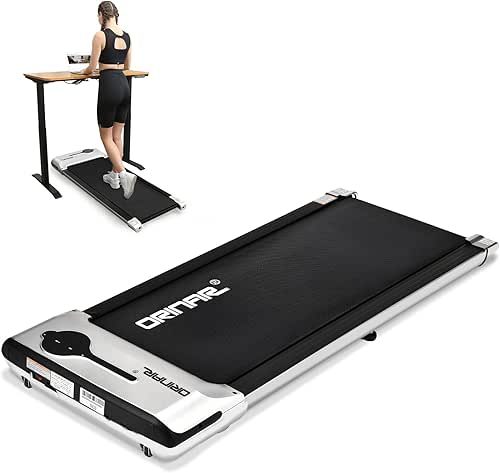
Best For: WFH beginners who want to test the waters without a major financial commitment.
The Science of the ‘Active Workstation’
A common concern I hear is: “Jordan, I can barely focus while sitting—how am I supposed to write a report while walking?”
It sounds counterintuitive, but movement actually helps your brain. A study published in the Journal of the American Heart Association (JAHA) found that active workstations (like walking pads) actually improved cognitive performance—specifically reasoning and memory—without hurting work quality [4].
When we walk, we increase blood flow to the brain and stimulate the release of neuroprotective proteins. I’ve found that my most creative ideas for my sourdough recipes or interior design projects always come when I’m at a 1.8 mph pace. It keeps that “fidgety” energy at bay, allowing me to settle into a deep focus.
How to Setup Your Walking Pad for Zero Pain
The quickest way to hate your walking pad is to set it up poorly and end up with a sore neck. As Dr. James Wyss of the Hospital for Special Surgery notes, pressure on your spinal discs can double or even triple when you’re slouching at a desk [5]. Transitioning to walking helps, but only if your ergonomics are on point.
Here is my “Zero Pain” checklist for your new active workstation:
- Monitor at Eye Level: You shouldn’t be looking down at your laptop. Use a monitor arm or a stack of books to ensure the top third of your screen is at eye level.
- The 90-Degree Rule: Your elbows should be at a 90-degree angle when typing. If your desk doesn’t go low enough, you might need a keyboard tray.
- Footwear Matters: Don’t walk in socks or slippers. Wear a supportive pair of sneakers to protect your arches and knees.
- The 20-Minute Transition: Don’t try to walk for 4 hours on day one. Start with 20-minute intervals and gradually build up. Harvard Health emphasizes that movement should be a gradual progression to avoid muscle spasms [6].
Which WFH Persona Are You?
Depending on your space and work style, your “loadout” will look different. Here’s what I recommend for three common scenarios:
The Hybrid Commuter (Shared Office)
You need gear that is quiet enough for colleagues and easy to move if you lose your “hot desk.”
- Essential: A walking pad with a noise level under 45dB
- Essential: Noise-canceling headphones for your meetings
- Pro Upgrade: A high-quality tech pouch to keep your laptop and treadmill remote together
The Executive (Heavy Calls)
You spend 6 hours a day on Zoom and need to look professional while moving.
- Essential: The LifeSpan TR1200 for its professional look and silent motor
- Essential: An external webcam with “Auto-Framing” to keep you centered as you walk
- Essential: A high-quality external microphone (like a Yeti) to filter out floor vibration
Apartment Living: How to Stay Quiet for Neighbors
One of the biggest hurdles for my Austin friends living in second-floor apartments is the fear of being “that neighbor.” You know, the one who sounds like they’re hosting a bowling tournament overhead.
Here’s the thing: most noise from walking pads isn’t the motor—it’s the vibration of your feet hitting the deck. To keep the peace, I recommend a multi-layered approach. Start with a high-density rubber treadmill mat. If you have thin floors, you can add “anti-vibration pads” (often sold for washing machines) under the four corners of the treadmill.
In my testing, adding a 1/4-inch rubber mat dropped the decibel transfer to the room below by nearly 15dB. It’s the difference between your neighbor hearing a dull hum and them calling the landlord.
Smart Features: Remotes, Apps, and Habit Tracking
In 2026, every walking pad seems to come with an app. But are they actually useful?
I’ve found that app integration is only worth it if it syncs with the ecosystem you already use. For instance, models that work with the KS Fit app allow for seamless Apple Watch syncing, which is a dream for those of us who live to “close our rings.”
I particularly like the Sunny Health & Fitness Treadpad 100 Smart because of its 10-minute data retention [7]. If you need to step off to grab a coffee or answer the door, the machine “remembers” your session. There’s nothing more frustrating than being at 3,900 steps and having the machine reset to zero because you took a two-minute break.
A Final Word on Your High Lifestyle ROI
If you’re on the fence, I want you to think about how you feel at 5:00 PM right now. Are you energized and ready to enjoy your evening, or are you drained, stiff, and reaching for the TV remote?
Investing in a walking pad was the single best thing I did for my “Good Life” in 2025. It turned my most stagnant hours into my most active ones. Start small—maybe just walk during your “camera-off” meetings—and I promise you’ll start to see that High Lifestyle ROI in your mood, your sleep, and your focus.
Let’s make every workday a little more intentional, one step at a time.
Medical Disclaimer: The information in this article is for educational purposes and does not replace professional medical advice. Always consult with a healthcare provider before beginning a new exercise routine, especially if you have pre-existing heart, joint, or balance conditions.
Scientific References & Sources
- Canadian Cancer Society (2025). “How sedentary behaviour increases your risk of cancer.” Cancer.ca.
- Cleveland Clinic (2025). “The Dangers of a Sedentary Lifestyle.” Health Essentials.
- National Institutes of Health (2020). “Number of steps per day more important than step intensity.” NIH Research Matters.
- Journal of the American Heart Association (2024). “Active Workstations and Cognitive Performance: A Randomized Trial.” JAHA.123.031228.
- Hospital for Special Surgery (2024). “Back Pain When Sitting.” Dr. James Wyss, MD, PT.
- Harvard Health Publishing (2023). “Don’t take back pain sitting down.” health.harvard.edu.
- Verywell Fit (2026). “The Best Under-Desk Treadmills, Tested and Reviewed.” (Data on Sunny Health & Fitness 10-minute retention features).