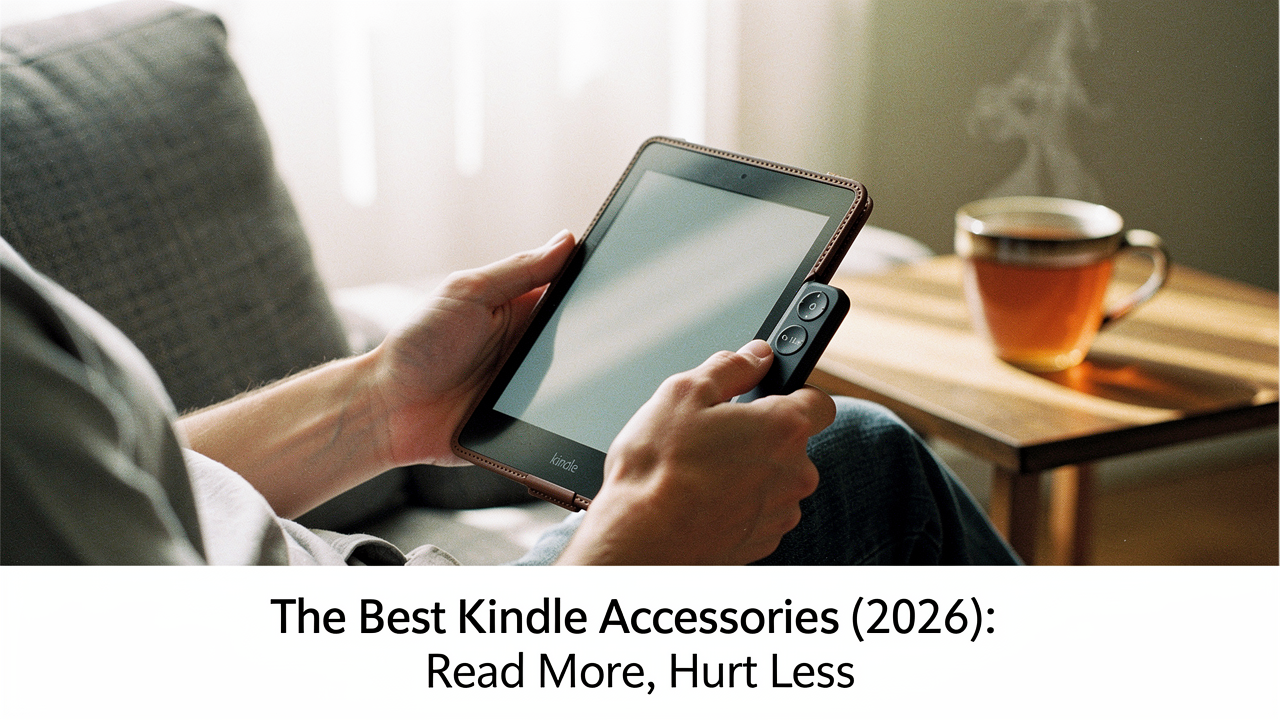
As a lifestyle curator here in Austin, I’m obsessed with the concept of High Lifestyle ROI. We often spend hundreds on the latest tech, but we forget the $20 “bridge” accessories that actually make us use that tech more. If you read for an hour every day, that’s 365 hours a year of physical interaction with your device. A small investment in ergonomics or protection isn’t just about “stuff”—it’s about removing the friction between you and your next favorite book.
Today, I’m walking you through my personal 2026 Kindle kit. Whether you’re trying to read hands-free while sipping coffee at the Barton Springs Zilker Park or you want to “sticker-bomb” your device without ruining it, here is how to build a setup that supports your best reading life.
The 2026 Kindle Landscape: Why Your Setup Matters Now
The e-reader world has settled into a beautiful rhythm. By 2026, we’ve seen almost every Kindle model—from the basic to the Scribe—finally embrace USB-C as the universal standard [1]. This is a massive win for those of us trying to live a minimalist, one-cable life.
However, while the software has gotten faster, the physical hardware still has its quirks. Modern E-ink screens are marvels of low-glare technology, but they remain vulnerable to “torsion”—a fancy word for the pressure caused when your Kindle is twisted or squished inside a packed bag [1]. Without a bit of structural support, that beautiful screen can develop internal cracks that no amount of restarting will fix. Choosing the right accessories in 2026 is about more than just aesthetics; it’s about structural integrity and ergonomic longevity.
Solving ‘Kindle Fatigue’: The Best Page Turners & Grips
Let’s be honest: the most annoying thing about reading in bed is having to move your arm every 45 seconds to tap the screen. It breaks the “flow,” and if you’re tucked under a heavy duvet in the winter, it’s cold! For years, I looked for a solution that didn’t involve weird Bluetooth workarounds that never seemed to pair correctly.
I remember one specific Sunday reset where I was trying to read while recovering from a minor wrist strain. Holding the Kindle was actually painful. I tried propping it up with pillows, but then I had to reach out to turn the page, which made the strain worse. That’s when I discovered the magic of mechanical page turners.
Here’s the catch: Kindles don’t natively support Bluetooth remotes for page-turning like an iPad does. You need a device that physically “taps” the screen for you.
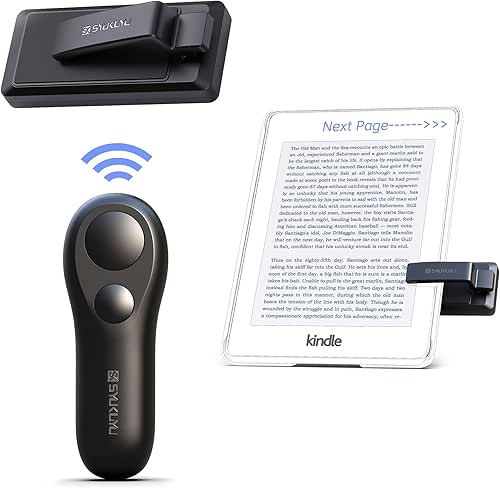
The Best Remote Page Turner: SYUKUYU RF Remote
What surprised me about the SYUKUYU system was how simple it actually was. It consists of a small clip that sits on the edge of your Kindle and a tiny remote that fits in the palm of your hand. When you click the remote, the clip sends a microscopic signal to the screen, mimicking a finger tap.
I’ve used this while tucked under three blankets during a rare Austin freeze, and it worked flawlessly through the covers. The latency is practically non-existent—well under the 300ms “gold standard” for responsiveness [1]. It’s also been a game-changer for my friends with arthritis who find the repetitive motion of tapping the screen difficult.
The real win here: It allows for a completely “statue-still” reading experience in bed.

Ergonomic Grips: PopSockets vs. MagSafe Rings
I’ll admit it—I was skeptical about sticking things to the back of my Kindle for a long time. I love the slim profile of a “naked” device. But after dropping my Paperwhite on my face one too many times while reading on my back, I realized I needed a better grip.
I originally tried a standard PopSocket, which was okay, but it felt permanent. What finally clicked for me was using a MagSafe adhesive ring on the back of my Kindle case. This allows me to snap on a magnetic phone grip when I’m out at a coffee shop and pull it off when I want the device to lie flat on my nightstand. It keeps my wrist in a neutral position, which ergonomic research suggests is key to preventing long-term strain in handheld electronics [1].
The game-changer: Swappable, magnetic grips that don’t commit you to a bulky back.
Case Study: Finding the Perfect Balance of Protection & Weight
Here’s a stat that might surprise you: adding a standard folio case can increase the weight of your Kindle by up to 60% [1]. For a device designed to be light as air, that’s a huge sacrifice. I’ve found that the “best” case depends entirely on where you do most of your reading.
The Minimalist Choice: Clear TPU Shells
If you’re someone who mostly reads at home, you probably don’t need a heavy leather flap. I struggled with “case fatigue” until I switched to a simple, clear TPU shell. It protects the corners from drops and the back from scratches without adding that heavy “book” flap.
Plus, this is the ultimate choice for the “aesthetic” reader. You can slip a few stickers or a piece of decorative cardstock behind the clear plastic without actually sticking anything to the device itself.
Bottom line: All the protection you actually need with none of the bulk.
The ‘Book-Feel’ Folio: Amazon Official Fabric Cover
For commuters or travelers, the clear shell isn’t enough because the screen is still exposed in your bag. When I’m heading to the airport, I switch to the official Amazon Fabric Cover. I’ve tried the “cheap” versions, and they often feel like plastic disguised as cloth. The official one has a tactile, water-safe finish that actually feels like a high-end hardcover book. It also perfectly aligns the magnets for the auto-wake/sleep feature, which third-party cases sometimes miss.
What sold me: The perfect balance of a premium tactile feel and guaranteed magnetic alignment.
The Personalization Framework: Stickers & Skins That Don’t Ruin Your Device
We all want our Kindles to look like they belong in a “Dark Academia” or “Cottagecore” mood board. But I’ve seen so many people ruin their device’s finish by using the wrong adhesives. If you want to personalize your Kindle, you have to be smart about the surface you’re working with.
According to sticker manufacturers, you should only apply high-tack stickers to smooth, non-porous surfaces like hard plastic or TPU [2]. If you try to stick them onto the fabric or “rubberized” back of a Kindle, they’ll start peeling within a week, leaving a gummy mess.
My Step-by-Step Personalization Ritual:
- Cleanse: Wipe the back of your case with 70% isopropyl alcohol to remove skin oils [2].
- The “No-Commitment” Trick: Instead of sticking decals to the Kindle, place them face-down inside a clear case. They stay perfectly in place, and you can swap them out when you finish a new book series.
- Vinyl Skins: If you want a full-color change, use a high-quality vinyl skin (like those from dbrand). They use a different type of adhesive that doesn’t “bond” permanently to the plastic.
Screen Protection: Is it Actually Necessary?
This is the most polarizing topic in the Kindle community. Here’s the truth: E-ink screens have a micro-etched, textured top layer that helps diffuse light and prevent glare. When you slap a thick, tempered glass screen protector on top of it, you often introduce more reflections, which negates the whole reason people buy Kindles instead of iPads.
I only recommend a screen protector if you fit into these two categories:
- The Beach Reader: Sand is actually harder than your Kindle screen and will cause micro-scratches.
- The Parent/Pet Owner: If your Kindle shares a space with toddlers or a cat who likes to “pounce” on moving text, get a matte film (not glass) protector.
Hands-Free Reading Setups (The ‘Lazy’ Pro Kit)
If you really want to reach “Kindle Nirvana,” you have to try the hands-free setup. I call this my “Lazy Pro Kit,” and it’s what I use when I’m on my walking pad or tucked into bed on a rainy Sunday. It’s also an incredible accessibility setup for anyone with limited mobility or chronic pain.
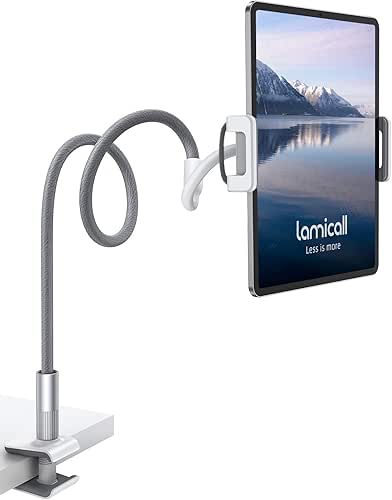
You combine a gooseneck tablet holder with the SYUKUYU page turner mentioned earlier. You clamp the holder to your headboard or desk, position the Kindle at eye level, and keep your hands under the covers with the remote.
The verdict: It’s the ultimate lifestyle ROI for power readers who want zero physical friction.
Choosing Your Persona Loadout
Not sure where to start? I’ve curated these three “starter kits” based on the most common reading habits I see in our Austin community.
The Bedtime Bookworm
You do 90% of your reading in bed and want to stay as cozy as possible.
- Essential: SYUKUYU Page Turner Remote
- Essential: Lamicall Gooseneck Stand
- Pro Upgrade: A pair of “prism glasses” for reading completely flat on your back
The Commuter / Traveler
You’re reading on the train, in Ubers, or at the airport gate.
- Essential: Amazon Official Fabric Cover (for screen protection)
- Essential: MagSafe Adhesive Ring + Magnetic Grip
- Essential: A compact USB-C power bank
The Aesthetic Minimalist
You want your Kindle to look like a piece of art and stay lightweight.
- Essential: MoKo Clear TPU Case
- Essential: A pack of vinyl stickers (placed, not stuck!)
- Pro Upgrade: A custom embroidered padded sleeve for transport
At the end of the day, the best Kindle accessory is the one that gets you through just one more chapter. Whether it’s a remote that keeps your hands warm or a grip that saves your pinky finger, these small tweaks turn a piece of plastic into a portal.
What’s in your Kindle kit? Tag us on Instagram with your #KindleSetup—I’d love to see how you’ve made your device your own!
***
Affiliate Disclosure: We test these products in-house; links may earn a commission at no cost to you.
Sources & Further Reading
- Amazon Device Support (2025). Kindle Product Specifications and Care Guide. Amazon Official Documentation.
- Vinyl Standards Institute (2024). Surface Preparation and Adhesion Guidelines for Consumer Electronics.
- Reddit r/kindle (2025). Annual Community Accessory Consensus Thread. https://www.reddit.com/r/kindle.