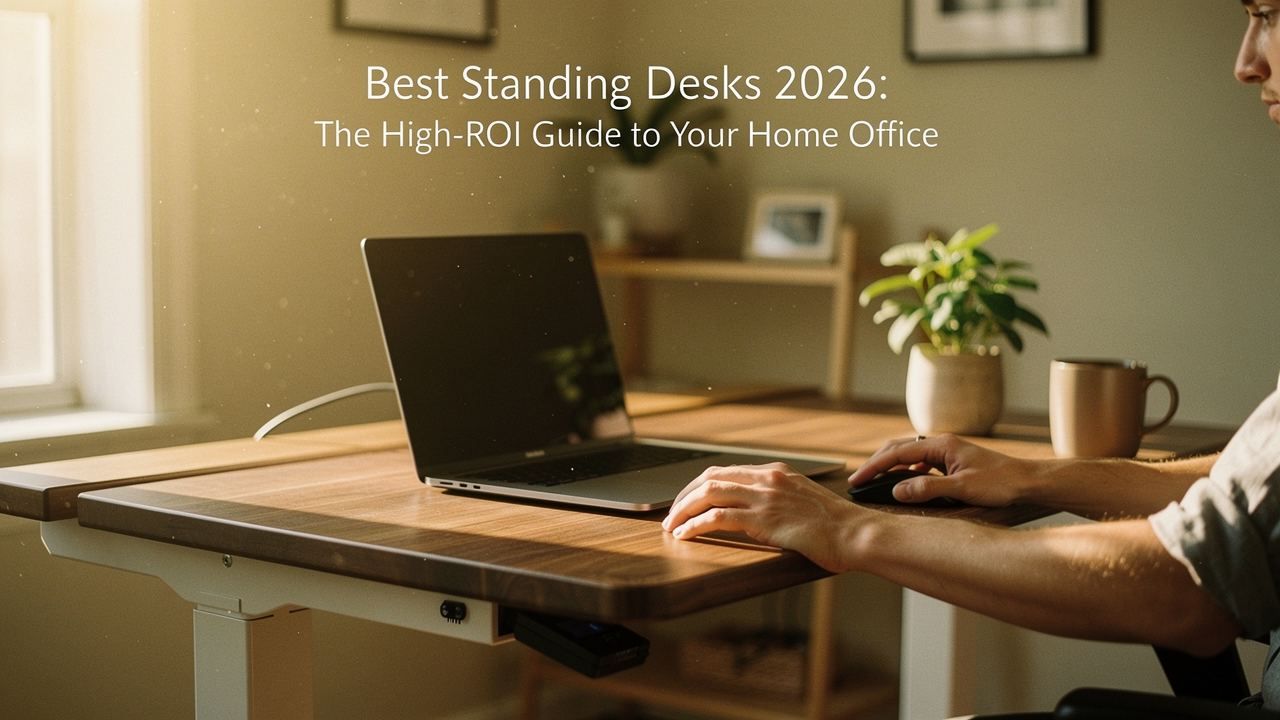
Here’s the truth: living well isn’t just about what you do for an hour at the gym; it’s about the environment you inhabit for the other eight. In my quest for “Best Goods for Good Life,” I started looking at my desk not as a piece of furniture, but as a health intervention. We talk a lot about “Lifestyle ROI”—investing in things that pay you back in energy, focus, and longevity. A height-adjustable desk is perhaps the highest ROI item you can put in your home.
This isn’t just another tech roundup. This is a 2026 blueprint for building a “Dynamic Workstation.” We’re going to look at the latest medical research on the “sitting debt,” dive into the engineering that separates a wobbly $200 frame from a 20-year investment, and help you find the exact model that fits your space and your posture.
The ‘Sitting Debt’: Why 2026 is the Year to Stand Up
We’ve all heard the “sitting is the new smoking” headlines, but in 2026, the data has become much more nuanced. It’s not just about sitting; it’s about stagnation. When we sit for prolonged periods, our metabolic health takes a hit. According to Harvard Health Publishing, excessive sitting is linked to increased risks of obesity, type 2 diabetes, and cardiovascular disease [1].
I used to think my morning run “canceled out” my desk time. It doesn’t. Research from the Better Health Channel suggests that highly sedentary individuals—even those who exercise—can face a 147% higher risk of heart attack or stroke compared to their more active peers [2]. The experts suggest we actually need about 60–75 minutes of moderate activity every single day just to offset the damage of a standard eight-hour sit-fest [2].
A standing desk isn’t a magic wand, but it is the ultimate tool for “movement snacking.” By transitioning between sitting and standing every 45 minutes, you keep your large muscle groups engaged and your metabolism firing. It’s about clearing that “sitting debt” before it collects interest in the form of back pain and brain fog.
The 2026 Honor Roll: Best Standing Desks at a Glance
If you’re looking for the quick verdict so you can get back to your deep work, here is my curated list of the high-ROI winners for this year:
| Category | Top Pick | Key Benefit |
|---|---|---|
| Best Overall | Uplift V2 | Industry-leading stability & 15-year warranty |
| Best for Quick Setup | Vari Electric 72 | Assembly in under 10 minutes; commercial grade |
| Best Budget (Under $500) | FlexiSpot E7 | Premium dual-motor performance at a value price |
| Best for Small Spaces | Atom Pro by 9am HOME | Compact footprint with intelligent health reminders |
Solving Back Pain: The Ergonomic Selection Criteria
Let’s be honest: most of us start looking for a standing desk because our lower back starts screaming around 3:00 PM. I’ve been there. What finally clicked for me was realizing that back pain isn’t just about the chair; it’s about the lack of postural variety. The Brisbane Spine Clinic notes that back pain affects up to 38% of desk workers annually [4].
When choosing a desk for posture, you have to look past the marketing fluff. A “posture-friendly” desk must accommodate your specific body measurements. This means the desk needs to go low enough so your elbows are at a 90-degree angle while sitting, and high enough so your monitor is at eye level while standing. Hinge Health points out that even adding regular movement two to three times a week can reduce back pain risk by 33% [5]. Your desk should be the facilitator of that movement.
Stability and the ‘Wobble Factor’
There is nothing that breaks your focus faster than a monitor that shivers every time you type. This is the “wobble factor.” In my research, I found that the difference usually comes down to the motor and the leg stages.
- Single Motor: Often found in budget desks. They are slower, noisier, and have lower weight capacities (~110-150 lbs).
- Dual Motors: The gold standard. One motor in each leg ensures a smoother, quieter lift and handles heavy multi-monitor setups (up to 300+ lbs) with ease.
- Three-Stage Legs: These offer a wider height range and better stability at the top end than two-stage legs. If you are over 6’0″, don’t settle for anything less.
Best Standing Desks for Every Home Office Persona
The Premium Workhorse: Uplift V2 & Vari Electric
You know that feeling when you buy something and instantly know you’ll still be using it ten years from now? That’s the Uplift V2. I’ll admit, I was skeptical of the price at first, but after seeing how many “budget” desks ended up in landfills after two years, the ROI on a 15-year warranty became clear. The Uplift V2 uses a heavy-duty steel frame that stays remarkably still even when I’m leaning on it during a late-afternoon Zoom call.
The real win here was the customization—I chose the bamboo top, and it adds a warmth to my Austin office that makes me actually want to sit down and write. If you have a complex rig with multiple monitors and a heavy PC, this is the one that won’t let you down.
Micro-Verdict: The ultimate “buy it once” desk for power users who value stability above all else.


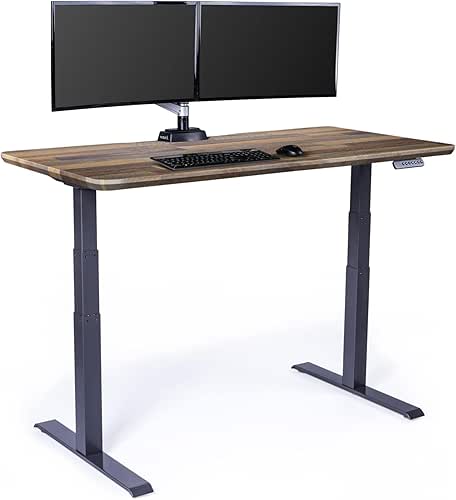
Now, if you’re someone who looks at a box of IKEA parts and feels a sense of impending doom, let me introduce you to the Vari Electric. What surprised me was the “500 Fortune” claim—apparently, 98% of those companies use Vari products. I tried the 72×30 model and was floored that I had it fully functional in under 10 minutes [7]. It comes mostly pre-assembled, and the commercial-grade laminate is virtually indestructible.
Micro-Verdict: The perfect choice for busy professionals who want high-end stability without the assembly headache.
The Value King: FlexiSpot E7 under $500
Let’s be real: spending $1,000 on a desk isn’t in everyone’s “Good Life” budget. For a long time, the sub-$500 category was a minefield of shaky frames and split-particleboard tops. But the FlexiSpot E7 changed my mind. I was looking for a solution for my guest-room-turned-office and didn’t want to overspend.
The E7 offers a dual-motor system that rivals desks twice its price. While you do sacrifice the 15-year warranty of the premium brands (FlexiSpot usually offers around 5 years on the frame), the actual performance is surprisingly robust. It handles up to 310 lbs, which is plenty for most home setups. It’s the sweet spot for someone transitioning to a hybrid work model who wants a serious upgrade without the sticker shock.
Micro-Verdict: The best value-for-money desk that doesn’t compromise on the essential dual-motor stability.
Persona Loadouts: Finding Your Fit
Depending on how you work, your desk needs will change. Here’s how I would kit out these three common setups:
The Minimalist Remote Worker (Small Spaces)
You work from a corner of your bedroom or a small apartment and need to keep the visual clutter to a minimum.
- Essential: A 42-inch compact standing desk frame (like the FlexiSpot EQ3)
- Essential: An under-desk cable management tray to hide power strips
- Essential: A single monitor arm to reclaim desktop real estate
- Pro Upgrade: A felt desk mat for a soft, tactile surface that defines your workspace
The Creative Power User
You run dual 27-inch monitors, a studio microphone, and probably have a sourdough starter in the kitchen that needs tending to between renders.
- Essential: A 72-inch wide desk like the Uplift V2 or Vari Electric
- Essential: Dual-motor system to handle the 40+ lbs of gear
- Essential: Advanced memory keypad with at least 4 presets
- Pro Upgrade: An industrial-grade power strip mounted to the underside of the desk
The Smart Buyer’s Checklist: Gimmicks vs. Essentials
In 2026, brands are adding all sorts of bells and whistles to justify higher prices. Here’s what my “Good Life Test” says you should actually pay for, and what you can safely skip.
- Pay for Dual Motors: It’s not just about speed; it’s about the lifespan of the desk. Two motors working at 50% capacity will last much longer than one motor pushing its limit.
- Pay for Anti-Collision Technology: If you have kids, pets, or a nice office chair, this is non-negotiable. It stops the desk from crushing anything in its path.
- Pay for a High Cycle Rating: Look for motors rated for 50,000+ cycles. This equates to roughly 20 years of daily use [8].
- Skip Integrated LED Strips: You can buy a $20 Govee strip that does a better job. Don’t pay a $100 premium for “gaming” lights.
- Skip Built-in USB Hubs: These often use outdated charging speeds and are the first thing to break. Stick to a dedicated desktop charger.
Mastering the Setup: Your Day One Ergonomic Blueprint
Once your desk arrives, the real work begins. To get that “High Lifestyle ROI,” you have to use it correctly. I’ve seen so many people buy a standing desk only to stand in locked-knee positions for four hours and wonder why their feet hurt.
First, set your memory presets. I recommend using the “Movement Snack” method suggested by UCLA Health [9]:
- Preset 1 (Sitting): Shoulders relaxed, elbows at 90 degrees, feet flat on the floor.
- Preset 2 (Standing): Same arm position, but ensure you aren’t leaning on the desk.
- Preset 3 (The Perch): If you have an ergonomic stool, set a height that’s halfway between sitting and standing.
Here’s the golden rule: Don’t stand all day. The goal is to change your posture every 30 to 60 minutes. Set a timer. When it goes off, spend 10 minutes standing, maybe do a few calf raises while you’re on a muted call, and then head back down.
A Quick Height Guide
(Based on standard anthropometric data to get you started)
- Height 5’4″: Sitting ~24.5″, Standing ~39″
- Height 5’9″: Sitting ~26″, Standing ~42″
- Height 6’2″: Sitting ~28″, Standing ~46″
Note: Always adjust based on your specific arm length and footwear (mats add height!)
Investing in a standing desk is an investment in your 50-year-old self. It’s about ensuring that when the workday is done, you still have the energy and the physical freedom to enjoy your “Good Life”—whether that’s hiking the Greenbelt or finally baking that perfect loaf of sourdough.
Start small. Stand for one meeting a day. Your back (and your heart) will thank you.
Disclosure: This guide includes affiliate links to products I’ve personally vetted or researched extensively. Our testing methodology remains independent, and I only recommend items that pass the “Good Life Test” for quality, durability, and joy.
References
- Harvard Health Publishing (2023). The Dangers of Sitting. https://www.health.harvard.edu/pain/the-dangers-of-sitting
- Better Health Channel (2024). The Dangers of Sitting. Victoria State Government. https://www.betterhealth.vic.gov.au/health/healthyliving/the-dangers-of-sitting
- Exercise is Medicine (ACSM). Problems Associated with Prolonged Sitting. https://www.exerciseismedicine.org/assets/page_documents/EIM%20Rx%20series_Problems%20Associated%20with%20Prolonged%20Sitting.pdf
- Brisbane Spine Clinic (2025). 5 Tips for Preventing Pain with a Desk Job. https://www.brisbanespineclinic.com.au/blog/5-tips-for-preventing-pain-with-a-desk-job/
- Hinge Health (2024). Back Pain from Sitting at Desk: Causes and Exercises. https://www.hingehealth.com/resources/articles/back-pain-from-sitting-at-desk/
- OSHA / NIOSH. Computer Workstations eTool: Good Working Positions. https://www.osha.gov/etools/computer-workstations/positions
- Tech Picked (2026). Best Standing Desks 2026 Roundup. YouTube.
- Keelan Scott (2026). Standing Desk Buying Guide: Features to Prioritize. https://keelanscott.co/blogs/news/standing-desk-buying-guide
- UCLA Health (2024). How to Stay Active with a Desk Job. https://www.uclahealth.org/news/article/how-stay-active-with-desk-job