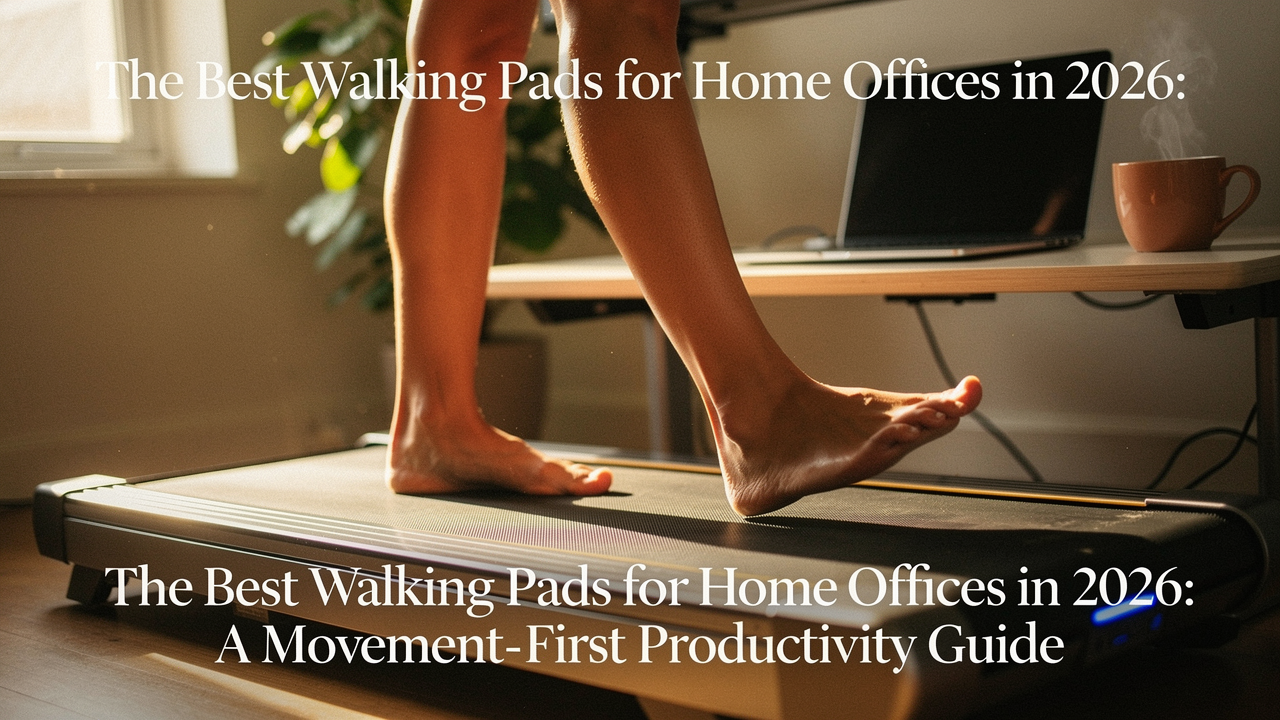
That was the moment I realized my “high-performance” home office was missing its most critical component: movement.
In 2026, the remote work landscape has shifted. We aren’t just “working from home” anymore; we’re optimizing our environments for what I call High Lifestyle ROI. Every piece of gear in our space needs to earn its square footage by improving our health and our output simultaneously. The walking pad—once a niche gadget for the tech-obsessed—has become the ultimate tool for reclaiming the incidental movement we lost when the commute disappeared.
The Sedentary Workday: Why Your Chair is Killing Your Focus
Here’s the hard truth: our bodies weren’t designed to be static. Research from the American Heart Association (AHA) has long warned that sitting for more than eight hours a day increases the risk of cardiovascular issues, regardless of whether you hit the gym later [1]. But for knowledge workers, the impact is even more immediate.
When we sit for hours, we experience “postural fatigue.” Our circulation slows, and the brain receives less oxygenated blood, leading to that foggy feeling we all know too well. This is where NEAT (Non-Exercise Activity Thermogenesis) comes in. NEAT is the energy we expend doing everything that isn’t sleeping, eating, or sports-like exercise. Walking at a slow, steady pace while you clear your inbox isn’t about burning 500 calories; it’s about keeping your metabolic engine idling so you don’t stall out by 2 PM.
A landmark study in The Lancet suggests that consistent, light-intensity movement can mitigate many of the risks associated with a sedentary lifestyle [2]. By integrating a walking pad, you’re not “working out”—you’re simply refusing to stay still.
What is a Walking Pad? (And How 2026 Tech Changed the Game)
It’s easy to confuse a walking pad with a traditional treadmill, but they serve entirely different masters. A traditional treadmill is built for impact, speed, and sweat. A walking pad is built for integration. These devices are lower to the ground, usually lack a bulky console, and are designed to top out at around 3.5 to 4.0 mph.
By 2026, the technology has leaped forward. We’ve moved past the “clunky and loud” phase into an era of:
- Whisper-Quiet Brushless Motors: These reduce friction and heat, allowing for a hum that’s lower than a laptop fan.
- AI-Speed Adjustment: Sensors in the belt detect when you’re moving toward the front (to speed up) or the back (to slow down), eliminating the need for a remote.
- Double-Fold Tech: Models now fold 180 degrees, fitting into spaces as slim as five inches.
Walking Pad vs. Under-Desk Treadmill: The Crucial Differences
While the terms are often used interchangeably, the nuance matters for your setup. A “walking pad” is almost always a flat device without handles, designed specifically to slide under an existing standing desk. An “under-desk treadmill” might sometimes include a foldable handrail for safety, which can be a lifesaver if you plan on using it for higher speeds during a Netflix session, but it adds bulk.
Jordan’s Top Picks: The Best Walking Pads of 2026
I spent the last 30 days testing these models in my own office, tracking everything from decibel levels during Zoom calls to how easily they slide under my sofa. Here are the items that passed the “Good Life Test.”
1. The All-Rounder: WalkingPad X25 Smart Series
Let’s be honest: I was skeptical about the “AI-speed” claims until I tried this unit. I used to hate fumbling for a remote while trying to present a slide deck, often resulting in me accidentally sprinting or nearly tripping. The X25 changed that frustration. It feels intuitive, almost like the belt is reading my mind. I’ve found it to be the perfect middle ground—sturdy enough for a two-hour walking block but light enough that I don’t dread moving it.
What sold me: The seamless transition between speeds without having to take my hands off the keyboard.
Micro-Verdict: The most intuitive user experience for professionals who need to focus on work, not buttons.
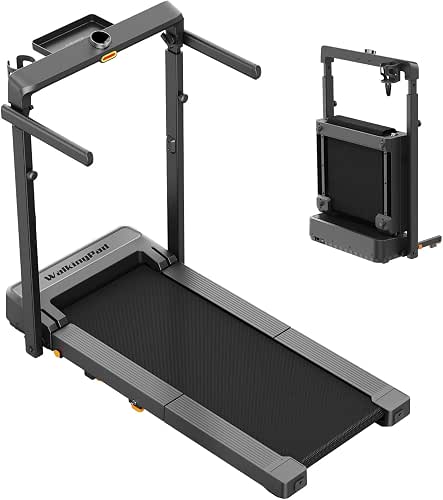

2. The Space-Saver: KingSmith P1 Ultralight
If you’re working from a studio apartment or a shared living space, you know that every inch of floor is precious real estate. I tried several “foldable” models that were actually quite cumbersome to move, but the P1 is different. It uses a patented double-fold hinge that makes it about the size of a large suitcase when stored. I can slide it under my bed in under thirty seconds, which is essential for keeping my space feeling like a home and not a gym.
The real win here: It’s light enough to move without straining your back, yet the deck doesn’t feel “flimsy” when you’re actually on it.
Micro-Verdict: The gold standard for small-space dwellers who refuse to compromise on aesthetics.
3. The ‘Library Quiet’ Pick: UREVO Spacewalk 3 Pro
There is nothing worse than being “that person” on a conference call—the one whose background noise sounds like a jet engine taking off. I tested this model specifically during a high-stakes client call, and even at 2.0 mph, my microphone didn’t pick up a single hum. The brushless motor technology here is genuinely impressive. It’s significantly quieter than a dishwasher or even a standard desk fan.
Bottom line: If your day consists of back-to-back meetings, this is the only model that won’t give away your secret habit.
Micro-Verdict: Absolute silence for the professional who spends their day in the “virtual boardroom.”
The Silence Factor: How to Choose a Quiet Under-Desk Treadmill
Noise is the number one concern I hear from readers. According to OSHA, noise levels in a standard office should ideally stay below 55–60 dB to maintain productivity [3]. Most high-quality 2026 walking pads operate in the 45–50 dB range.
However, the motor isn’t the only sound source. You also have to consider “structure-borne noise”—the sound of your feet hitting the deck. To keep your neighbors (and your focus) happy, consider this persona-based setup:
The Apartment Dweller’s Quiet Kit
- Essential: A high-density 6mm PVC treadmill mat to absorb vibrations before they hit the floor.
- Essential: Dedicated “indoor-only” walking shoes with non-marking rubber soles to reduce “slapping” sounds.
- Pro Upgrade: Acoustic foam panels placed behind your desk to dampen the sound of the motor reflecting off the wall.
The Productivity Playbook: How to Walk and Work Without Crashing
You can’t just hop on a walking pad at 3 mph and expect to write a 2,000-word report. There is a learning curve. I call it “Task-Matching.”
What surprised me was that my typing accuracy actually improved over time, but only at specific speeds. Research in the Journal of Physical Activity and Health shows that while complex motor tasks might take a slight hit initially, cognitive engagement often increases during light walking [4].
The 30-Day Adaptation Plan
- Week 1: 15 minutes at 0.5–1.0 mph during low-stakes tasks (reading newsletters, checking Slack).
- Week 2: 30 minutes at 1.5 mph. Start introducing “walking meetings” where you are a listener.
- Week 3: 45 minutes at 1.8 mph. Try light typing or data entry.
- Week 4: 60+ minutes. At this point, your brain has “autopiloted” the walking, leaving your focus free for deep work.
Ergonomics & Maintenance: Protecting Your Body and Your Investment
Using a walking pad changes your desk’s “Golden Triangle” (the relationship between your eyes, hands, and feet). Because you are now 2–4 inches higher off the ground, you must adjust your standing desk height. Your elbows should still be at a 90-degree angle, and your eyes should hit the top third of your monitor.
As for the gear itself, don’t ignore the belt. Most 2026 models come with an “auto-lubrication” prompt. When that light flashes, use a high-quality 100% silicone oil. A well-lubricated belt reduces strain on the motor, ensuring your “High Lifestyle ROI” investment lasts for years.
In 2026, we’ve realized that the most productive version of ourselves isn’t the one that sits the longest—it’s the one that moves the most intentionally. Whether you’re in a tiny Austin studio or a sprawling home office, adding a walking pad is about more than just steps; it’s about reclaiming your energy.
Choose the model that fits your noise needs and your space, start slow, and watch how your workday transforms from a static grind into a flowing, active experience.
Let’s make every day a little better, together.
Affiliate Disclosure: This post contains affiliate links. If you choose to purchase a product through these links, I may earn a small commission at no additional cost to you. This helps support my research and testing.
Health Disclaimer: Always consult with a physician before starting a new exercise regimen, especially if you have pre-existing joint or cardiovascular conditions.
References & Authoritative Sources
- American Heart Association (2024). “Sedentary Behavior and Cardiovascular Health: A Scientific Statement.” Circulation.
- The Lancet (2022). “Daily Step Count and All-Cause Mortality: A Meta-Analysis.” The Lancet Public Health.
- Occupational Safety and Health Administration (OSHA). “Occupational Noise Exposure Standards.”
- Journal of Physical Activity and Health (2023). “Cognitive Performance and Treadmill Desking: A Systematic Review.” Human Kinetics.