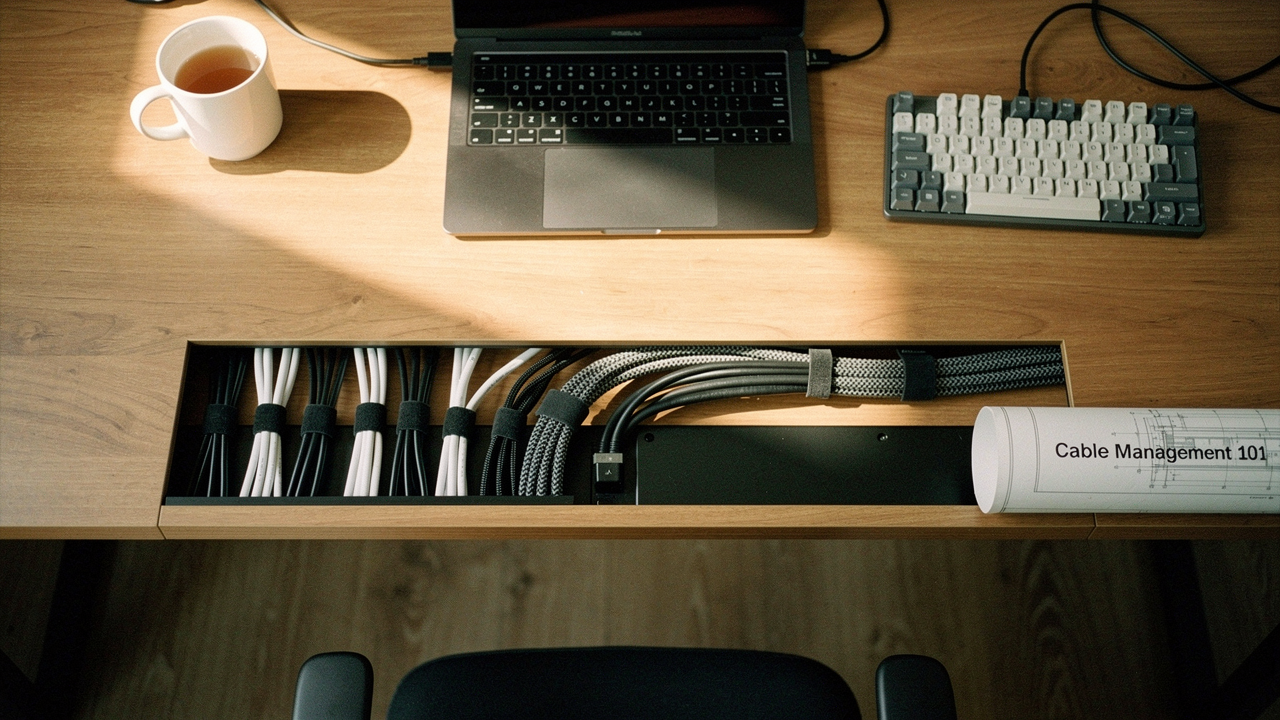
Let’s be honest: messy cables aren’t just an aesthetic eyesore. They represent a cognitive drag that quietly drains your focus. What surprised me during my own desk transformation was how much “wire clutter” actually impacts productivity. When your environment is chaotic, your brain struggles to find that flow state we all crave. Today, I’m walking you through a safety-first, systematic blueprint to turn that tangled mess into a calm, professional workspace. We’re going to audit, plan, route, and—most importantly—maintain a setup you’ll actually be proud to show off on your next Zoom call.
Quick Answer: How to Manage Desk Cables Fast
If you’re looking for the “too long; didn’t read” version of cable management, here is the high-level workflow:
- Audit: Unplug everything and keep only what you use daily.
- Mount: Get your power strip off the floor and onto the underside of the desk.
- Route: Use under-desk trays or J-channels to guide cables along the desk’s frame.
- Bundle: Group remaining loose wires with Velcro ties (never zip ties for home setups).
- Anchor: Use magnetic clips on the desktop to keep your most-used chargers from slipping away.
The Hidden Costs of Cable Chaos: Why Management Matters
We often treat wire clutter as a cosmetic issue, something to be hidden behind a strategically placed potted plant. But the reality is more serious. In my years of optimizing home spaces, I’ve learned that tangled wires are more than just ugly; they are a functional and safety liability.
Here’s the thing: when cables are bunched together in a tight, unventilated mess, they can create “heat spots.” This heat can eventually damage the insulation, leading to potential short circuits or even fire hazards [1]. Beyond the sparks, there’s the very real risk of tripping. OSHA guidelines for workplace safety highlight that loose cords are a primary cause of office-related falls [4]. Even in a home office, a snagged foot can mean a face-planted laptop or a broken monitor port.
Safety Hazards: Beyond the Mess
It’s not just about the wires themselves, but the stress we put on them. When cables hang heavy from a port, they create “port strain,” which can permanently damage the internal hardware of your expensive Mac or PC. By managing your cables, you’re practicing a form of digital self-care—protecting the tools that power your livelihood.
The 5-Step Under-Desk Cable Management System
If you want to know how to organize cables under desk for the long haul, you have to stop thinking about it as “tidying up” and start seeing it as desk cable routing. You are designing a mini-infrastructure for your power.
Phase 1: The Great Unplugging
I’ll admit it—I was skeptical that I needed to unplug everything to get organized. I thought I could just tuck things away as they were. I was wrong. To do this right, you have to start from zero. Unplug every single cord. This allows you to audit what’s actually necessary. You’ll likely find three Micro-USB cables and a power brick for a printer you sold in 2022. Clear the deck so you can see the skeleton of your setup.
Phase 2: Mounting the Power Hub
The biggest mistake people make is leaving the power strip on the floor. It becomes a dust magnet and a focal point for the mess. The pro move is to mount your power hub directly to the underside or back of your desk. I’ve found that using heavy-duty adhesive or a screw-in tray creates a “gravity-defying” setup that keeps the floor completely clear. Professional designers often recommend J-channels to guide cables along the desk’s edge, keeping them tucked out of sight but still accessible [2].
Essential Gear: Choosing the Right Cable Organizers
Choosing the best cable management solutions for home office life depends on your specific desk and how often you swap out tech. You don’t need every tool in the catalog, but you do need the right “anchors” and “backbones.”
The Backbone: Under-Desk Trays & Baskets
I spent months trying to find a way to keep my heavy power bricks from sagging. I tried cheap mesh nets that eventually lost their elasticity, and I even attempted a DIY shoebox fix (highly discouraged for fire safety!). What finally clicked for me was moving to a rigid, high-capacity tray that could handle the weight of multiple adapters without flinching.
Micro-Verdict: The ultimate heavy-lifting solution for power-hungry setups.


If you’re on a budget, the Swedish Signum-style trays are a fantastic alternative. They offer a simple wire-rack design that allows for plenty of airflow—which is critical for preventing those heat spots we talked about earlier.
The Anchors: Magnetic Clips & Adhesive Mounts
We’ve all been there: you unplug your laptop to go to the kitchen, and your charging cable slithers off the desk like a discouraged snake. I used to spend way too much time fishing around behind my drawers for my USB-C cord. I tried using tape, but it left a sticky residue on my walnut desk that I still regret. Then I discovered magnetic managers.
Micro-Verdict: A tiny, high-ROI luxury that keeps your most-used cables exactly where you need them.
Persona Loadout: Which Kit is Right for You?
Depending on how you work, your wire management tools should look different. Here are three curated “loadouts” based on common desk archetypes:
The Minimalist Remote Worker (Small Spaces)
You work from a laptop and maybe one external monitor. You value clear surfaces above all else.
- Essential: Anker Magnetic Cable Manager for your phone and laptop chargers
- Essential: A single J-channel strip for the back of your desk
- Pro Upgrade: A compact USB-C hub to consolidate three wires into one
The Power User (Dual Monitors + Peripherals)
You have a multi-monitor rig, a mechanical keyboard, and a dedicated webcam. You have a lot of “tail” on your tech.
- Essential: Humanscale NeatTech tray (Large) to hold your power strip and bricks
- Essential: A 50-pack of Velcro Brand reusable ties to bundle monitor cables
- Essential: Braided cable sleeves to “merge” multiple cords into one clean line
The Hybrid Commuter (Frequent Docking)
You move your laptop between the office and home daily. Speed of connection is your priority.
- Essential: Weighted cable blocks to keep cords from falling when unplugged
- Essential: Label markers so you never grab the “slow” USB cable by mistake
- Pro Upgrade: A Thunderbolt docking station to reduce your “plug-in” time to five seconds
The Standing Desk Challenge: Managing Motion
If you use a sit-stand desk, standing desk cable management adds a layer of complexity: movement. I’ve seen beautiful setups ruined because the first time the desk went to full height, it ripped a power strip off the wall or snapped a DisplayPort cable.
The secret is the “Service Loop.” This is a deliberate bit of slack left in the cables that run from your desk to the wall. You want enough length so the desk can reach its maximum height without any tension, but not so much that it tangles in your feet when the desk is lowered. Desky recommends using a vertical cable spine—a flexible, snake-like conduit that expands and contracts as your desk moves—to keep those vertical runs looking intentional [6]. Always check your “bend radius”; never force a cable into a sharp 90-degree angle, as this can break the delicate copper strands inside [6].
DIY & Renter-Friendly Hacks
You don’t need a $5,000 custom mahogany desk to have professional-grade cable management. If you’re renting an apartment or using a desk you aren’t allowed to drill into, you can still achieve a “High Lifestyle ROI” look.
The Binder Clip Trick
This is the ultimate $0 DIY wire management tip. You can clip a large binder clip to the edge of your desk and thread your charging cables through the silver “arms.” It acts as a perfect, improvised cable stay. BDI’s design blog often highlights how simple household items can bridge the gap until you’re ready for a permanent system [2].
Renter-Safe Power Mounting
Instead of screws, I’m a huge fan of using heavy-duty Command Strips or clamp-on trays. These allow you to get that power strip off the floor without leaving a single hole in your furniture. Just be mindful of the surface; adhesives work wonders on laminate and metal but can occasionally lift the finish on poorly sealed real wood if left for years.
Final Thoughts: The One-Hour Reset
Cable management isn’t a project you have to do every weekend. It’s a “set once, maintain monthly” task. Once you have the infrastructure in place—the trays, the clips, and the routing—adding a new device takes seconds instead of causing a headache.
The reward? It’s that feeling when you walk into your room on a Monday morning, your space is clear, and your mind is ready to work. It’s the visual quiet that lets your best ideas come to the surface.
I’d love to see your transformations! Share your before-and-after cable wins with me on social. And let me know: what’s the one cable in your setup that always seems to find a way to get tangled?
Stay intentional,
Jordan Miller
References
- tscables.com (2024). Cable Safety and Heat Dissipation Guide.
- Mockett (2025). Professional Under-Desk Routing Standards and J-Channel Design.
- Marlin Steel (2024). The 5-Step Audit for Industrial and Home Office Cable Management.
- OSHA (2023). Workplace Safety & Trip Hazard Prevention in the Modern Office.
- NYMag Strategist (2024). The Best Cable Organizers for Every Desk Type.
- Desky (2024). Standing Desk Cable Routing: The Service Loop Methodology.