=
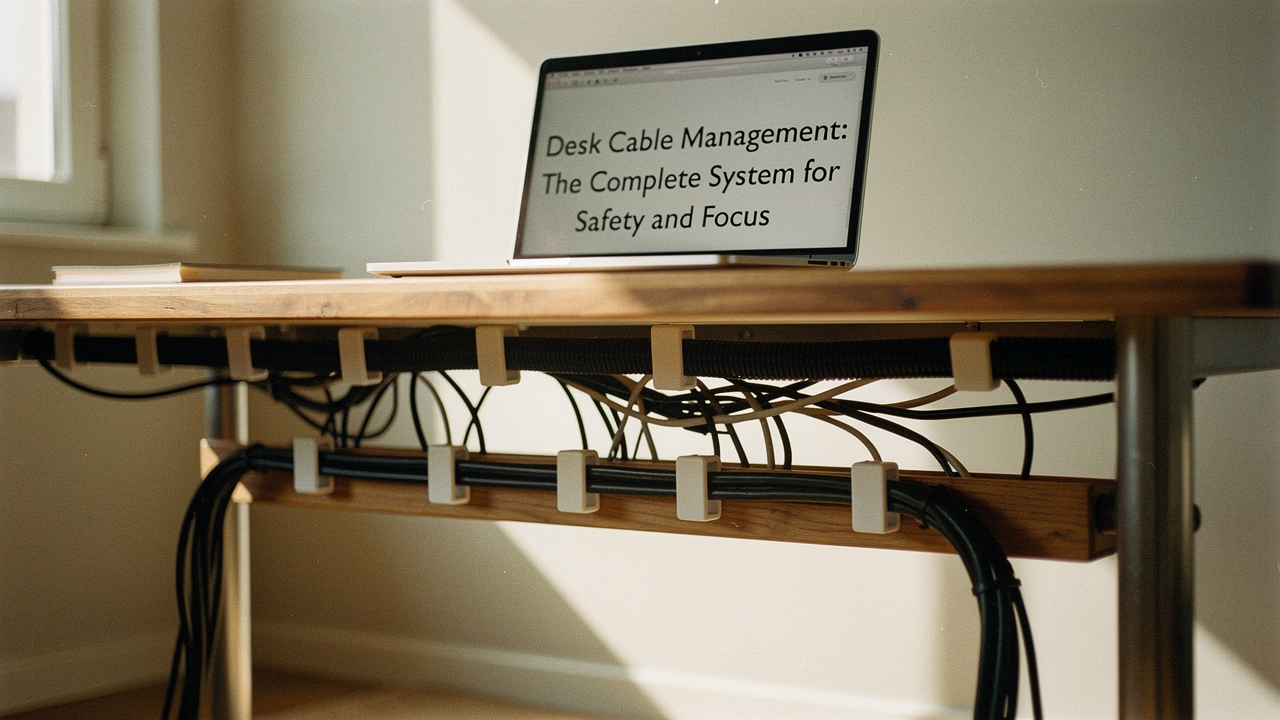
Living in Austin, I’ve learned that a “High Lifestyle ROI” isn’t about having the most expensive setup; it’s about creating an environment that actually supports your flow. Cable management isn’t just about aesthetics (though a clean desk is incredibly soothing). It’s about safety, equipment longevity, and, most importantly, mental clarity. When your physical space is organized, your brain doesn’t have to work overtime to ignore the clutter.
In this guide, we’re going to move past the “quick fixes” that fail after a week. I’m sharing an engineer-approved master system to help you audit your tech, secure your power safely, and build a routing blueprint that stays tidy even if you have a sit-stand desk.
The Hidden Cost of Wire Clutter: Why Management Matters
We often underestimate how much our environment dictates our focus. Research in environmental psychology, often cited by the American Psychological Association (APA), has shown a direct link between visual clutter and increased cortisol levels—our primary stress hormone. When your peripheral vision is filled with a tangle of wires, your brain treats it as a “to-do” list item that never gets checked off, contributing to persistent cognitive load.
Beyond the mental drain, there’s the very real issue of physical safety. According to OSHA and NIOSH guidelines, loose cables are one of the leading causes of trip-and-fall accidents in both home and corporate offices. If you have pets or small children, those “messy cables” transform from a nuisance into a genuine hazard. A proper management system ensures that your workspace is as safe as it is productive.
Step 1: The ‘Clean Slate’ Audit
Before you buy a single clip or tray, you have to know what you’re actually dealing with. I’ve found that the most common mistake people make is trying to organize cables while they are still plugged in. It’s like trying to organize a junk drawer without emptying it first.
Here is my “Clean Slate” workflow:
- Unplug Everything: Take every single cable out. Yes, even the one that’s a pain to reach.
- The 1-Year Rule: If you find a proprietary charger or a mystery USB cable you haven’t used in a year, it doesn’t belong at your desk. Label it and put it in a dedicated “tech bin” elsewhere.
- Label Both Ends: Before you plug anything back in, use a small piece of tape or a dedicated labeler to mark what the cable is and which device it belongs to. PCMag recommends this as the single most effective way to prevent future “tangle-paralysis.”
Inventory Your Power Load
Here’s where we get into the “Lifestyle ROI.” Most of us are over-plugged. Do you really need a dedicated lamp, a desk fan, a printer, and three different monitor power bricks all running into one strip? Calculate your “active” vs. “passive” tech. If you only print once a month, keep the printer elsewhere. Every cable you remove from the desk environment is a win for your sanity.
The Safety Protocol: Preventing Fire and Heat Hazards
Here is the thing about those “pretty” cable management photos you see on social media: many of them are fire hazards. As someone who obsesses over home optimization, I had to learn the hard way that hiding wires is only half the battle—you have to do it safely.
The Electrical Safety Foundation International (ESFI) warns against “daisy-chaining” power strips (plugging one strip into another) [1]. This can quickly overload a circuit and lead to electrical fires. Additionally, if you are using those popular cable management boxes to hide power bricks, you must ensure they have adequate ventilation. UL Standards & Engagement notes that power adapters generate significant heat; enclosing them in a non-vented plastic box can cause them to degrade or even ignite [2].
Perhaps most importantly, never charge lithium-ion batteries inside a closed cable box. Consumer Reports has highlighted the risks of these batteries overheating during charge cycles [3]. If you’re charging a laptop or a power bank, keep it in a spot with plenty of airflow.
The Essential Cable Management Toolkit
When you’re looking for gear, think about durability and flexibility. I prefer solutions that can grow with my setup. Avoid cheap, one-time-use zip ties—they often cut into the cable insulation (a phenomenon called “necking”) and are a nightmare to remove when you need to change a wire.
The “Big Three” Gear Categories
- Under-Desk Trays (The Foundation): These catch the heavy lifting—power strips and bulky adapters.
- Sleeves and Raceways (The Arteries): Use these to bundle cables that travel in the same direction, like the path from your PC to your monitors.
- Clips and Anchors (The Detail): These keep individual charging cables from slipping behind the desk when you unplug your phone or laptop.
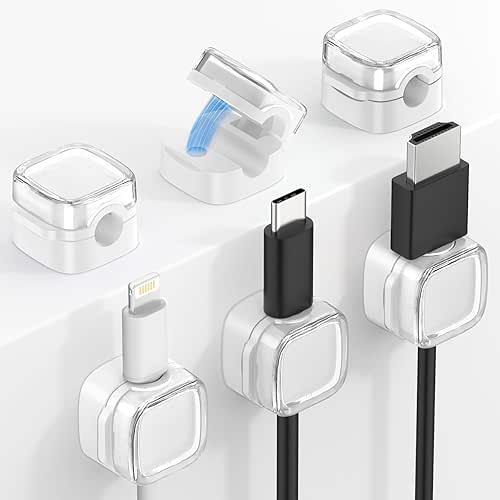
I used to rely on those tiny adhesive clips that promised to hold my phone charger in place, but they would inevitably pop off the desk within a week, leaving a sticky residue behind. I spent way too much time hunting for cables under my Austin apartment’s floorboards until I switched to a weighted, magnetic solution. It’s one of those “buy once, cry once” items that genuinely changes your daily ritual.
The real win here: Your cables stay exactly where you left them without the constant peeling of cheap adhesives.

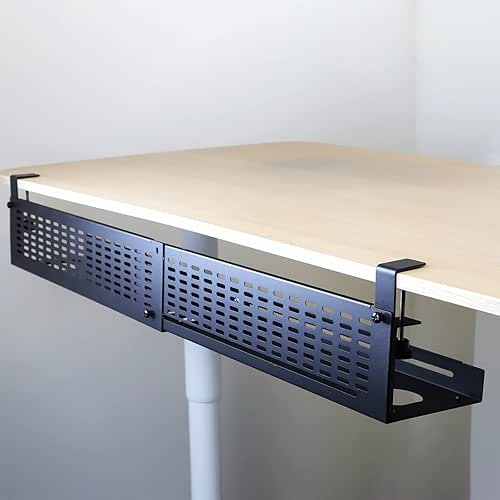
If you’re dealing with a massive “wire mess” under the desk, you need something that can handle the weight of a heavy-duty surge protector. I tried the flimsy plastic baskets first, and they sagged within months. What finally clicked for me was a steel mesh tray that allows for airflow while keeping everything off the floor.
The game-changer: A clutter-free floor that makes vacuuming (and existing) so much easier.
Scenario Blueprints: From Fixed Desks to Sit-Stand Setups
Every desk requires a different routing strategy. Here’s how I break them down based on who is using the space:
The Minimalist Remote Worker (Small Spaces)
You work from a corner of your living room and need the setup to “disappear” when you’re done.
- Essential: A high-quality tech pouch for your daily dongles and cables
- Essential: A vented cable management box to hide your single power strip
- Essential: Adhesive J-channel raceways along the back of the desk for a “invisible” look
- Pro Upgrade: A GaN multi-port charger to replace three separate power bricks
The Standing Desk Challenge: Managing the Slack
If you have a height-adjustable desk, your cable management needs to be dynamic. I’ve seen people rip their PC ports right out of the motherboard because they forgot to leave enough “slack” for the desk to go to its highest position.
The secret is the “Travel Loop.” Route all your cables to a central point on the underside of the desk (usually a tray), then run one single bundled “umbilical cord” down to the wall outlet. Use a vertical cable spine or a flexible sleeve. Before you finalize anything, move the desk to its maximum height. If any cable looks tight, add more slack. Manufacturers like Humanscale and Desky recommend leaving at least 15-20 inches of looped cable to ensure the motor doesn’t snag or pull on the wires during travel.
The Gaming Battlestation: High Density, High Heat
For my friends with dual monitors, RGB lighting, and high-powered GPUs, heat is your biggest enemy. You have high-gauge power cables that shouldn’t be tightly coiled. Use “hook-and-loop” straps (like VELCRO® Brand) instead of plastic ties. They allow the cables to breathe and are easy to adjust as you add new peripherals.
Maintenance: The 10-Minute Quarterly Reset
No system is “set it and forget it.” Tech changes. We buy new headphones, we swap out monitors, or we suddenly need a web camera for a big project. According to the National Association of Productivity & Organizing Professionals (NAPO), sustainable systems require “routine touchpoints.”
I set a calendar reminder for every three months. During this “Quarterly Reset,” I:
- Dust the Trays: Cable trays are dust magnets. A quick blast of compressed air keeps your tech cool.
- Check for “Creep”: Make sure no cables have slipped out of their sleeves or started to dangle.
- Audit the Labels: If I’ve swapped a device, I update the label immediately.
References & Safety Standards
- Electrical Safety Foundation International (ESFI). (2024). Home Office Electrical Safety. https://www.esfi.org
- UL Standards & Engagement. (2023). Thermal Safety in Consumer Electronics Enclosures. https://ul.org
- Consumer Reports. (2024). Best Cable Management Boxes: Testing for Safety and Airflow. https://www.consumerreports.org/electronics-computers/best-cable-management-boxes-a4213405927/
Disclaimer: This post contains affiliate links. Safety recommendations are based on ESFI and UL standards; always consult a licensed electrician for permanent in-wall wiring or complex electrical modifications.