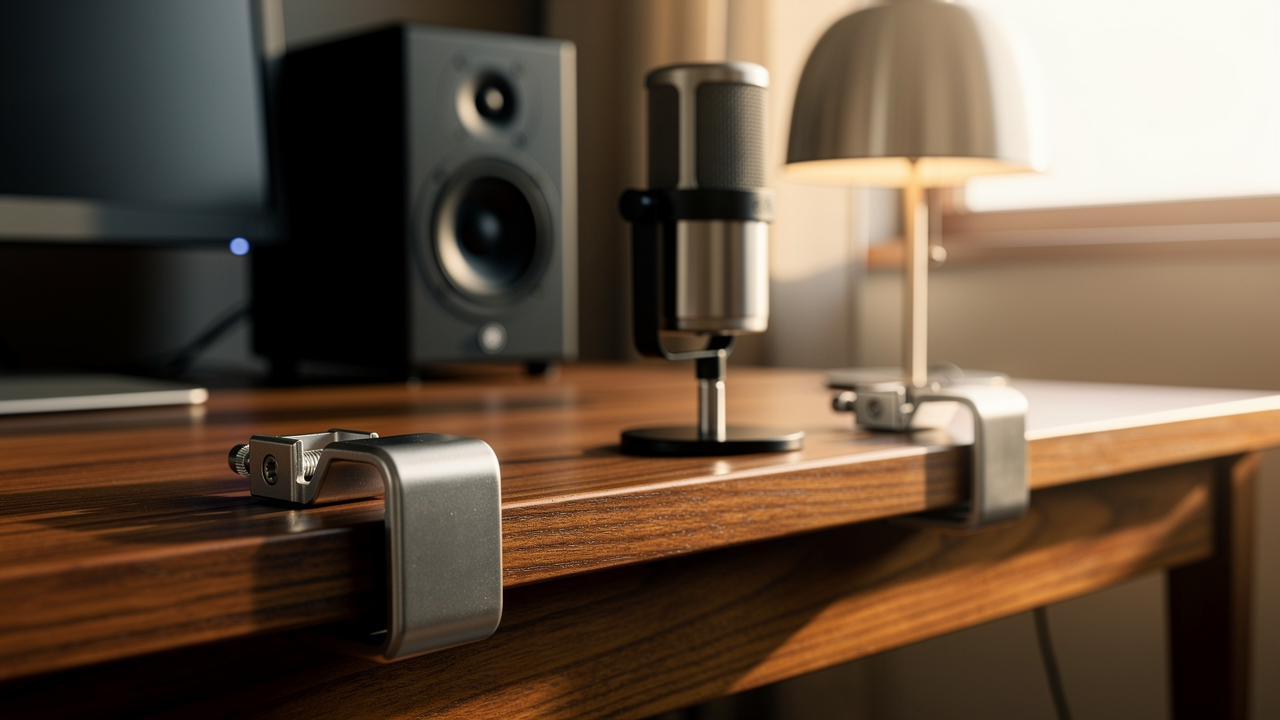
It felt like I was trying to cook a five-course meal on a cutting board. No matter how much I organized the “stuff,” the surface area itself was the problem.
That’s when I adopted what I now call the Clamp-On Commandment. Living well isn’t about having more storage; it’s about choosing better systems. By moving everything off the surface and onto the edges of the desk, I realized I could reclaim nearly 90% of my workspace. This isn’t just about aesthetics—it’s about “High Lifestyle ROI.” When your environment supports you, your focus flows better.
Here’s why I stopped buying desk trays and started clamping everything I own to the perimeter of my desk.
The Psychology of the ‘Messy Desk’: Why Tidying Isn’t Enough
If you’ve ever felt a wave of low-grade anxiety just looking at your workspace, you aren’t alone. We often blame ourselves for being “messy,” but the truth is usually a system failure, not a character flaw.
Research from the Princeton University IPA Lab found that visual clutter competes for your attention, significantly increasing stress and decreasing your ability to persist through difficult tasks. When your desk is covered in peripherals, your brain is constantly processing that “visual noise,” which eats away at your cognitive budget before you’ve even sent your first email.
I used to spend 15 minutes every morning just moving things around to make room for my laptop. What I didn’t realize was that I was suffering from “decision fatigue” before my workday even started. As the experts at Perfection Professionals point out, an organized space reduces the mental load required to simply be in that space. By clamping accessories to the desk, we create a “fixed” environment. Everything has a home that doesn’t move, which signals to your brain that it’s time to focus, not to manage a mess.
The Clamp Taxonomy: Choosing the Right Hardware for Your Desk
Before you go on a clamping spree, you need to understand that not all mounts are created equal. I learned this the hard way when I tried to attach a heavy monitor arm to a thin IKEA tabletop and heard a very distinct crack.
C-Clamps vs. F-Clamps: When to Use Each
Understanding the mechanics of your desk edge is the first step toward a secure setup.
- C-Clamps: These are the most common. They look like the letter “C” and tighten from the bottom. According to technical data from Atdec, a standard C-clamp can typically support about 16kg (35lb). They are perfect for flat, sturdy desk edges.
- F-Clamps: These have a sliding bar that allows for a much wider grip. If your desk has a decorative lip or an under-desk cable tray that prevents a C-clamp from seating deeply, an F-clamp is your best friend. They usually support around 12kg (26.5lb), but heavy-duty versions can handle up to 18kg for massive multi-monitor arrays.
- Grommet Mounts: If your desk has one of those pre-drilled circular holes for cables, you can use a grommet mount. This is the “gold standard” for stability because it bolts through the desk rather than pinching the edge.
Protecting Your Surface: Shims and Padding
Here’s a Jordan-tested tip: even the best clamps can leave a “permanent dent” in softer woods or laminate veneers. WIRED has rightly pointed out that over-tightening can lead to surface marking or discoloration over time.
I always use a small rubberized pad or a thin wooden shim between the clamp and the desk. It distributes the pressure and keeps your furniture looking pristine—which is essential for those of us who like to swap our layouts every few months.
The ‘Clamp Everything’ Ecosystem: 4 Categories of Reclaimed Space
Once you have the right hardware, the fun begins. The goal is a “floating” desk where the only thing touching the actual surface is your keyboard and mouse.
Visuals & Audio: Monitors and Speakers
I’ll be honest: I ignored monitor arms for years because I thought they looked too “office-y.” But once I saw how much space those plastic stands were stealing, I couldn’t unsee it.
I struggled for months with neck strain, constantly stacking books under my monitor to get the height right, which only added to the clutter. I finally invested in a single arm mount, and the difference was immediate. Not only did my neck pain vanish—thanks to following OSHA’s ergonomic guidelines for eye-level placement—but I suddenly had an extra two square feet of desk space.
The game-changer: A floating screen that adjusts to your posture, not the other way around.


The ‘Invisible’ Zone: Under-Desk Cable Management
Nothing kills a calm vibe faster than a “cable waterfall” cascading off the back of your desk. I used to just kick the power strip under my feet until I realized how much dust it collected.
I tried adhesive clips, but they inevitably peeled off in the Texas heat. What finally worked was a clamp-on cable management tray. I discovered that by mounting the power strip inside a tray like the IKEA Forsasong, the only wire that actually touches the floor is the one main power cord. Anker recommends a full cable audit and reorganization every 3 to 6 months to keep things from tangling, and a clamp-on tray makes that maintenance 10 times easier.
The real win here: A completely clear floor and a zero-tangle workspace.
Storage and Utility: Shelves and Hooks
You’d be surprised how many “lifestyle” items can be moved to the perimeter.
- The Minimalist Remote Worker: You only need the essentials to keep the flow.
- Essential: A clamp-on headphone hook to keep your headset off the wood.
- Essential: A clamp-on cup holder (trust me, “spill anxiety” is real).
- Pro Upgrade: A VIVO clamp-on desk shelf for your journals and a small plant.
I used to have my morning coffee sitting right next to my expensive laptop. After one too many close calls, I moved to a clamp-on holder that sits just off the edge. It feels like a small luxury, but the “Lifestyle ROI” of not ruining your MacBook is massive.
Troubleshooting Tricky Desks: Bevels, Glass, and Standing Desks
I often hear from readers who say, “Jordan, I want to do this, but my desk has a weird edge!”
Here’s the thing about tricky desks: there is almost always a workaround. If you have a beveled or curved edge, community members on r/Ergonomics suggest using a “leveling shim”—basically a small piece of wood cut to match the angle of the bevel so the clamp has a flat surface to grip.
However, there is one non-negotiable: Glass desks.
Please, do not clamp a heavy monitor arm directly to a glass top. The concentrated pressure can cause the entire pane to shatter. If you must use a glass desk, look for reinforcement plates that spread the load, or better yet, stick to very lightweight accessories like a clamp-on ring light or a microphone arm.
For standing desks, clamping isn’t just a suggestion; it’s a necessity. When your desk moves up and down, anything that isn’t secured is a liability. By clamping your gear, you ensure nothing topples over during the transition.
The 10-Minute Reset: Maintaining Your Clutter-Free ROI
Even with the best clamping system, “accessory creep” is real. I follow a rule from Home Storage Solutions 101: physical limits are your best friend. If my clamp-on shelf is full, I’m not allowed to add a new gadget unless something else leaves.
I also schedule a “Weekly Cleaning Appointment” every Friday afternoon, a habit I picked up from DeskChair Workspace. I wipe down the surfaces, check that my clamps haven’t loosened (vibrations from typing can occasionally do this), and tidy any wayward cables.
Creating a calm, intentional space isn’t a one-time event; it’s a practice. But when you move the “infrastructure” of your work—the monitors, the power strips, the speakers—to the edges, the daily maintenance becomes effortless.
Clamping isn’t just about storage. It’s about defining the boundaries of your workspace so you have the freedom to think, create, and breathe. Start with one clamp—maybe a monitor arm or a simple headphone hook—and I promise you’ll feel the weight lift off your desk (and your mind) immediately.
Share your before-and-after “clamped” setup with us on social—tag @BestGoodsForGoodLife!
Suggested Disclaimer: Always check your desk’s weight capacity and material (e.g., hollow-core vs. solid wood) before attaching heavy clamp-on accessories. Some lightweight desks may require reinforcement plates.
References
- DeskChair Workspace. (2024). Messy Desk Organization Tips for Productivity.
- Princeton University IPA Lab. (2011). Interactions of Top-Down and Bottom-Up Mechanisms in Human Visual Cortex.
- Atdec. (2023). Desk Clamps and the Best Option for You.
- WIRED. (2022). You Should Be Mounting Everything on Your Desk.
- OSHA. (2023). Computer Workstations eTool: Components – Monitors.
- Anker. (2023). Cable Management Hacks for a Minimalist Desk Setup.
- r/Ergonomics. (2024). Community Discussion: Clamping to Beveled Desk Edges.
- Home Storage Solutions 101. (2024). Decluttering Your Accessories: The Physical Limits Rule.