=
Instead, I found myself standing perfectly still on the trail, scrolling through my Slack notifications. I had bypassed my “Screen Time” limit for the third time that morning. Click, click, “Ignore Limit for 15 Minutes.” We’ve all been there, haven’t we? That little button is the ultimate enabler.
Here’s the thing: I’m a lifestyle curator. My whole brand, Best Goods for Good Life, is built on the idea of “High Lifestyle ROI.” I spend my days researching products that make life smoother, yet here I was, let down by the very device meant to make me “efficient.” I realized that software-based screen time reduction is like putting a paper lock on a fridge when you’re hungry—it’s too easy to tear through.
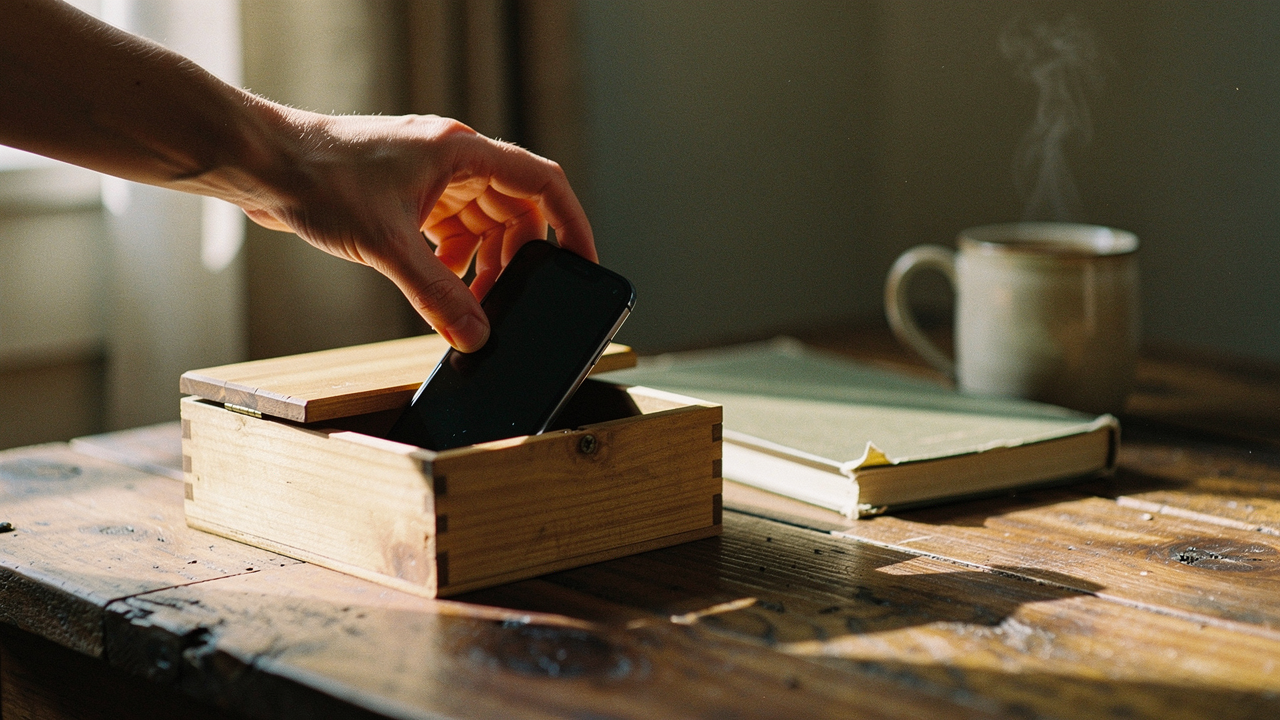
What I needed wasn’t another app; I needed a physical barrier. I needed “Physical Friction.” Since making that shift, I’ve cut my mindless scrolling by 50%, and for the first time in years, I actually feel in control of my digital life.
Why Software Limits Fail: The ‘Ignore Limit’ Paradox
We’ve been told for years that the answer to digital distraction lies within the phone itself. We set the timers, we toggle the “Digital Wellbeing” switches, and we promise ourselves we’ll stop when the screen turns gray. But research shows that these software-only nudges are often fundamentally flawed for the modern brain.
A study from the University of Michigan found that timed lockouts—the kind that pop up and say “You’ve reached your limit”—can paradoxically increase phone usage in some cases [1]. Why? Because those override notifications actually remind you that the app is there, tempting you to click “One More Minute” just to finish one last thought. It becomes a game of “beat the clock” rather than a true habit change.
Even worse is the “mere presence” effect. Researchers have found that even if your phone is turned off and face down on the table, its physical presence significantly reduces your “available cognitive capacity”—essentially making you slightly dumber just by being in the room [2]. My Austin apartment is small and intentional, but if my phone is on the kitchen counter while I’m trying to read, part of my brain is always “waiting” for it to buzz. Software can’t fix that. Physical distance can.
The Physical Solution: How the ‘Brick’ Changed My Habits
I’ll be honest: I was skeptical about buying a piece of plastic just to keep me off my phone. I’d tried the “phone in the other room” trick, but I’d always find a reason to wander back into the kitchen to “check the weather.” I needed something more definitive.
I remember sitting at my desk, staring at a mountain of work and feeling that itch to check Instagram every three minutes. I had tried every app blocker on the market, but my thumb knew the bypass code by heart. I felt like I was losing the battle for my own attention until I discovered the concept of a “hard” commitment device. I wanted something that would make it physically impossible to get back into my distracting apps without a conscious, high-effort action.
That’s when I started using the Brick. It’s a small, elegant NFC fob that stays in one spot—usually on my entryway table or hidden in a drawer. You “Brick” your phone by tapping it to the fob, which instantly hides all your chosen “distraction” apps. They aren’t just blocked; they’re gone from your home screen. To get them back, you have to physically walk over to the fob and tap it again.
Micro-Verdict: The ultimate “High Lifestyle ROI” tool for reclaiming deep focus through un-hackable physical friction.
The Friction-First Framework: Science of Commitment Devices
This works because it utilizes what behavioral economists like Richard Thaler call “choice architecture” [3]. By adding a physical step—walking across the room—you break the dopamine loop. That 10-second walk is just enough time for your prefrontal cortex to wake up and ask, “Do I really need to check LinkedIn right now?” Most of the time, the answer is no.
DIY Physical Barriers: NFC Tags and Lockboxes
If you’re not ready to commit to a dedicated device, you can actually build your own version of phone usage control using tools you might already have. The goal is to make the phone “slightly more annoying” to use, which research suggests is up to 16% more effective at reducing screen time than hard software lockouts [1].
Physical Friction Methods for Every Lifestyle
Depending on your level of “scroll-addiction,” here is how I suggest setting up your space:
- The Entryway “Landing Strip”: Use a dedicated tray or charging station in a room you don’t spend time in. The rule: when you walk through the door, the phone stays there.
- Generic NFC Tags: You can buy a pack of 10 NFC tags for under $15. Using iOS Shortcuts or Android automation, you can program a tag to turn on “Do Not Disturb” and open a focus app only when your phone is physically touching the tag.
- The Timed Lockbox: For those “deep work” Sunday resets, a timed kitchen safe is a game-changer. You put the phone in, set the timer for two hours, and it physically will not open.
Is Your Phone Use ‘Excessive’? The Clinical Side of Scrolling
It’s easy to joke about being “addicted” to our phones, but the data is starting to show a more sobering reality. When we talk about excessive screen time, we aren’t just talking about wasted hours; we’re talking about a measurable impact on our mental health.
Recent data published in Nature shows that for children and adolescents, daily screen time exceeding four hours is consistently linked to higher rates of anxiety, depression, and ADHD-like symptoms [4]. For adults, the CDC has highlighted that high device usage is a massive disruptor of sleep and physical activity, with those overusing devices having a significantly higher prevalence of depression symptoms—nearly 2.5 times higher than light users [5].
If you find that you cannot put the phone down even when it’s causing problems in your relationships or work, you might be dealing with “problematic smartphone use.” While tools like the Brick are incredible for productivity, they aren’t a replacement for professional help. If the “digital detox” feels physically painful or causes extreme distress, speaking with a therapist who specializes in Cognitive Behavioral Therapy (CBT) is the gold standard for long-term recovery.
A 3-Step Blueprint for Sustainable Digital Wellness
If you want to move from “constantly distracted” to “intentionally connected,” here is the routine I use in my own Austin home. It’s not about quitting tech—it’s about regaining your agency.
Step 1: The Notification Audit (Remove the Trigger)
Go into your settings and turn off every notification that isn’t from a human. News alerts, shopping “drops,” and social media “likes” are all designed to pull you back into the screen. If it’s not a text or a call from a real person, you don’t need a buzz in your pocket.
Step 2: Implementing Environmental Design (The Barrier)
Decide where your “No-Phone Zones” are. For me, it’s the bedroom and the dining table. Use a physical barrier—whether it’s a Brick fob, an NFC tag, or just a drawer in the hallway—to ensure the phone stays out of these sacred spaces.
Step 3: Replacing the Habit (The Sourdough Rule)
I always tell my friends: “You can’t just take something away; you have to put something back.” When I stopped scrolling for two hours every evening, I suddenly had all this “empty” time. This is when I rediscovered my love for sourdough baking and long evening walks. Find a physical hobby that requires your hands. You can’t scroll if your hands are covered in flour or you’re holding a trekking pole.
Comparing the Top Tools for 2026
To help you decide which path is right for your “Good Life” journey, I’ve broken down the most effective screen time management tools currently available.
Digital Wellness Tool Comparison
- The Brick (Physical): Best for people who “ignore” app limits. High friction, high success rate. $ (One-time purchase).
- Opal (App): Best for remote workers who need granular blocking during work hours. Uses a VPN-based block that is much harder to bypass than iOS Screen Time. $$ (Subscription).
- Forest (App/Gamified): Best for students or those who want a “soft” nudge. You plant a virtual tree that dies if you leave the app. $ (One-time).
- Generic NFC Tags (DIY): Best for the tech-savvy minimalist who wants to build their own custom automation. (Cheap/DIY).
What I’ve learned is that digital wellness isn’t a destination; it’s a practice. It’s about choosing a lifestyle ROI that favors your real-world experiences over your digital ones. By using a physical barrier, I didn’t just limit my screen time—I expanded my life.
I’d love to hear from you: What’s the one app you can’t seem to quit, and what would your life look like if you had two extra hours a day back?
Disclaimer: The information provided in this article is for educational and informational purposes only. While physical barriers can assist with managing problematic smartphone use, they are not a substitute for professional medical advice, diagnosis, or treatment. If you feel you are struggling with a clinical addiction or significant mental health challenges, please consult a licensed mental health professional or physician.
References & Scientific Citations
- University of Michigan Engineering. (2024). Managing screen time by making phones slightly more annoying to use. Source
- Ward, A. F., Duke, K., Gneezy, A., & Bos, M. W. (2017). Brain Drain: The Mere Presence of One’s Own Smartphone Reduces Available Cognitive Capacity. Journal of the Association for Consumer Research.
- Thaler, R. H., & Sunstein, C. R. (2008). Nudge: Improving Decisions About Health, Wealth, and Happiness. Yale University Press.
- Nature Humanities and Social Sciences Communications. (2024). Excessive screen time and mental health in US children and adolescents. Source
- CDC / Preventing Chronic Disease. (2025). Teen screen time and associated health outcomes: National surveillance data. Source
- Olson, J. A., et al. (2022). Nudges to reduce smartphone use: A large-scale field experiment. HealthyScreens Research Group.