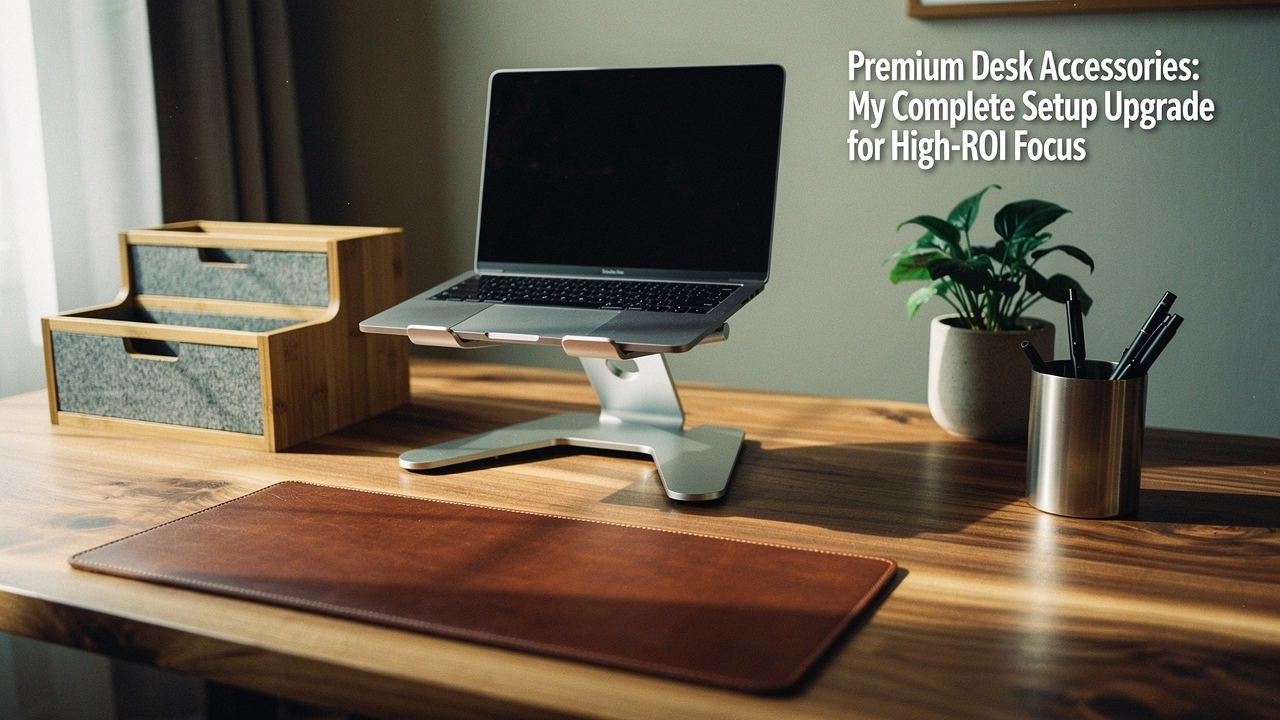
I realized that if I was going to spend 40+ hours a week in this square footage, I needed to treat it with the same intention I give my Sunday sourdough ritual or my favorite hiking trails. I started looking for what I call “High Lifestyle ROI” products—items where the quality, design, and ergonomics actually pay you back in focus and health.
Research backs this up, too. According to a Steelcase workplace study, visual clutter and poorly organized workstations can reduce your focus time by as much as 10–15% [4]. When I finally decided to upgrade, I didn’t just want “luxury” for the sake of a price tag; I wanted a space that felt like a sanctuary for deep work.
The High-ROI Workspace: Why “Premium” Matters
When we talk about premium desk accessories, it’s easy to get caught up in the aesthetics. Yes, they look beautiful on a Zoom call, but the real value is in the build quality and the “Good Life Test”: Does it solve a real problem, and is it built to last?
Premium brands often use solid hardwoods, full-grain leathers, and heavy-gauge metals instead of the plastic and veneers found in big-box stores. Consumer surveys show that many professionals are willing to pay a 20–40% premium for products that are more durable and better designed. It’s the difference between buying a monitor stand once every decade or replacing a sagging plastic one every two years.
Beyond the materials, there is the standard of performance. Industry benchmarks, like those from BIFMA (Business and Institutional Furniture Manufacturers Association), ensure that high-end office gear can withstand the rigors of daily professional use [2]. Investing in quality isn’t just about vanity; it’s about reducing the friction in your daily routine so everything flows better.
Phase 1: Solving the Ergonomic Gap
I used to end my days with a dull ache right between my shoulder blades. I assumed it was just “part of the job,” but it was actually a classic ergonomics failure. Most of us have our monitors far too low, forcing our necks into a perpetual downward tilt.
The Journal of Physical Therapy Science notes that proper monitor height can reduce neck and shoulder discomfort by 20–30% [3]. OSHA guidelines also emphasize that your monitor should be at or slightly below eye level to maintain a neutral spine [1]. This was the first “pain” I had to solve.
I’ll admit it—I was skeptical at first about spending a significant amount on something as simple as a monitor stand. I tried the “stack of books” method, but it looked messy and lacked stability. Then I tried a cheap metal riser, but it vibrated every time I typed. What finally clicked for me was moving toward a piece of furniture-grade equipment that actually integrated with my workflow.
The Grovemade Wood Monitor Stand was the shift I needed. It’s crafted from solid hardwood and can support up to 200 lbs, meaning it doesn’t budge. More importantly, it created a dedicated “shelf” for my setup, allowing me to tuck my keyboard underneath when I need space for journaling or sketching.
Micro-Verdict: The ultimate posture-saver that turns your monitor into a focal point rather than a strain.
Phase 2: Defeating the “Cluttered Workspace” Syndrome
There’s a specific kind of mental fog that comes from a messy desk. The Princeton Neuroscience Institute found that physical clutter competes for your attention, leading to increased stress and decreased performance [5]. If you’ve ever felt “stuck” on a project while staring at a pile of loose pens and tangled charging cords, you know exactly what I mean.
To fix this, I looked toward professional organizing frameworks. The 80/20 rule, often used by NAPO (National Association of Productivity & Organizing Professionals), suggests that we use 20% of our tools 80% of the time. The goal is to keep that 20% within arm’s reach while “zoning” the rest of the desk to eliminate visual noise.
Here is how I’ve segmented my setup to keep it professionally organized:
- The Focus Zone: My laptop, monitor, and primary input devices.
- The Utility Zone: A single, high-quality tray for my daily-use pen, notebook, and phone.
- The Storage Zone: Under-desk drawers for items I only need once or twice a week.
One of the biggest hurdles was the “stationery scatter.” I have a habit of picking up pens and leaving them wherever they land. I tried various plastic drawer inserts, but they always slid around and felt flimsy. I needed a system that felt intentional.
I eventually discovered the Ugmonk Gather System. It’s a modular organizer that uses magnets to keep everything—from your phone to your Post-its—exactly where you want them. It’s incredibly satisfying to have a dedicated “home” for the small things that usually create chaos.
Micro-Verdict: A modular masterpiece that ends the “where’s my pen?” search forever.
Phase 3: The Tactile Upgrade (Materials & Aesthetics)
If ergonomics is about your body and organization is about your mind, then aesthetics is about your soul. A “boring desk setup” isn’t just a visual problem; it’s a motivation killer.
I’m a big believer in biophilic design—the practice of bringing natural elements into our indoor spaces to reduce cortisol and boost creativity. This is why I prefer wool felt or leather over synthetic materials. A high-quality desk mat, for instance, provides a tactile “anchor” for your workspace. It defines the area where work happens.
When choosing materials, look for quality markers like the Leather Working Group (LWG) certification, which ensures the leather is sourced and processed sustainably.
Lighting is the other half of the aesthetic equation. Cornell University’s Human Factors and Ergonomics Lab found that proper task lighting can significantly reduce eye strain and musculoskeletal discomfort [6]. Instead of relying on harsh overhead lights, a dedicated desk lamp with a warm temperature creates a “cozy” atmosphere that makes you actually want to sit down and work.
Recommended Persona Loadouts
Depending on how you work, your “premium” needs might look a little different. Here are two ways to curate your space:
The Minimalist Remote Worker (Small Spaces)
If you’re working from a corner of your living room, you need high-impact items that don’t take up much visual real estate.
- Essential: A high-quality wool felt desk mat to protect your table and dampen sound.
- Essential: A compact, foldable laptop stand to ensure ergonomics without the bulk.
- Essential: A single, premium USB-C hub to keep all your connections hidden.
- Pro Upgrade: A small desk shelf to create vertical storage for your notebook.
The Power User (Executive Setup)
For those who spend 10+ hours a day at the helm and need maximum efficiency and presence.
- Essential: A large, solid wood monitor riser for dual screens.
- Essential: A premium leather desk mat for a sophisticated, professional look.
- Essential: A heavy-duty monitor arm for precise screen positioning.
- Pro Upgrade: An integrated cable management tray that hides every single wire from view.
Comparison: Splurge vs. Save
Here’s the thing: you don’t always have to buy the most expensive option. After 30 days of testing, here is where I found the luxury was worth it and where you can get away with a mid-range alternative.
| Accessory Type | When to Splurge (Premium) | When to Save (Mid-Range) |
|---|---|---|
| Monitor Stand | If you want solid wood, heavy weight capacity, and integrated storage. | If you just need height and don’t mind a metal or plastic finish. |
| Desk Mat | If you want natural materials like wool or full-grain leather that patinas. | If you just need a surface and are okay with synthetic “vegan” leather. |
| Cable Mgmt | If you want a hidden, “floating” look with high-grade metal trays. | If your cables are already tucked behind a wall or under the desk. |
| Desk Lamp | If you need adjustable color temperatures and high-CRI (color accuracy) light. | If you just need basic illumination for reading papers. |
The Phased Upgrade Roadmap
You don’t need to buy a whole new office today. In fact, I recommend a phased approach so you can feel the ROI of each piece as you add it.
- Month 1: The Health Audit. Fix your ergonomics first. Get your monitor at eye level. This has the immediate benefit of reducing physical fatigue.
- Month 2: The Focus Cleanse. Tackle the clutter. Invest in a cable management system or a modular organizer.
- Month 3: The Tactile Finish. Add the desk mat, the task lighting, and the plants. This is where you turn the “office” into a space you truly love.
Investing in your workspace is a gift to your future self. When your environment supports you, everything else—the sourdough, the hiking, the deep work—just flows a little better.
Which part of your setup is the biggest “drag” right now? Let me know in the comments, or check out my video review for the full walkthrough of these pieces in action.
Affiliate Disclosure: This post contains links to products I use and recommend. Personal testing and research were conducted over a 30-day period in my Austin home office to ensure these recommendations meet the “Good Life Test.”
References & Scientific Sources
- OSHA. (2024). Computer Workstations eTool. Occupational Safety and Health Administration. https://www.osha.gov/etools/computer-workstations
- BIFMA. (2023). Safety and Performance Standards for Office Furniture. Business and Institutional Furniture Manufacturers Association.
- Journal of Physical Therapy Science. (2022). “Impact of Monitor Height on Cervical Spine Alignment and Muscle Fatigue.”
- Steelcase. (2022). “The Impact of Workplace Design on Focus and Productivity.” https://www.steelcase.com/research/articles/
- Princeton Neuroscience Institute. (2011). “Interactions of Top-Down and Bottom-Up Mechanisms in Human Visual Cortex.” (The “Clutter Study”).
- Cornell University Ergonomics Web. (2023). “Lighting and Human Performance in the Workplace.” Human Factors and Ergonomics Laboratory.