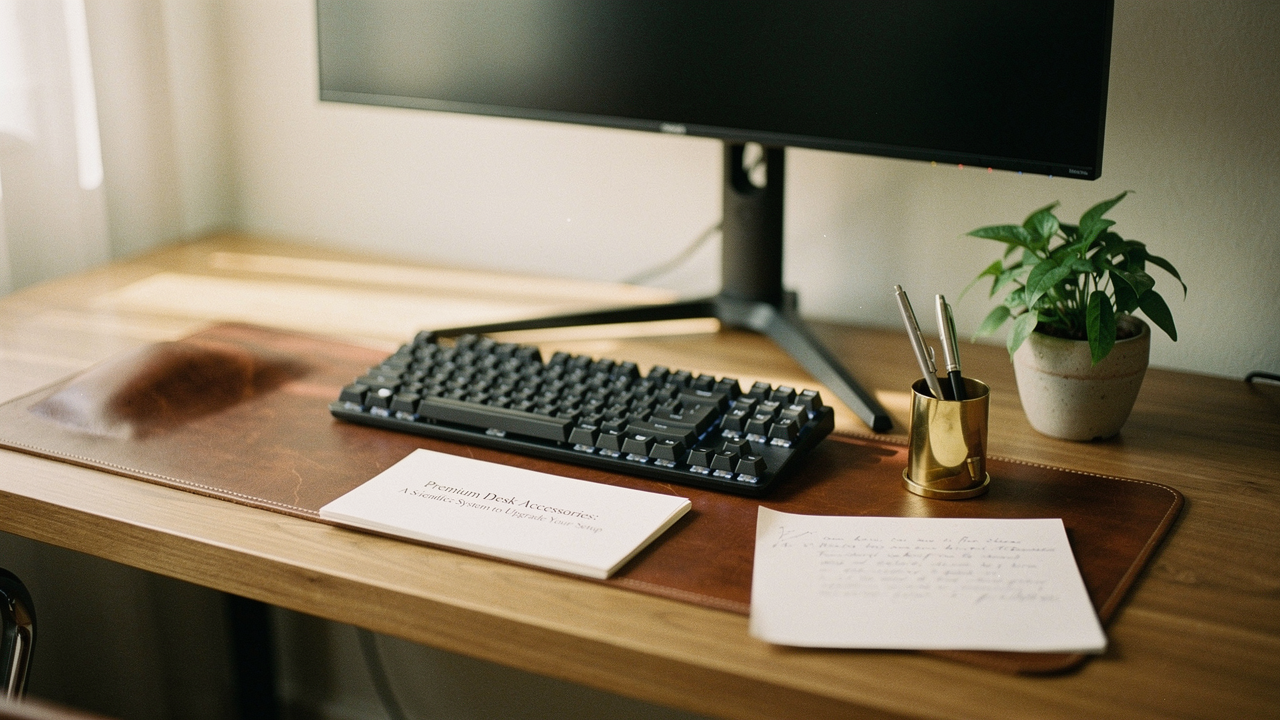
It was 3:15 PM on a Tuesday, and I was staring at my monitor in my Austin home office, completely paralyzed. Outside, the Texas sun was beating down, but inside, I was drowning in a different kind of heat: the sheer friction of a cluttered desk setup. Between the tangled charging cables, the stack of half-finished sourdough recipes, and a monitor height that had my neck screaming, I realized my workspace wasn’t supporting me—it was actively draining my battery.
Here’s the thing I’ve learned after a decade in digital wellness: your desk is a tool for thought, not just a flat surface for a laptop. When we talk about premium desk accessories, we aren’t just talking about “expensive stuff.” We’re talking about items with a High Lifestyle ROI—those thoughtfully designed pieces that remove the micro-frustrations of your day so you can actually get into a state of flow.
If you’ve ever felt like your unorganized workspace is the reason you’re procrastinating, you’re not imagining it. Today, I’m walking you through my “Workspace Hierarchy of Needs.” It’s a scientific, step-by-step system to engineer a setup that feels as good as it looks.
The Hidden Cost of a Low-Productivity Desk
We often treat a messy desk as a personal failing, but there’s a real cognitive price to pay for environmental chaos. Research published in the Journal of Environmental Psychology suggests that visual clutter doesn’t just sit there; it competes for your attention, increasing cognitive load and spiking stress levels [1].
When your brain has to constantly “filter out” the tangled mess of wires or the pile of mail, you have less energy for the work that actually matters. This is why a low productivity desk often leads to that mid-afternoon burnout. It’s not just about aesthetics; it’s about mental real estate. In fact, studies analyzed by the Harvard Business Review indicate that professionals who have control over their workspace environment can see productivity gains of 10% to 30% [2].
Visual Noise and Your Brain: Why Clutter Kills Focus
Every object in your field of vision is a “notification” for your brain. That random pen that doesn’t work? A micro-distraction. The laptop charger that keeps sliding off the back of the desk? A context-switching cost. When we move toward workspace accessories that are purposefully chosen, we’re essentially turning off those environmental notifications. It allows your nervous system to settle, which is where true focus begins.
The Workspace Hierarchy of Needs: Where to Invest First
I’m an optimization geek at heart, and I hate seeing people waste money. Don’t go out and buy a $200 hand-stitched leather desk mat if your monitor is sitting on a stack of old textbooks. We have to build from the ground up.
Before you buy anything, run through this quick self-assessment to see where your “Hierarchy of Needs” is currently failing:
- The Foundation: Is your monitor at eye level? Do your wrists feel neutral when typing?
- The Environment: Is your lighting causing eye strain or glare?
- The Order: Do your essential tools (pens, notebooks, phone) have a dedicated “home”?
- The Flow: Do you have a physical system for managing “inbound” papers and digital distractions?
- The Identity: Does the space actually spark joy and reflect your personal style?
Phase 1: The Foundation (Ergonomics as a Premium Standard)
If you’re struggling with a cluttered desk setup, the best first step isn’t a tray—it’s clearing the “floor” of your desk. By lifting your equipment, you create “negative space” that immediately makes the desk feel larger. Occupational health research from NIOSH has shown that proper ergonomic interventions can reduce physical discomfort by 20% to 60% [3].
Monitor Arms and Laptop Stands
For the longest time, I just dealt with the “tech neck” that comes from hunching over a 14-inch screen. I tried various cheap risers, but they were either wobbly or took up way too much desk real estate, which only added to my frustration. What finally changed the game for me was moving to a dedicated arm that allowed me to float my screen exactly where my eyes naturally rested. The difference in my posture was almost immediate, and it cleared up about 20% of my actual desk surface.
Micro-Verdict: The ultimate “space-maker” that saves your neck and your surface area.


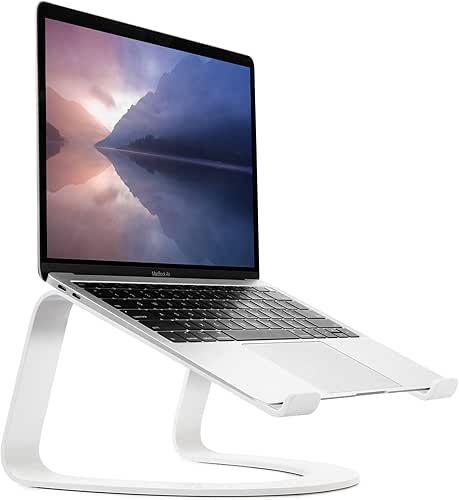
If you’re a laptop-only worker, you know the struggle of the “laptop-on-the-table” slouch. I spent years propping my MacBook on coffee table books, but it always looked messy and felt unstable. I eventually invested in a solid aluminum stand that matched the aesthetic of my machine. It’s built to last a lifetime, and it brings the camera to eye level for all those Austin-to-London Zoom calls without taking up a massive footprint.
Micro-Verdict: A minimalist essential for perfect posture and better video call angles.
Task Lighting for Sustained Focus
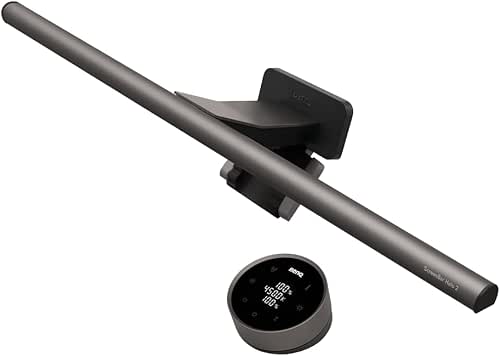
Let me be honest: I ignored lighting for years. I thought the overhead apartment lights were “fine” until I started getting headaches every day at 4 PM. I realized I was squinting at my keyboard because of the shadows. I looked into light bars that clip onto the monitor because I didn’t want another lamp base taking up space. Finding a high-end version with adjustable color temperatures changed everything—I use warm light for evening journaling and a crisp, cool white for deep-work mornings.
Micro-Verdict: Eliminates eye strain and screen glare without stealing desk space.
Phase 2: Organization (Premium Materials for Mental Clarity)
Once the foundation is set, we move to organization. The goal here is the “Sort-Edit-Zone-Maintain” framework advocated by the National Association of Productivity & Organizing Professionals (NAPO) [5]. We want to create “zones” for your work. This is where premium desk accessories for organization really shine. Why premium? Because materials like solid walnut, heavy aluminum, and full-grain leather stay put. They don’t slide around when you reach for a pen, and they develop a patina over time that feels personal.
The Anchor: Premium Desk Mats
I used to think desk mats were just for gamers or “aesthetic” Instagram photos. Then I noticed my wrists were always cold against my desk, and my mouse kept catching on tiny imperfections in the wood. I tried a cheap plastic mat, but it smelled like chemicals and curled at the edges within a month. I switched to a heavy, natural wool felt pad, and it transformed the “hand-feel” of my workspace. It defines the “work zone” and provides a soft, warm place for my hands to rest during long writing sessions.
Micro-Verdict: Defines your workspace while adding a layer of tactile comfort.
If you’re worried about spills (I see you, fellow coffee lovers) or want something that feels a bit more executive, I found that a high-quality leather mat is the way to go. It’s much easier to wipe down than felt, and it actually looks better as it ages. It’s the kind of “buy it once” item that anchors the whole setup and makes it feel professional.
Micro-Verdict: The most durable, sophisticated foundation for a high-end setup.
Cable Management: The Final Boss
You know that feeling when you’ve finally cleaned your desk, but there’s still a “rat’s nest” of wires peeking out from behind the monitor? It was my daily reality until I decided to stop using tape and plastic zip ties. I wanted something that felt like a piece of furniture, not a hardware store solution. I found a modular system that uses weighted blocks to keep cables from falling off the desk. It’s heavy enough that it doesn’t move when I unplug my phone, which is a small but huge win for my daily sanity.
Micro-Verdict: Turns cable chaos into a clean, intentional design element.
Phase 3: Deep Work and Focus (The High-End Extras)
In a world of digital pings, your desk needs to be a sanctuary for “Deep Work.” This is a concept popularized by Cal Newport, and it relies on reducing “digital friction” [4]. Sometimes, the best high-end desk accessories for focus are actually analog.
Analog Focus Tools
I’ll admit it—I’m a sucker for a good notebook. But there’s a scientific reason for it: writing by hand engages different parts of your brain than typing. I struggled to stay focused when my “to-do list” lived in a browser tab next to my email. I started keeping a premium, cloth-bound notebook strictly for my daily “Top 3” tasks. It stays open on my desk all day. When I get distracted, I look down at the physical paper, and it pulls me back into the task at hand.
Micro-Verdict: The ultimate “distraction-free” tool for planning and brainstorming.
Curated Persona Loadouts
To help you decide which path to take, I’ve put together these “Persona Loadouts.” Think of these as your starter kits for a desk setup upgrade.
The Minimalist Remote Worker (Small Spaces)
You work from a corner of your living room or a small studio apartment. Every inch counts.
- Essential: A high-quality laptop stand to reclaim the desk surface underneath.
- Essential: A compact, dual-sided desk mat to define your work zone.
- Essential: A magnetic cable block to keep your single charging cable in place.
- Pro Upgrade: A monitor light bar to eliminate the need for a bulky desk lamp.
The Creative Power User
You have multiple monitors, a tablet, and various peripherals. You need organization that scales.
- Essential: Heavy-duty monitor arms to float your screens.
- Essential: An extra-large desk pad to cover your entire keyboard and mouse area.
- Essential: A modular desk organizer system (like walnut or aluminum trays) for your tools.
- Pro Upgrade: A premium thunderbolt dock to hide the “cable nest” under the desk.
The Durability & Trust Scorecard: Is it Worth the Money?
Here’s the Jordan Miller “Good Life Test” applied to these products. When you’re looking at workspace accessories, use this rubric to decide if the “premium” price tag is earned:
- Material Integrity: Is it solid wood or a veneer? Is it milled aluminum or plastic painted to look like metal? Solid materials last decades; the rest ends up in a landfill.
- Repairability & Warranty: Does the company offer replacement parts? A high-end monitor arm should have a 10-year warranty, not 12 months.
- Patina Potential: Will this item look better or worse in three years? Full-grain leather and solid wood age beautifully. Plastic just gets scratched and dull.
- Tactile ROI: Does it feel good to touch? Since you’re touching these items for 8+ hours a day, the “hand-feel” matters for your overall mood and comfort.
Making Every Day a Little Better
At the end of the day, upgrading your desk setup isn’t about showing off on social media. It’s about creating a space that respects your work. When you remove the physical friction—the neck pain, the clutter, the poor lighting—you’re telling your brain that your focus is valuable.
What’s the one item currently causing the most friction on your desk right now? Is it a wobbly monitor? A messy drawer? Start there. You don’t need to change everything at once. Pick one item that offers the highest Lifestyle ROI and see how it changes your tomorrow.
If you need a hand prioritizing your setup or want to show off your new “flow,” tag me in your setup photos on Instagram or drop a comment below. I’d love to see what you’re building.
Disclaimers: This guide includes affiliate links. If you purchase through these links, I may earn a small commission at no extra cost to you. I only recommend products that pass my “High Lifestyle ROI” test for durability, aesthetics, and functional value.
References
- McMains, S., & Kastner, S. (2011). Interactions of Top-Down and Bottom-Up Mechanisms in Human Visual Cortex. Journal of Neuroscience, (Reference for the impact of visual clutter on cognitive load).
- Knight, C., & Haslam, S. A. (2010). The Relative Merits of Lean, Enriched, and Empowered Offices. Journal of Experimental Psychology: Applied. (Cited via HBR regarding productivity gains in controlled environments).
- National Institute for Occupational Safety and Health (NIOSH). (Various). Ergonomic Interventions in the Workplace. https://www.cdc.gov/niosh/topics/ergonomics/
- Newport, C. (2016). Deep Work: Rules for Focused Success in a Distracted World. Grand Central Publishing.
- National Association of Productivity & Organizing Professionals (NAPO). Organizing and Productivity Frameworks. https://www.napo.net