=
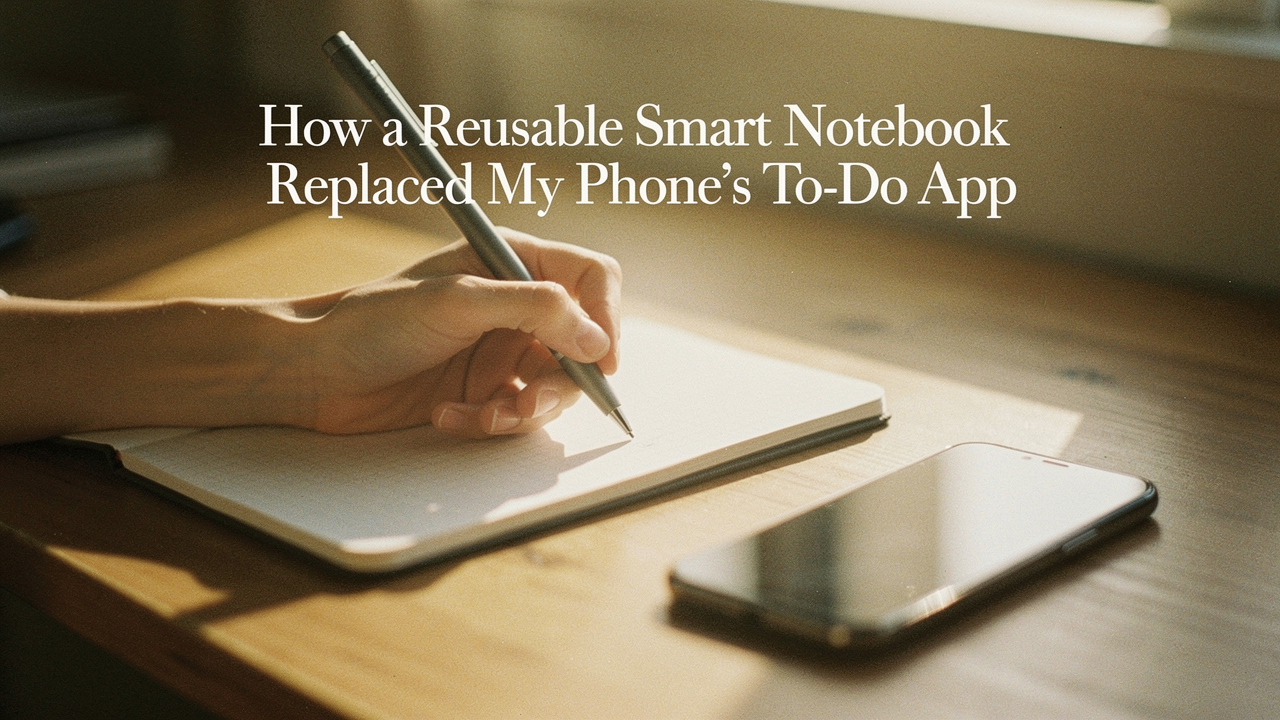
It’s what I call the “Productivity Paradox.” We use our phones to stay organized, but the very device we use for order is the greatest source of chaos in our lives. Between the phantom vibrations in my pocket and the constant pull of notifications, my deep work sessions were nonexistent. I needed a way to get my brain onto paper without losing the convenience of digital searchability. That’s when I discovered the concept of a “High Lifestyle ROI” tool that changed everything: the reusable smart notebook. This isn’t just about being a Luddite; it’s about building a behavioral shield that lets you think clearly again.
The Digital Task Trap: Why Your To-Do App is Killing Your Focus
We’ve all been there. You’re in the middle of a focused morning—maybe you’ve just finished your yoga and settled in with a fresh pour-over—and you open your phone to add a task. In that split second, you see a red bubble on Instagram or a Slack message from a client. Your focus is gone.
Here’s the thing: research shows that the mere presence of your smartphone, even if it’s turned off and face down on the table, significantly impairs your cognitive capacity [2]. Scientists call it “brain drain,” and it’s a very real tax on our ability to solve problems and stay focused. When our task management system lives inside the same device that houses our distractions, we are setting ourselves up for “cognitive fatigue.”
According to data from Gmelius, the average knowledge worker is interrupted every eight minutes [3]. We spend nearly 30% of our day just managing the “noise” of digital tools rather than doing the actual work. It’s a systemic problem. My phone wasn’t just a tool; it was a constant source of “task management overload.” Every time I opened my to-do app, I wasn’t just looking at my list—I was looking at a gateway to the entire internet. I realized that if I wanted to reclaim my attention, I had to move the “command center” of my day off the screen and into my hands.
The Solution: The Analog-Digital Hybrid System
I started looking for a “middle path.” I love the tactile feel of a pen on paper—there’s a grounding quality to it that a glass screen can’t replicate—but I also need to be able to find my notes from three weeks ago without flipping through a dozen physical journals.
This is where the Analog-Digital Hybrid System comes in. Think of it like a hybrid car: it uses the best of both worlds. You use the analog “engine” for the heavy lifting of thinking and capturing ideas, and the digital “battery” for storage, search, and long-term archiving.
There is actually a scientific reason why this works better for our brains. A landmark study by Mueller and Oppenheimer found that people who take notes by hand have a significantly better conceptual understanding of the material than those who type [1]. Handwriting forces you to slow down and process information as you write it, whereas typing often becomes a mindless transcription.
By moving my daily planning to a smart notebook, I’m not just being “aesthetic”—I’m practicing a more efficient way of thinking. Companies like Swagelok Manchester have seen this play out on a larger scale; by moving to streamlined, paperless-first workflows, they recaptured 15 hours of work time per week across their teams [5]. The key is knowing which tasks belong on paper and which belong in the cloud.
Choosing Your Weapon: Reusable vs. E-Ink vs. Smart Pens
Not all smart notebooks are created equal. Depending on how you work, you’ll likely fall into one of three categories. Here is a breakdown of the current landscape:
- Reusable Notebooks (The Practical Choice): These use synthetic, plastic-like paper and specialized erasable pens. You write, scan with your phone, and then wipe the page clean with a damp cloth. (Example: Rocketbook)
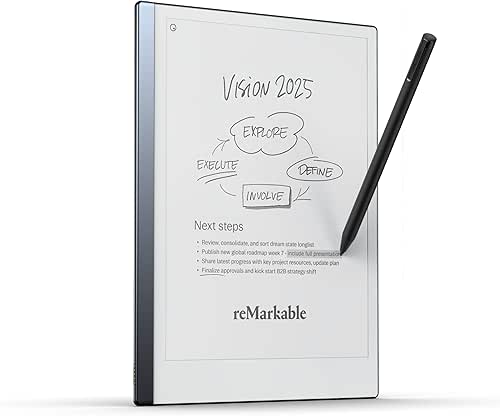
- E-Ink Digital Notebooks (The Luxury Choice): These are dedicated tablets that feel like paper. They don’t have apps or notifications—just a digital “infinite” notebook experience. (Example: reMarkable 2)
- Smart Pen Systems (The Classic Choice): You use actual ink and real paper, but the pen has a tiny camera that digitizes your strokes in real-time to an app. (Example: Moleskine Smart Writing Set)
Best for Task Managers: The Reusable Smart Notebook
Let me be honest: I ignored reusable notebooks for years because I thought they felt too “gadgety.” But after my third month of burning through expensive Moleskines, I realized I was wasting money on paper for daily to-do lists that I’d eventually throw away. I wanted something that felt like a “Sunday reset” for my brain—a fresh start every single day.
I finally picked up a notebook that used specialized pages designed to be wiped clean. I was skeptical about the writing experience—would it feel like writing on a whiteboard? Surprisingly, when paired with a fine-point erasable pen, it felt remarkably close to the real thing. I started using a specific layout that had dedicated spots for my “Big 3” goals, a habit tracker, and a blank space for morning brain dumps. Now, at the end of every day, I scan my completed list to my “Archive” folder in Google Drive, wipe the page, and I’m ready for tomorrow.
The real win here: A $30 investment that provides an infinite supply of “fresh starts” without the paper clutter.
Best for Deep Thinkers: E-Ink Digital Notebooks
You know that feeling when you just need to get away from everything? No Wi-Fi, no notifications, just you and your thoughts? For the longest time, I thought I’d have to go to a literal cabin in the woods to get that kind of focus. Then I tried an E-Ink tablet.
I’ll admit, the price tag made me hesitate. Spending hundreds of dollars on something that “only” lets you write felt like a stretch. But then I realized: that’s exactly the point. It’s a single-purpose tool. Unlike my iPad, which constantly tempts me with Netflix or my email, my E-Ink tablet is a sanctuary. I use it for my long-form journaling, sourdough recipe experiments, and sketching out plans for my home office. It feels like the ultimate “deep work” companion because it removes the friction of distraction.
The game-changer: Zero blue light and a battery that lasts for weeks, not hours.

How it Works: My ‘Capture & Clear’ Workflow
The secret to making this system work isn’t just the notebook—it’s the ritual. If you just buy the notebook and don’t change your habits, it’ll end up in a drawer. Here is the daily “Capture & Clear” workflow I use to keep my head above water:
- Morning Capture: During my morning coffee, I write down my “Big 3” tasks for the day in my notebook. No phone allowed.
- The Working Day: The notebook stays open on my desk. If a new task pops up, I write it down immediately. This prevents me from opening my phone and falling into a “scroll hole.”
- The Evening Scan: Before I close my laptop for the night, I use the companion app to scan my pages.
- The Smart Tag Magic: Most smart notebooks use “Smart Tags” or symbols at the bottom of the page. I’ve configured mine so that if I mark the “Diamond” symbol, the scan automatically routes to my “Best Goods Project” folder in Google Drive. If I mark the “Apple” symbol, it goes straight to my husband’s email for our shared grocery list.
- The Wipe Down: This is the most satisfying part. I take a damp microfiber cloth, wipe the page clean, and feel the mental weight of the day disappear.
The Honest Truth: Where Smart Notebooks Struggle
I’m all about transparency, so let’s talk about the friction points. No system is perfect.
First, there is the “drying time.” If you’re using a reusable notebook like the Rocketbook, you’re using Pilot FriXion ink. It takes about 10–15 seconds to dry. If you’re a leftie or you’re in a rush to flip the page, you will smudge it.
Second, let’s talk about “ghosting.” Over years of heavy use, you might see faint outlines of old notes if you don’t clean the pages regularly. The marketing says “500 uses per page,” but in my experience, the texture starts to change slightly after about 100 deep cleans. It’s still a High Lifestyle ROI, but it’s not literally “forever.”
Lastly, remember that a notebook doesn’t have an alarm. If you need a reminder to “pick up dry cleaning at 4 PM,” a smart notebook won’t ping you. I still use my phone for time-sensitive alerts, but the thinking and planning stay on the page.
Persona Loadout: Which one are you?
- The Minimalist Remote Worker: You work from a corner of your living room and hate clutter.
- Essential: Rocketbook Core (letter size) for a single, reusable surface.
- Essential: A set of Pilot FriXion pens in various colors.
- Pro Upgrade: A compact desktop shelf to keep your “analog zone” separate from your laptop.
- The Power User/Creative: You have complex projects and need to sketch out ideas.
- Essential: reMarkable 2 for the best writing feel and infinite pages.
- Essential: The Marker Plus (with the built-in eraser).
- Pro Upgrade: The Type Folio if you want to mix handwriting with typing.
Final Thoughts: It’s About Intentionality
Moving my to-do list from an app to a smart notebook wasn’t about being “anti-tech.” It was about being pro-focus. By using an analog-digital hybrid, I’ve managed to save my phone battery, reduce my daily screen time by nearly an hour, and—most importantly—bring a sense of calm back to my mornings.
If you’re feeling overwhelmed by the digital noise, I highly recommend starting small. Grab a budget-friendly reusable notebook first. See how it feels to wipe away your stress at the end of the day. You might just find that the “good life” is a lot easier to design when you aren’t staring at a screen to do it.
Affiliate Disclosure: Some of the links in this article are affiliate links, which means I may earn a small commission if you make a purchase, at no additional cost to you. My recommendations are always based on my personal “Good Life Test” for quality and utility.
References
- Mueller, P. A., & Oppenheimer, D. M. (2014). The Pen Is Mightier Than the Keyboard: Advantages of Longhand Over Laptop Note Taking. Psychological Science. https://doi.org/10.1177/0956797614524581
- Clayton, R. B., Leshner, G., & Almond, A. (2015). The Extended iSelf: The Impact of iPhone Separation on Cognition, Emotion, and Physiology. Journal of Computer-Mediated Communication. https://pmc.ncbi.nlm.nih.gov/articles/PMC12110250/
- Gmelius (2024). Digital Overload & Workplace Productivity Report. https://gmelius.com/blog/digital-overload
- WIRED. (2024). Best Smart Notebooks and Smart Pens Guide. https://www.wired.com/gallery/best-smart-notebooks-and-smart-pens/
- DocuWare. (2023). Swagelok Manchester: A Paperless Office Case Study. https://start.docuware.com/guide-to-a-paperless-office