=
It wasn’t sustainable, and honestly, it wasn’t even that comfortable.
As a lifestyle curator, I’m always looking for “High Lifestyle ROI”—those intentional changes that give you the most comfort and joy for the least amount of friction (and energy). In my home, that means turning my smart tech from a collection of “cool gadgets” into a coordinated cooling co-pilot. Today, I want to share the science-backed roadmap I use to summer-proof my space. We’re going beyond basic thermostat tweaks to build an integrated environment that stays chill without breaking the bank.
Quick Answer: The Summer Smart Home Checklist
If you’re in a rush to beat a heatwave, here are the high-impact wins:
- Thermostat Setpoints: Aim for 78°F when home and 82–85°F when away [1].
- Automated Shading: Close south-facing blinds between 11 AM and 4 PM to reduce heat gain by up to 33% [4].
- Fan Direction: Ensure ceiling fans are rotating counter-clockwise to create a downdraft.
- Vampire Loads: Use smart plugs to kill power to “energy vampires” that emit ambient heat.
The High ROI Approach to Summer Cooling
When we talk about optimizing a home for summer, we have to start with the “Good Life Test.” Does this automation actually solve a problem, or is it just tech for tech’s sake? The real problem in summer is the thermal load.
According to the U.S. Department of Energy (DOE), HVAC systems can account for as much as 50% of a home’s energy usage during peak summer months [1]. If your home is leaky or your tech is poorly configured, you’re essentially paying to cool the sidewalk. A High ROI approach means “summerizing” the environment to prevent the HVAC from overworking in the first place.
Why Your ‘Smart’ Home Might Still Be Wasting Money
Here’s the thing: having a smart thermostat doesn’t automatically mean you’re saving money. Many of us fall into the “set it and forget it” trap. We install the device, leave it on the factory schedule, and then override it manually every time we get home from the farmers market. This manual overriding actually makes the system less efficient.
Furthermore, if your smart home isn’t coordinated—meaning your smart blinds are open while your AC is fighting the sun—you’re stuck in a cycle of inefficiency. True optimization happens when your devices talk to each other to manage the “envelope” of your home.
Mastering Your Smart Thermostat: The 78°F Strategy
I know, I know. Suggesting 78°F in the middle of a Texas July sounds like a recipe for a very cranky household. I was skeptical at first, too. But the math is hard to ignore: regional efficiency organizations have found that for every degree you set your thermostat above 75°F, you can save roughly 10–15% on your cooling energy [2].
The trick isn’t just picking one number; it’s about the “setback” strategy. The DOE recommends a baseline of 78°F while you’re home and awake, and increasing that to 82–85°F when you’re away [1].
For a long time, I struggled with that “away” transition. I’d come home to a house that felt like a sauna, and my AC would run for three hours straight just to catch up. What finally clicked for me was using the “Early On” or “Smart Recovery” features found in most high-end thermostats. These allow the system to learn exactly how long it takes to drop the temp by four degrees, so it starts cooling just 30 minutes before I walk through the door.
Micro-Verdict: A smart thermostat pays for itself the fastest when you lean into automated setbacks rather than manual overrides.
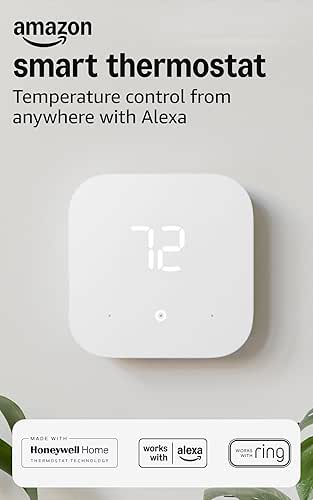

The ‘Pro’ Schedule: WFH vs. Commuter Templates
Depending on your lifestyle, your “High ROI” schedule will look different. Here are two templates I’ve tested that balance the DOE’s recommendations with actual human comfort:
The Austin WFH Professional
- Morning (6 AM – 8 AM): 75°F (Cool the house down while it’s still “chilly” outside).
- Workday (8 AM – 5 PM): 78°F (Paired with a ceiling fan, this feels perfectly comfortable).
- Evening (5 PM – 10 PM): 76°F (A bit cooler for cooking and relaxing).
- Sleep (10 PM – 6 AM): 74°F (Science shows we sleep better in cooler temps).
The 9-to-5 Commuter
- Morning (6 AM – 8 AM): 76°F.
- Away (8 AM – 4:30 PM): 83°F (Max savings mode).
- Evening (4:30 PM – 10 PM): 77°F (System starts cooling at 4:00 PM via Smart Recovery).
- Sleep (10 PM – 6 AM): 75°F.
The Humidity Factor: Why ‘Auto’ Fan Mode Wins
I see this mistake a lot: setting the HVAC fan to “ON” instead of “AUTO” to keep air moving. While it sounds like a good idea, major manufacturers like Trane and Carrier warn that in humid climates, running the fan constantly can actually blow the moisture that was just removed from your air back into the house [5]. Keeping it on “AUTO” ensures the fan only runs when the cooling coils are active, which is the gold standard for humidity control.
Passive Cooling Automation: Blinds, Fans, and Lights
If the thermostat is the engine, your blinds and lights are the insulation. Sunlight is the biggest enemy of a cool home. The DOE notes that medium-colored curtains with white plastic backings can reduce solar heat gain by around 33% [4].
I ignored this for years because I love natural light. But once I realized my south-facing windows were acting like space heaters, I set up a simple automation. Now, my smart blinds close the moment the outdoor temperature hits 85°F. It’s a game-changer for the internal temperature of my home.
Automated Shading: Sunlight is the Enemy
You don’t need a fancy system for this. Most smart blind hubs allow for “Suntracking.”
- Recipe: If Sun Position is “Direct” AND Outdoor Temp > 80°F, then Close Blinds to 80%.
Smart Lighting & The Vampire Load Hunt
Let’s be honest: we often forget that our gadgets generate heat. Those old incandescent bulbs we still have in the guest room? They give off about 90% of their energy as heat [3]. Switching to LEDs is the easiest “Low Effort, High ROI” win you can find.
But then there are the “energy vampires”—the gaming consoles, old printers, and coffee makers that stay warm even when “off.” I started using smart plugs to solve this. I have a “Summer Reset” routine that kills power to my media center at night. Not only does it save a few bucks, but it also stops that tiny, constant heat source in the corner of the room.
Micro-Verdict: Smart plugs are the unsung heroes of temperature management, cutting out the “micro-heat” sources you don’t even realize are there.

Safety & Survival: Protecting Your Tech from the Heat
We often focus on our own comfort, but our smart home hardware is under stress, too. I’ve seen outdoor cameras fail and hubs in stuffy closets start to lag during July heatwaves.
Research from tech authorities suggests that electronics kept in environments over 100°F (easy to reach in a closed closet or a garage) can see significantly reduced lifespans [6]. If your router or smart hub is tucked away in a cabinet, make sure it has at least two inches of clearance on all sides for ventilation.
Surge Protection for Summer Storms
In Austin, heat is usually followed by some pretty intense lightning storms. A smart home is an investment, and nothing ruins that ROI faster than a power surge. I recommend a “hardened” power foundation. Every expensive smart device should be on a high-quality surge protector, not just a cheap power strip.
Automation Recipes for Heatwaves and Vacations
When the grid is under stress or you’re heading out of town, you need a different playbook.
Recipe 1: The ‘Deep Freeze’ Vacation Mode
If you’re going to be away for more than 48 hours, don’t turn the AC off! That can lead to mold and humidity issues. Instead, set a “Vacation” scene:
- Thermostat: 85°F.
- Blinds: 100% Closed (keeps the house in a “thermal cocoon”).
- Lights: Randomize “Away” mode for security.
- Micro-Verdict: The goal here is a “passive fortress” that requires zero energy for cooling.
Recipe 2: The ‘Extreme Heat’ Triage Routine
During a 105-degree day when the utility company asks for conservation, I trigger my “Grid-Aware” routine:
- Thermostat: Pre-cool the house to 74°F at 10 AM, then drift to 80°F from 2 PM to 7 PM.
- Fans: All ceiling fans to High (Occupancy-based).
- Appliances: Smart plugs disable the dishwasher and dryer during peak hours.
Final Thoughts on Lifestyle ROI
At the end of the day, a smart home shouldn’t just be about flashy tech; it should be a tool that helps you live better and more intentionally. Optimizing for summer isn’t about suffering through the heat—it’s about using data and automation to create a space that supports you.
Before you dive into the settings, do me a favor: go check your HVAC filter. I say this with love because I’ve made the mistake myself. No amount of high-tech automation can fix a system that’s gasping for air through a clogged filter.
Stay cool, Austin. We’ve got this.
Disclaimer: Individual energy savings vary significantly based on home insulation quality, local utility rates, and specific climate conditions. Always consult with a licensed HVAC professional before making major changes to your cooling system’s hardware or configuration.
References
- U.S. Department of Energy (2024). Spring and Summer Thermostat Settings. Energy.gov.
- Regional Efficiency Organizations (2023). The Impact of Setpoint Adjustments on Residential Energy Demand.
- ENERGY STAR (2025). Lighting Efficiency and Heat Output Standards. Energystar.gov.
- U.S. Department of Energy (2024). Energy Efficient Window Attachments. Energy.gov.
- Trane Residential (2025). Thermostat Settings: Should the Fan Be On or Auto? Trane.com.
- Xfinity Mobile / PCWorld (2025). Protecting Electronics from Thermal Stress and Overheating.
- Honeywell Home / Resideo (2024). Smart Scheduling for Seasonal Efficiency. HoneywellHome.com.