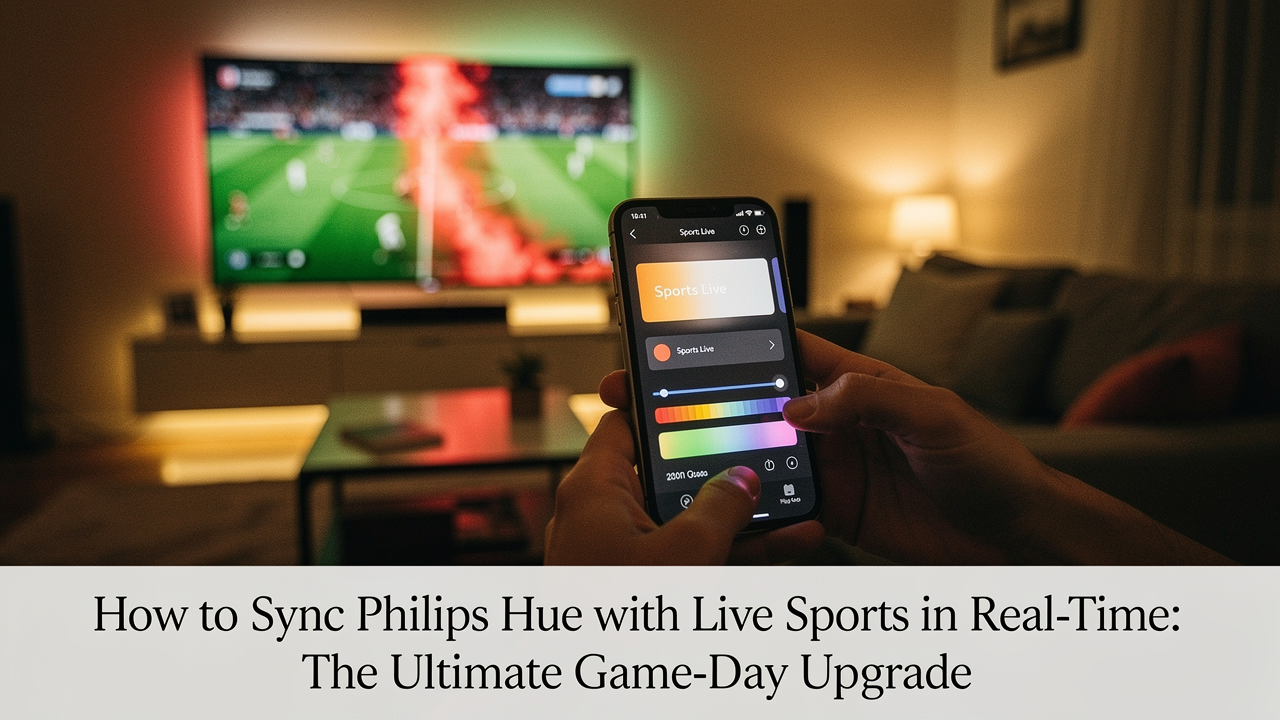
As someone who obsesses about “High Lifestyle ROI,” I’ve spent years trying to bridge that gap. I want my home in Austin to feel like the stadium, but without the $15 parking and the sticky floors. I’ve always believed that our environment dictates our energy, and for sports fans, the “environmental energy” has traditionally been pretty low.
That changed in May 2026 when Signify rolled out the Philips Hue Sports Live feature. We’re finally at a point where our homes can breathe with the game. Whether you’re gearing up for the 2026 World Cup or just a Tuesday night match, syncing your smart lights to live events is the ultimate optimization for your downtime. Here is how to turn that static “boring sports viewing” into a sensory experience that actually sparks joy.
The Problem: Why Your Living Room Fails the ‘Stadium Test’
Here’s the thing about watching sports at home: it often lacks “immersion.” In the world of digital wellness, immersion is defined as focused attention that leads to a loss of awareness of your physical surroundings [1]. When you’re at a stadium, the environment does the work for you. At home? Your static lighting is likely working against you.
Most of us suffer from “static home lighting”—that one overhead bulb or a lamp in the corner that never changes. This creates a “flat” mood. According to the Sweetser & Wyeth GameFlow model, when the pacing of an activity (like a slow-moving baseball game) doesn’t provide enough sensory feedback, our engagement drops [2]. We start scrolling on our phones. We lose the thread of the game.
I’ve struggled with this too. I’d sit down for a match, but the glare from my kitchen lights on the screen made it hard to see the pitch, and the lack of atmosphere made the game feel distant. I realized that to truly enjoy the “Good Life,” my space needed to react to the things I care about.
The Solution: What is Philips Hue Sports Live?
In May 2026, Signify changed the game by integrating live sports data APIs directly into the Hue ecosystem [3]. Unlike traditional “syncing” which requires a camera or a specialized HDMI box to “read” the screen, Sports Live uses real-time data feeds. When a goal is scored in London, your lights in Texas know about it almost instantly.
The best part? According to official Signify documentation, you don’t need a specialized Sync Box for this specific feature. As long as you have a Hue Bridge and color-capable bulbs, you’re ready to go. It’s a high-efficiency solution that solves the “immersion” problem without requiring a complete living room overhaul.
Step-by-Step: Setting Up Sports Live in the Hue App
Getting this running is surprisingly simple, but there are a few nuances to get the best “Lifestyle ROI.” Based on early walkthroughs from tech experts like Zac Hall, the process is now baked directly into the Hue App’s “Explore” or “Sync” tabs [4].
- Open the Hue App: Ensure you are running the latest firmware (updated for the June 2026 rollout).
- Navigate to Sync: Select the “Sports Live” option.
- Pick Your Team: You can choose your favorite club or national team. The lights will default to your team’s colors during the game.
- Assign Your Lights: I recommend using at least three lights—one for bias lighting behind the TV and two in the periphery of the room.
- Enable “Key Moments”: This is the magic part. Toggle the switch to allow the lights to flash or pulse when a goal, red card, or penalty occurs.
Solving the Lag: Adjusting for Broadcast Delay
I’ll be honest: nothing kills the vibe faster than your lights flashing “GOAL!” three seconds before the ball actually hits the net on your TV. This happens because “real-time” data from an API often travels faster than a compressed 4K stream reaching your cable box or streaming app.
What surprised me was how thoughtfully Hue handled this. Within the app settings, you’ll find a “Broadcast Delay” slider. Here is my “Goldilocks” guide for tuning:
- Over-the-Air (Antenna): Usually 0–2 seconds of delay.
- Cable/Satellite: Typically 3–5 seconds of delay.
- Streaming (YouTube TV/Hulu): This is the wild west—often 20–40 seconds. You’ll need to set a significant offset here to prevent spoilers.
The Pro Alternative: OnSwitch Plus 4.0
While the official Hue feature is fantastic for major football tournaments, I found myself wanting more variety for my Sunday NFL rituals. This is where I turned to a third-party solution that I’ve grown to love.
I’ll admit it—I was skeptical about using a third-party app at first. I’ve tried plenty of “smart” apps that were clunky or drained my battery. But when I discovered how OnSwitch Plus 4.0 handles things, it became a staple in my Sunday reset routine. They use “human event producers” who watch the games in real-time to trigger effects, which virtually eliminates the 30-second delay errors found in automated scoring apps [5]. This journey of trial and error led me to realize that for American leagues like the NBA or MLB, a specialized app often provides a more nuanced “light show” than a generic API.
The real win here: Pro-grade light shows for over 4,000 games a year across all major American and European leagues.
Jordan’s Optimization Recipes: Designing the Ultimate Atmosphere
Living well isn’t just about the tech; it’s about the layout. If your lights are positioned poorly, you’ll end up with eye strain rather than immersion. To get the best “ROI” on your setup, you need to think about layers.
The ‘Stadium’ Layout: Where to Place Your Lights
I used to just stick a color bulb in a floor lamp and call it a day. It was… fine. But it didn’t “spark joy.” What finally clicked for me was the concept of “Bias Lighting.” By placing light behind the TV, you reduce the contrast between the bright screen and the dark wall, which RTINGS research shows significantly reduces eye strain [6].
- The Foundation (Essential): A Philips Hue Play Gradient Lightstrip. This is the heavy lifter that mimics the colors on the screen or the team colors with a soft, sophisticated glow.
- The Atmosphere (Essential): Two Hue Go portable lamps placed on bookshelves or side tables. I like to set these to “Stadium Amber” to mimic the warm glow of arena floodlights.
- The Pro Upgrade: A Hue Ensis pendant light over the coffee table, set to a dim, team-colored “scene” that keeps the snacks visible without ruining the mood.
The game-changer: A setup that makes 90 minutes of viewing feel like an effortless escape rather than a chore for your eyes.


Safety and Accessibility: Enjoying the Game Responsibly
Before you go all-in on the goal celebrations, we need to talk about safety. Real-time sports lighting involves rapid color changes and flashes. While this is exciting for many, it can be dangerous for others.
The Epilepsy Foundation notes that flickering lights at certain intensities and frequencies can trigger seizures in people with photosensitive epilepsy [7]. If you or your guests are sensitive to light, I highly recommend using the “Intensity” slider in the Hue app. You can set the effects to “Low” or “Subtle,” which will gently transition colors rather than flashing.
Jordan’s Rule: If you’re hosting a watch party, always give your guests a heads-up that the lights will react to the game. It’s part of being a thoughtful, intentional host.
Making Every Matchday Better
At the end of the day, creating a “Good Life” is about the small moments of connection. Whether it’s the high-five after a goal or the shared groan after a missed penalty, these experiences are amplified when our environment supports them.
For the price of a few intentional upgrades, you gain a space that doesn’t just sit there—it participates. If you’re a football fan, start with the official Philips Hue Sports Live feature this summer. If you’re looking for year-round coverage of the NFL or NBA, give OnSwitch a look.
Which team are you syncing first? Let me know your favorite “goal scene” setup in the comments—I’m always looking for new ways to optimize the game-day vibe!
Disclaimer: I am a participant in affiliate programs, including the Amazon Services LLC Associates Program, designed to provide a means for sites to earn advertising fees by linking to products. This means if you click on a link and make a purchase, I may receive a small commission at no extra cost to you. I only recommend products I genuinely believe improve the “Lifestyle ROI” of your home.
References & Further Reading
- Jennett, C., et al. (2008). Measuring and defining the experience of immersion in games. International Journal of Human-Computer Studies.
- Sweetser, P., & Wyeth, P. (2005). GameFlow: a model for evaluating player enjoyment in games. Computers in Entertainment (CIE).
- Signify. (2026). Press Release: Philips Hue introduces Sports Live for real-time match synchronization. Signify Newsroom. https://www.signify.com/en-us/our-company/news
- Hall, Z. (2026). Philips Hue smart lights now react to live sports: Here’s how to set it up. 9to5Mac. https://9to5mac.com
- Buzzhaus LLC. (2025). OnSwitch Plus 4.0: The Future of Sports-Synced Lighting. OnSwitch Official Site. https://getonswitch.com
- RTINGS. (2024). Bias Lighting for TVs: What is it and do you need it? RTINGS.com.
- Epilepsy Foundation. (2023). Photosensitivity and Seizures. Epilepsy.com.